web
You’re offline. This is a read only version of the page.
close
Skip to main content

Announcements

No record found.

News and Announcements icon
Community site session details

Community site session details

Session Id :
Customer Insights - Journeys forum

Segments - no consistency using same criteria across separate segments. Not getting expected results.

(0) ShareShare
ReportReport
Posted on by 117

I'm having a problem creating a segment. A very basic dynamic segment. Contact status = Business Partner. That's it.
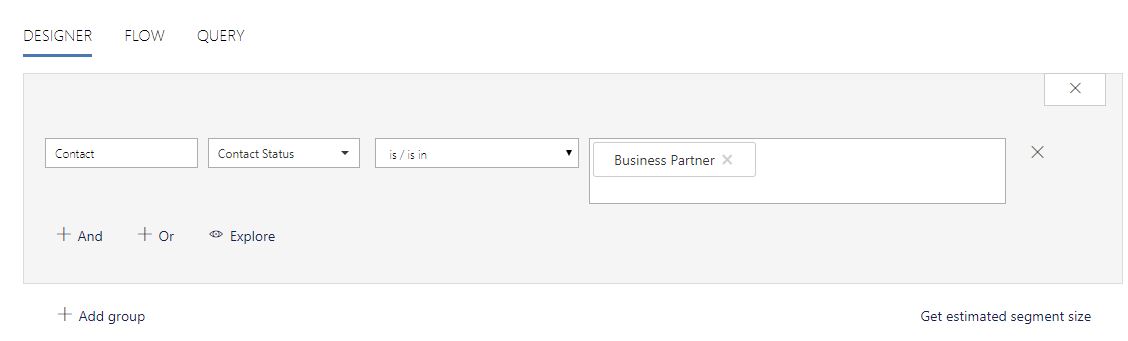
contact-is-bp.JPG

Or: 

CSA.JPG

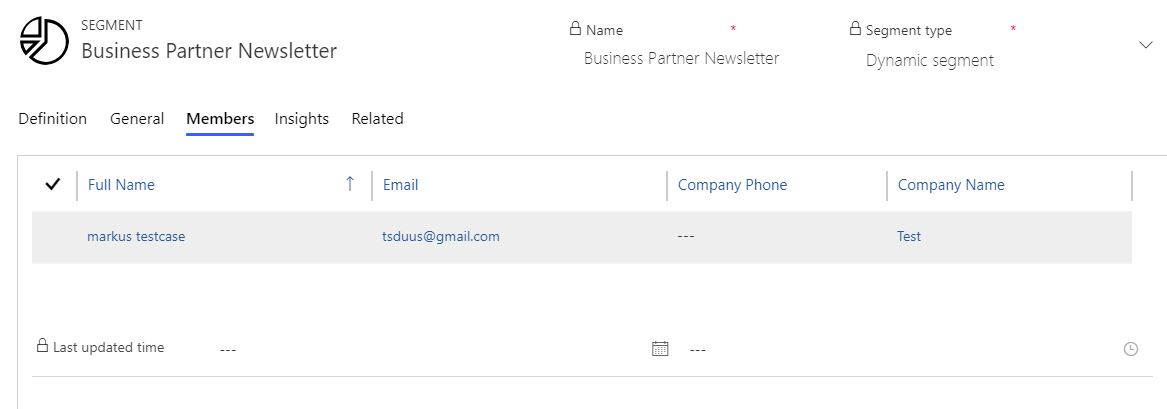
If I run an advanced find, I see all 155 members. When I create the segment, it returns only 2. And even that's iffy.

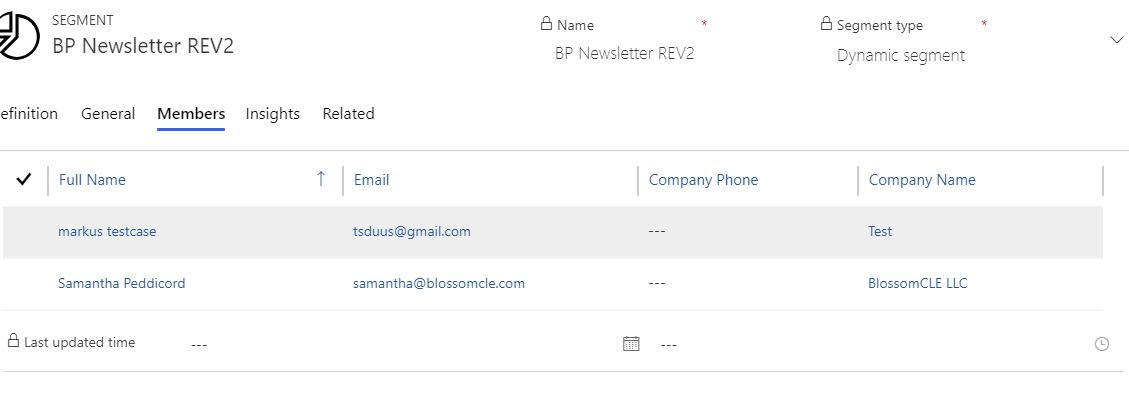
AF-BP.JPG     BPN2.JPG

I created a dynamic marketing list and tried creating the segment using that, same thing. The marketing list shows all 155 members, but when I create the segment using the marketing list as the criteria, I only get 1 member.

DML.JPG DML-SEG.JPG   DML-SEG-member.JPG

There doesn't seem to be any consistency, either. I recreated the segment, using the same criteria in both separate segments and got different results - 1 member in the first segment, and none in the second one. Using the exact same setup

You would think that creating segments would be the same as using the advanced find (I mean, that would be way too easy, right?)... but no... the advanced find can see all the contacts with the status "Business Partner", but the segment can't.

It makes no sense.

Categories:
I have the same question (0)
  • Suggested answer
    Christian Abeln Profile Picture
    Microsoft Employee on at

    Hello,

    Thank you for your request. We like to help you on this issue.

    Your segments are very straight forward and are expected to produce the same results like the advanced find or the dynamic lists.

    Do the segments show correct numbers now? If not would it be possible to share the Name of the organization and we can take a look and see that we can unblock your scenario? ( just the first part of the URL "Contoso.crm4")

    You could file a service request or get into contact with me as well.

  • TonyaStephenson Profile Picture
    117 on at

    infogrowcorp.crm

    The two marketing lists: 

    BPN-Segs.JPG

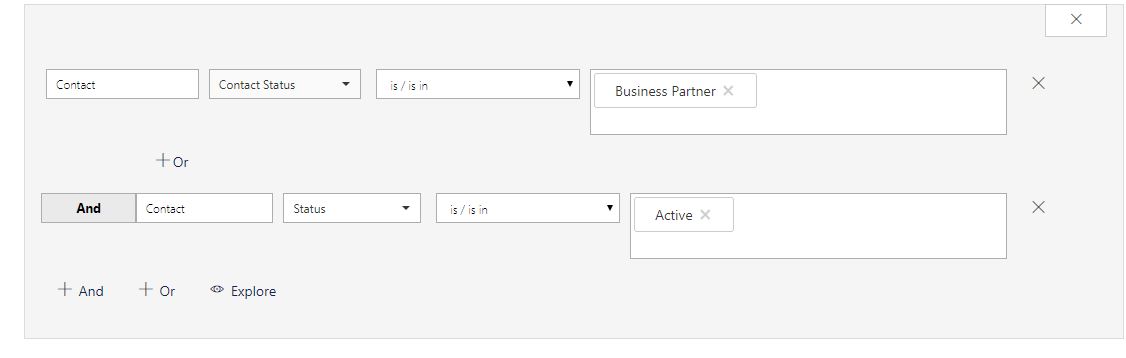
    BP Newsletter Rev2 (criteria Business Partner, active) is still only showing two members. And Business partner newsletter (Marketing List: Business Partner Newsletter) is completely empty. 

  • Christian Abeln Profile Picture
    Microsoft Employee on at

    Hello Tonya,

    thank you for sharing the information. We are analyzing this specific situation.

  • TonyaStephenson Profile Picture
    117 on at

    I have a case open with Microsoft now. Seems like no one seems to know why this is happening.

    I even tried to create a segment using ALL my contacts (352) and it only added 6. The only requirement was that they were an active contact, and yet.... no dice.

  • Ute Profile Picture
    25 on at

    I am facing the same issue - very simple segment - persons with two fields containing the value "Yes" (either one or the other) - advanced find shows 100 members, preview of segment shows 110 entries, as soon as segment is live, it shows no dataset at all.

  • J.G Profile Picture
    185 on at

    @Tonya, did you ever get an answer to why it was doing this?

    I've just implemented a Marketing instance and am finding the results not to be as expected as you experienced. As an example, contacts where contacts contain EmailAddress1 in the marketing segment returns 3076 records, if i use the same query in an advanced find it returns 3081(5 additional - no difference in status values or anything like that)

Under review

Thank you for your reply! To ensure a great experience for everyone, your content is awaiting approval by our Community Managers. Please check back later.

Helpful resources

Quick Links

November Spotlight Star - Khushbu Rajvi

Congratulations to a top community star!

Forum Structure Changes Coming on 11/8!

In our never-ending quest to help the Dynamics 365 Community members get answers faster …

Dynamics 365 Community Platform update – Oct 28

Welcome to the next edition of the Community Platform Update. This is a status …

Leaderboard > Customer Insights - Journeys

Last 30 days Overall leaderboard

Featured topics

Product updates

Dynamics 365 release plans