Hello Michael D365,
The scenario you painted is accurate. D365 will first look at the Item number before looping through the other numbers to find a match. So in the case of 123, it will detect your item number rather than your 789. I expected that not finding 123 on the PO it would have then looked for 123 in the external number for that vendor and return with 789, but confirmed by testing that it is not looking further than 123 and giving an error that the item is not on the PO :(
It would be worthwhile to find out what is the protocol used for your manufacturerès QR code. It will likely be a GS1 code and which normnally includes the vendor's GTIN. With that in mind, I tested using the GTIN and it worked.
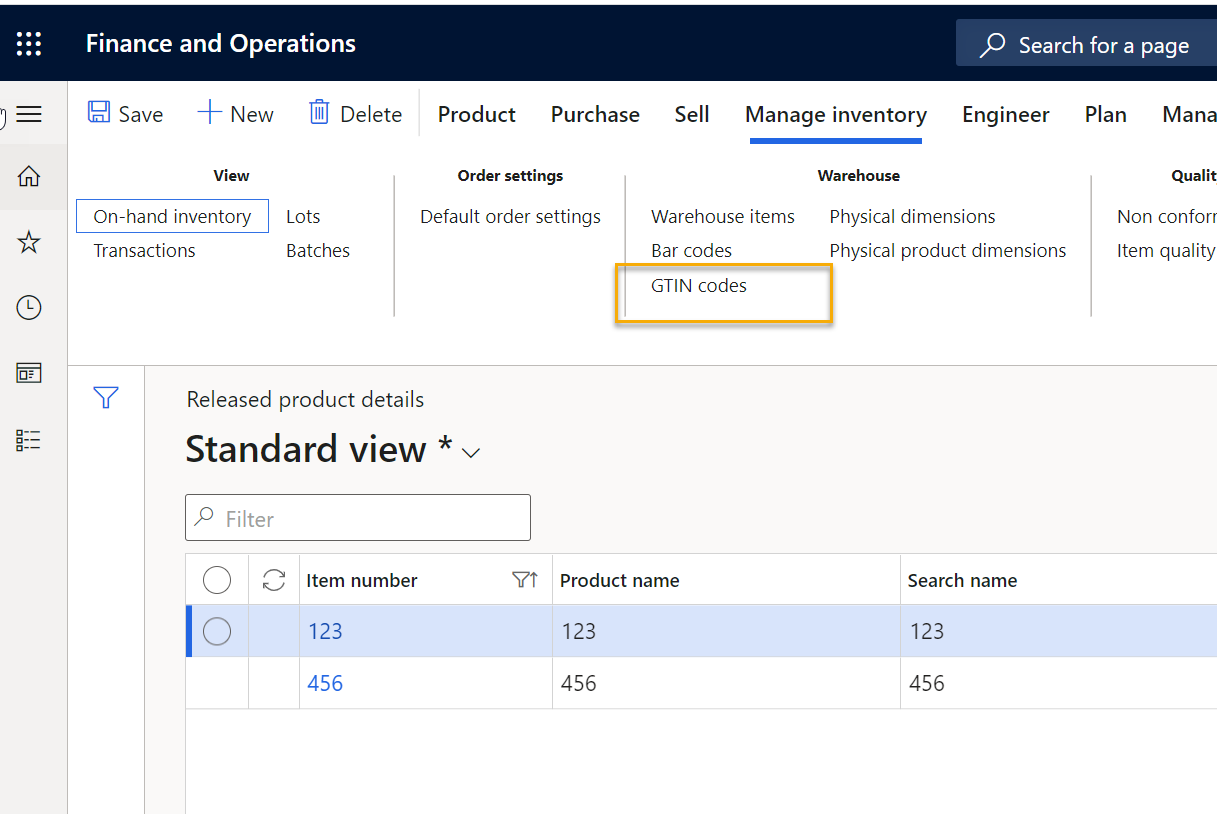
Here are the Items I used for testing. I highlighted where the GTIN would be configured:
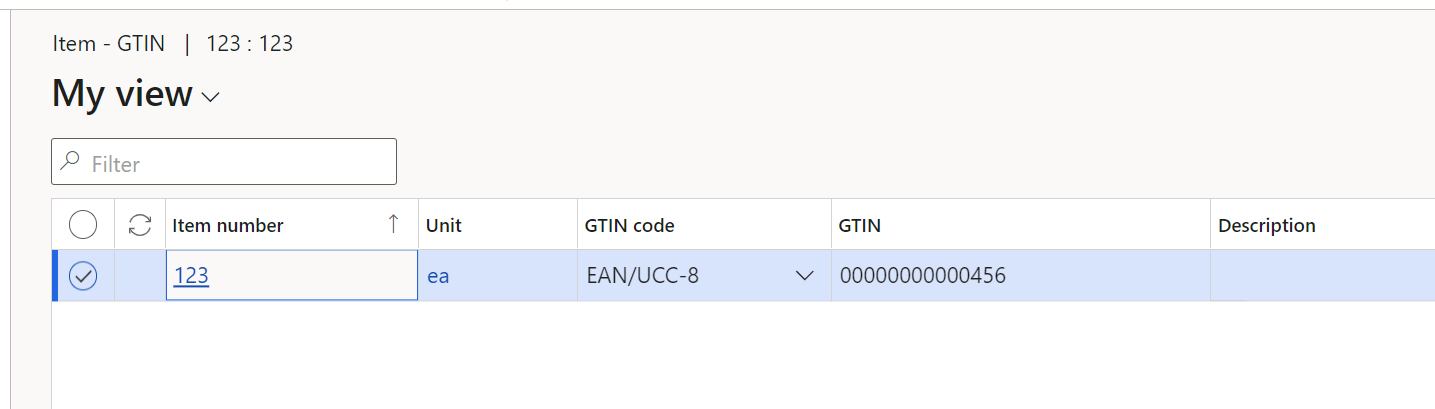
Here is the GTIN i used (because of barcdoe format used it has a lot of leading 0 followed by 456):
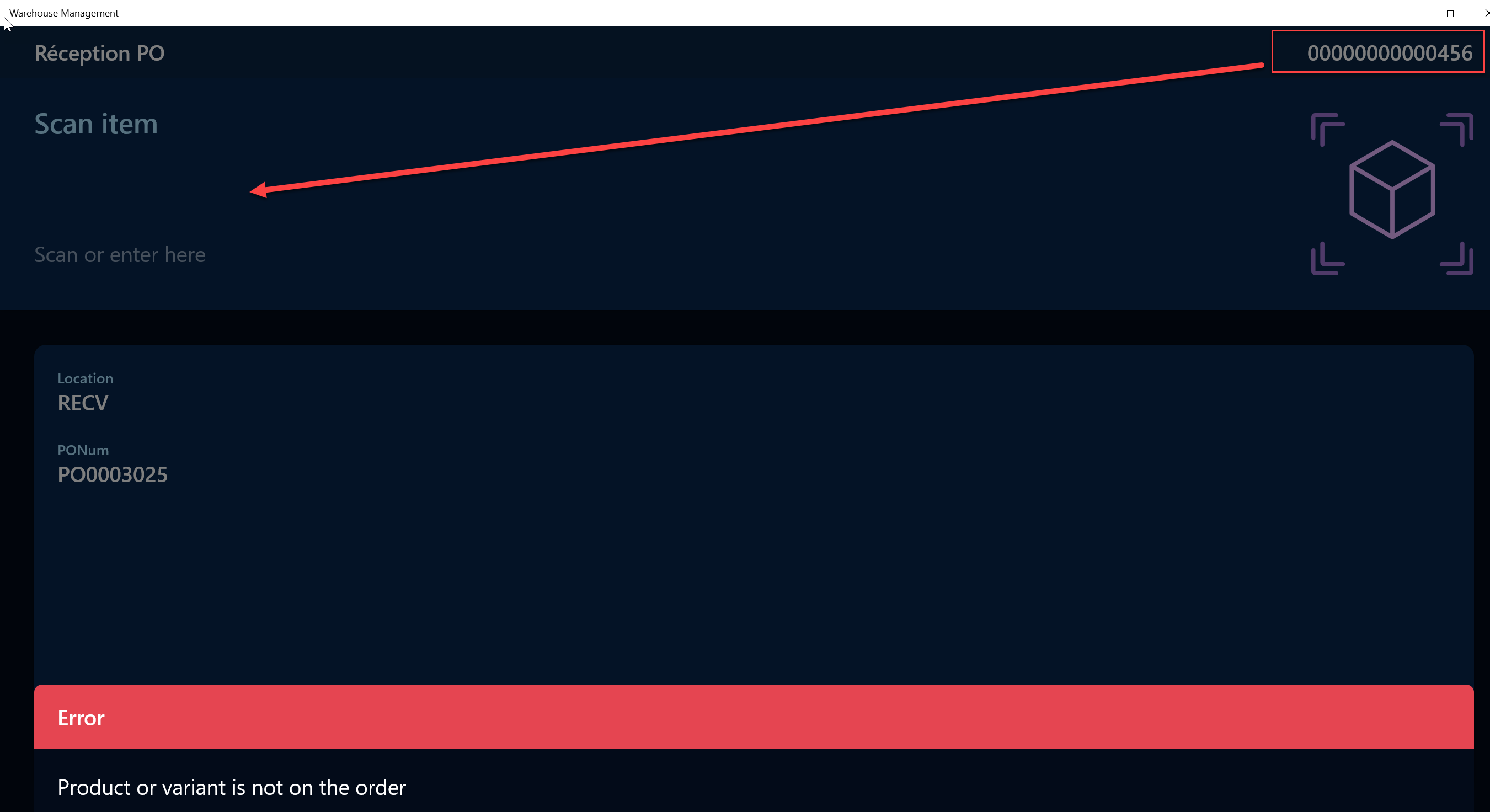
Here is after scanning the GTIN during PO reception:

For good measure, I created a new item 00000000000456 to validate whether the system uses teh Item number before the GTIN and I got the error that the item is not on the PO. So again, it did not go any further that the item id.
.
So basically, you have to either:
- Change the sequence system used for interpreting the canned number ; or
- Make sure that your item id is different from the Vendor External Number or GTIN so that the system does not confused with Item ID (preferred).
I would suggest using GTIN (or barcode) as that code will be readable outside of the context of receiving a PO (where vendor is known).
Hope that helps!
Rehatds,
Danny





