web
You’re offline. This is a read only version of the page.
close
Skip to main content

Announcements

No record found.

News and Announcements icon
Community site session details

Community site session details

Session Id :
Microsoft Dynamics AX (Archived)

Unable to understand GL posting for VAT posting

(0) ShareShare
ReportReport
Posted on by 221

I am posting a GL journal with two lines. Both lines have sales tax applicable and since one line is debit and another credit sales tax direction is also accordingly Sales tax receivable and sales tax payable respectively. When the transaction is posted, sales tax payable account is selected based on VAT posting profile we have set up but for sales tax receivable posting system is using debit line account and posting tax amount in the same account.
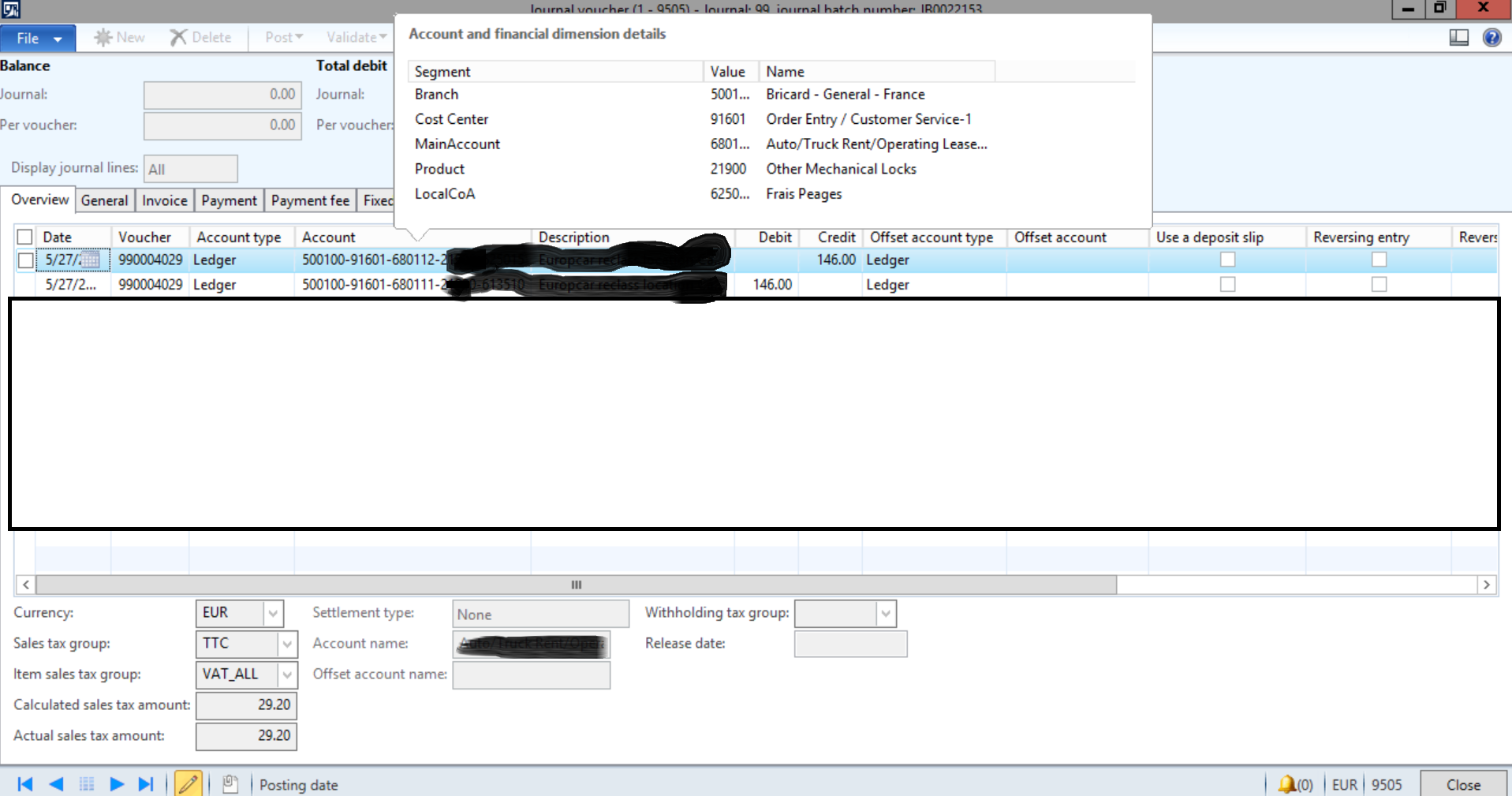

pastedimage1569778397903v1.png

pastedimage1569778414547v2.png

I tried doing this couple of ways and getting different result for different combination. For eg: if I use a single line to enter GL entry (i.e. use offset account field for 2nd account) then system creates and entry where sales tax receivable is posted in the ledger account of line (Again system not using VAT posting profile) and credit goes to offset account.

Question is how does application decide which accounts to use for sales tax postings when GL journal is posted.

Thanks... 

*This post is locked for comments

I have the same question (0)
  • Ludwig Reinhard Profile Picture
    Microsoft Employee on at

    Hi,

    Entering a posting this way with sales tax applicable to both lines does not seem to make sense to me.

    Can you explain the business scenario that would require such a tax posting?

    Best regards,

    Ludwig

  • André Arnaud de Calavon Profile Picture
    304,459 Super User 2026 Season 1 on at

    Hi Vaibhav,

    It would be nice to know what you are exactly trying to post here. Is it a VAT correction?

    I do think you have to use two lines with a suspension account as offset and use two different voucher numbers. The AX logic might take the first line to determine the VAT posting settings.

  • Vaibhav Sangave Profile Picture
    221 on at

    Hi Ludwig, You are right, There is no valid business scenario. User made the entry by mistake and now we want to rectify the mistake but we can not. Every time I add lines sales tax postings are using ledger set up for posting sales tax payable and line level ledger account for sales tax receivable posting which basically increases sales tax payable amount.

    Basically same behavior as shown in above image.

    We want to avoid direct posting in sales tax payable account as manual entry is disabled for the account.

  • Suggested answer
    Ludwig Reinhard Profile Picture
    Microsoft Employee on at

    Hi,

    Can you simply avoid those direct postings by saying that direct postings are not allowed on the account through the activation of the respective main account parameter?

    Best regards,

    Ludwig

  • Vaibhav Sangave Profile Picture
    221 on at

    Hello Ludwig,

    Apologies for confusion. What I meant was we already have the direct posting not allowed parameter activated. Now we have to reverse the sales tax payable account. How do we do that? Since the parameter for direct posting is activated we can not post directly.

  • André Arnaud de Calavon Profile Picture
    304,459 Super User 2026 Season 1 on at

    Hi Vaibhav,

    If you want to post on an account related to VAT, you also need to provide a Sales tax code on the journal line.

Under review

Thank you for your reply! To ensure a great experience for everyone, your content is awaiting approval by our Community Managers. Please check back later.

Helpful resources

Quick Links

Introducing the 2026 Season 1 community Super Users

Congratulations to our 2026 Super Stars!

Meet the Microsoft Dynamics 365 Contact Center Champions

We are thrilled to have these Champions in our Community!

Congratulations to the March Top 10 Community Leaders

These are the community rock stars!

Leaderboard > 🔒一 Microsoft Dynamics AX (Archived)

#1
CP04-islander Profile Picture

CP04-islander 26

#2
Michel ROY Profile Picture

Michel ROY 14

#3
imran ul haq Profile Picture

imran ul haq 8

Last 30 days Overall leaderboard

Featured topics

Product updates

Dynamics 365 release plans
