web
You’re offline. This is a read only version of the page.
close
Skip to main content

Notifications

Announcements

No record found.

Community site session details

Community site session details

Session Id :
Small and medium business | Business Central, N...
Answered

Power BI connects with Business Central database of previous tenant

(0) ShareShare
ReportReport
Posted on by 187

Hello Forum,

I have two trial versions of Business Central, let's call it BC1 and BC2. For the first one I signed up for a Power BI account and I log in with the same emailaddress as for BC1. Let's say for BC1 I have user Marc Sample.
After that I go to my Desktop Power BI and select get Data: online services and I can connect with different environments, their tenants and their tables to make a graph.

Then I log out and sign up in for BC2 with a different emailaddress as user John LM. I created in Power BI a login for Marc Sample with the emailaddress of BC2.
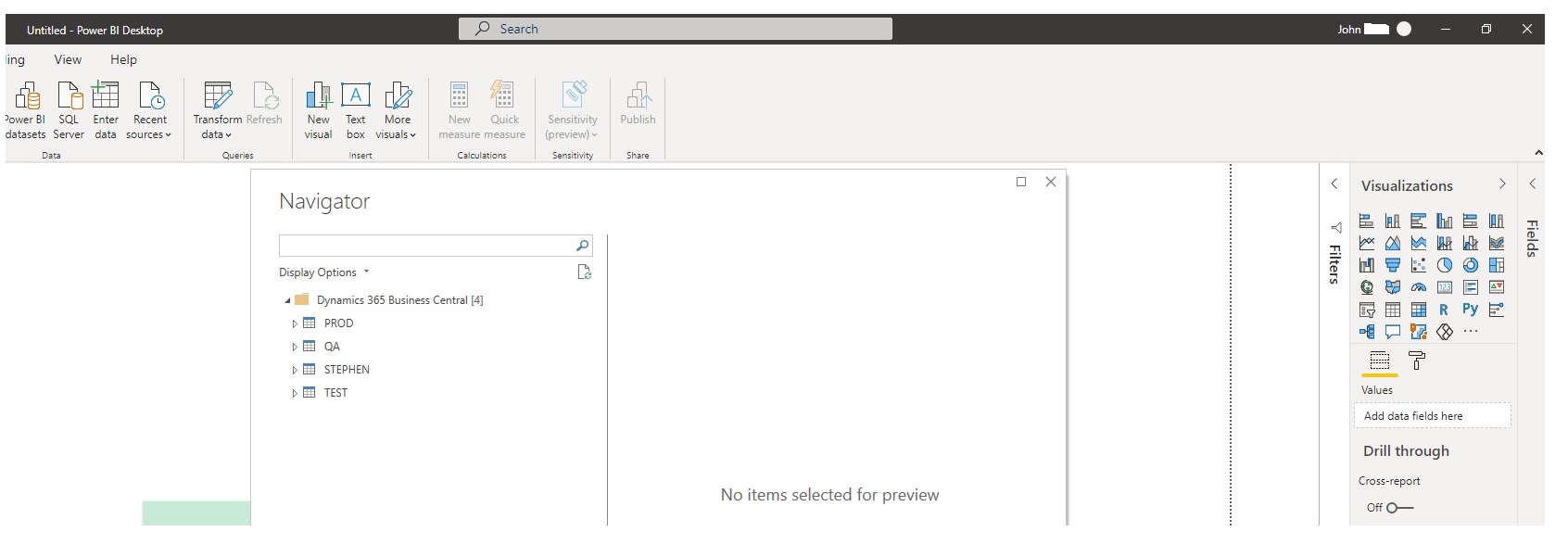
I go to Power BI Desktop, log in with Marc Sample and select get Data: online service. I connect to Dynamics 365 Business Central and I expect to see the environment of BC 2, the tenants of BC2 and the tables.

But I see the environment of BC1 and cannot connect to BC2 to get the data in Power BI.

What am I doing wrong or am I forgetting something?

Thanks for the reply and explanation.

Greetings,

John
7506.Untitled.jpg

I have the same question (0)
  • Verified answer
    Steven Renders Profile Picture
    5,672 Moderator on at

    It does not matter which user you are logged on with in Power BI Desktop. That user is only used for Publishing a report. It's the data source that stores the credentials to the source, BC.

    In Power BI Desktop Go to:

    File, Options and Settings, Data Source Settings

    Select Dynamics 365 Business Central and Edit permissions OR Clear all permissions

    Then try again to connect to BC

  • JohnnyLM Profile Picture
    187 on at

    Thanks Steven, it worked!

    Greetings,

    John

  • MarisolC Profile Picture
    103 on at

    Can I have 2 different connections?

    pastedimage1648168694533v1.png

  • Suggested answer
    Steven Renders Profile Picture
    5,672 Moderator on at

    You can use multiple data sources, but only 1 Business Central. 

    For example you could connect to a BC and to an Excel file, or ODATa or,..., but you can not connect to 2 different BC tenants at the same time.

    However, you could try to connect to BC1 with the BC connector and then connect to BC2 via ODATA, that could maybe work?

    But in the Power BI Service (online), the PBI and BC tenant need to be the same.

    A bit more info: How Do I: Publish a Power BI report to another BC tenant? – think about IT

Under review

Thank you for your reply! To ensure a great experience for everyone, your content is awaiting approval by our Community Managers. Please check back later.

Helpful resources

Quick Links

Responsible AI policies

As AI tools become more common, we’re introducing a Responsible AI Use…

Neeraj Kumar – Community Spotlight

We are honored to recognize Neeraj Kumar as our Community Spotlight honoree for…

Leaderboard > Small and medium business | Business Central, NAV, RMS

#1
OussamaSabbouh Profile Picture

OussamaSabbouh 3,151

#2
Jainam M. Kothari Profile Picture

Jainam M. Kothari 1,443 Super User 2025 Season 2

#3
YUN ZHU Profile Picture

YUN ZHU 1,092 Super User 2025 Season 2

Last 30 days Overall leaderboard

Featured topics

Product updates

Dynamics 365 release plans
