Last year I implemented D365 CE Sales Hub App for one of our clients as per their requirements. The implementation went smooth and they started using it. In December, they decided to implement the PSA module as well, as the organization was getting new projects. I have done a couple of Sales Hub implementations for different organizations in the past, but PSA I was about to implement for the first time.
Did some R&D on how to implement PSA and what are the pre-requisites of implementing PSA. I found that first I must update the solutions of Field Service and Project Service Automation respectively to the latest versions. I did that but ended up with a mess that I was not expecting. All our records of opportunities in Sales Hub started to show error messages on certain records. (Below image for reference)
Error Message: Service-maintenance based records can only be edited by using Field Service form. Record is read only.
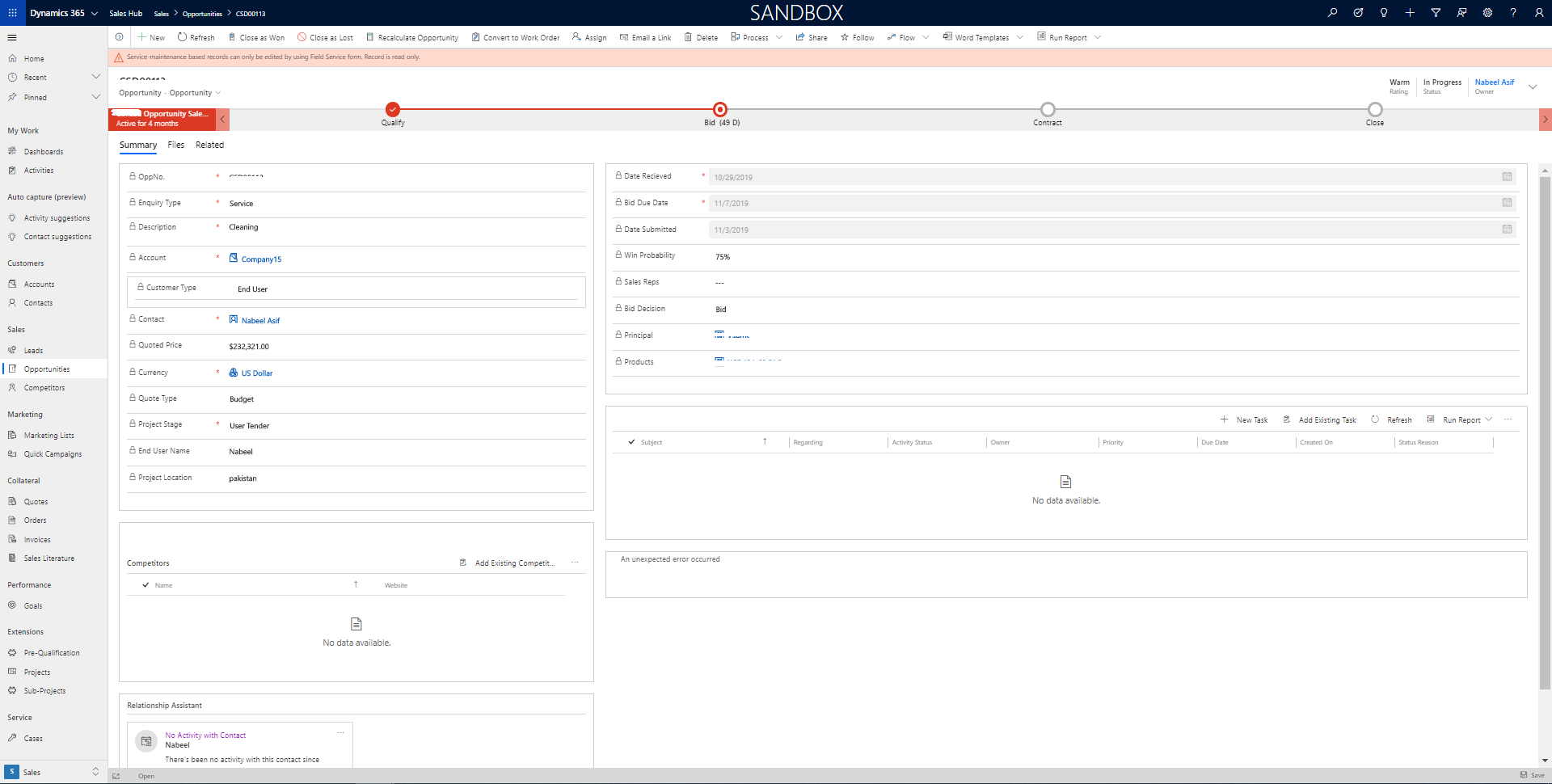
All the users started to complain that they can’t even edit the old records and sometimes can’t create new records as well. At first, I had no clue what exactly went wrong as I just updated two solutions. I contacted Microsoft support thinking that it might be something from their end and with the hope that I might get some help from them. But I couldn’t find much help from there as well.
After knocking all the doors, I finally roll up my sleeves to fix the issue on my own. I spent some dedicated hours in debugging to figure out the root cause of it (which I must have done before going to Microsoft). I went to customizations section, opened the main opportunity form to check all the dependencies of that form. (See image below)
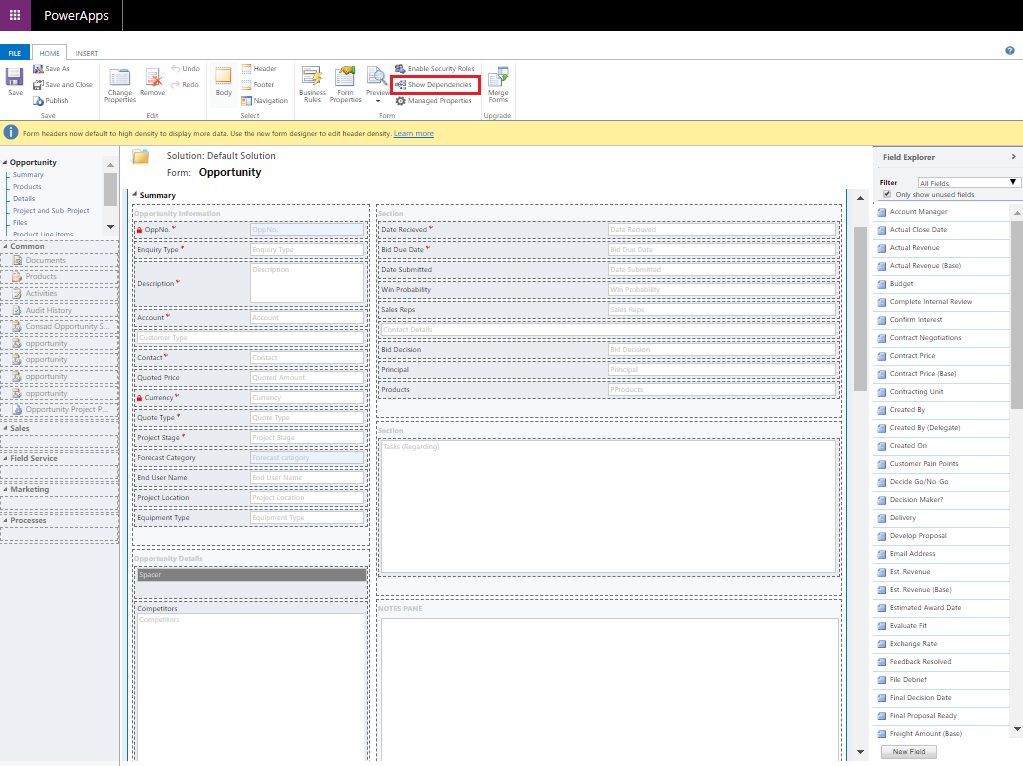
I found that there were a couple of fields that were part of managed solutions of PSA and FS and are part of my form as well. I just removed those fields and created two new fields in place of those fields. And guess what, the issue went off and everything started to work normally as it was working before updating the two solutions. (See below images)
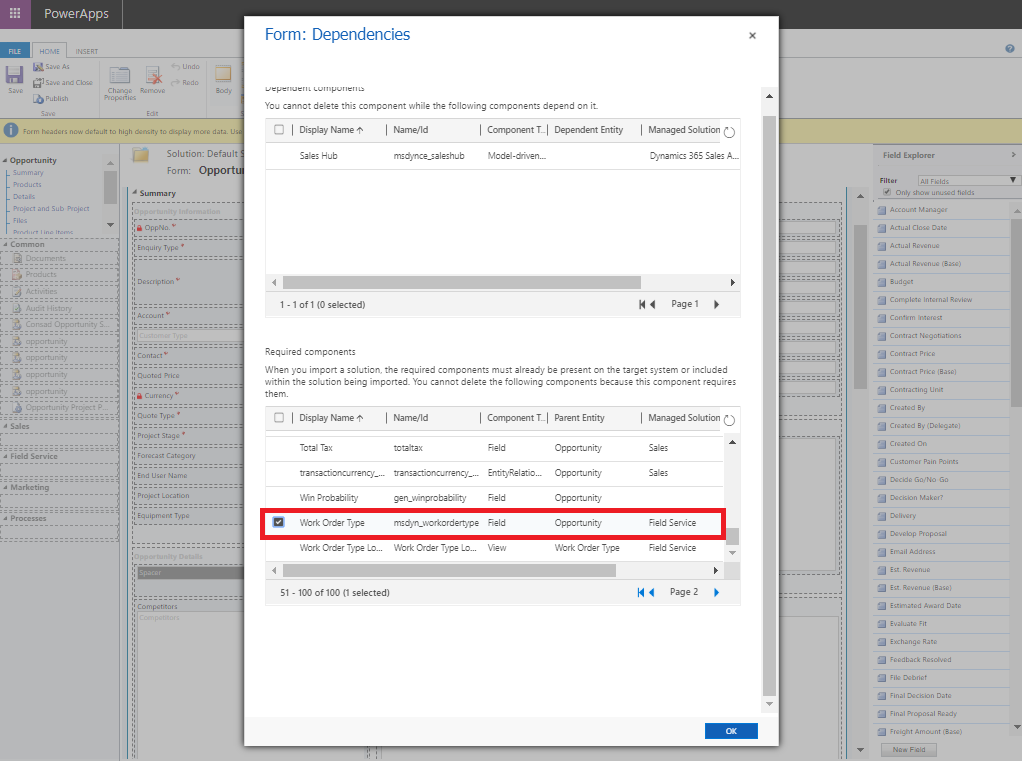
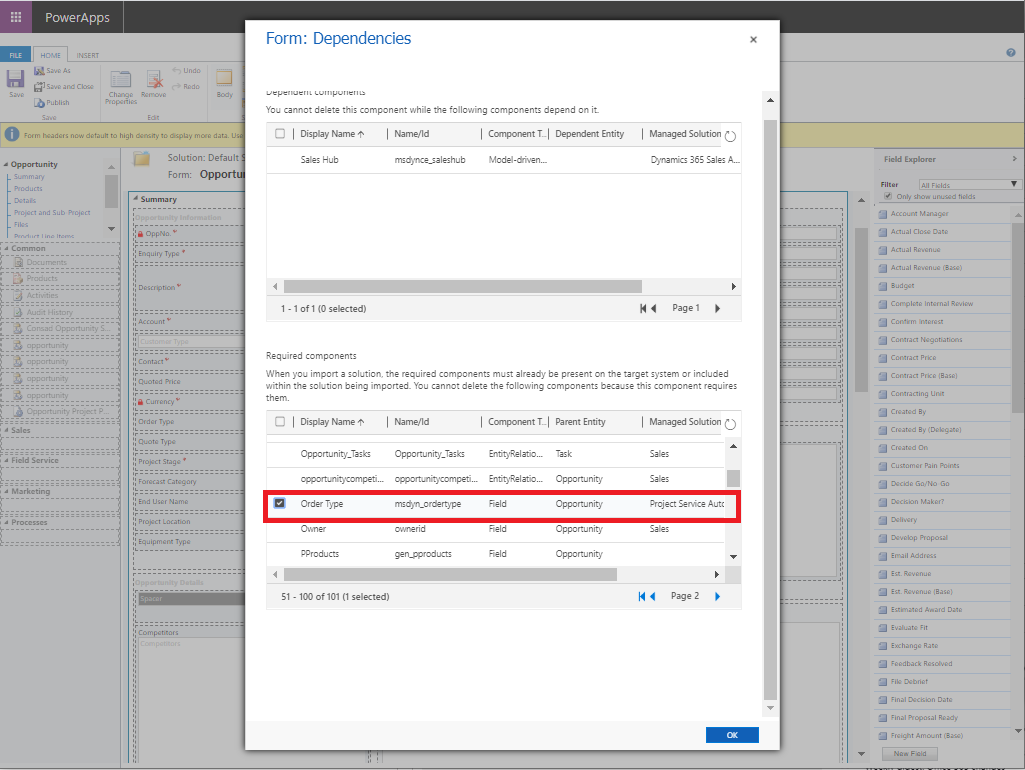
There are a couple of points I learned from the above experience.
- Never do changes to the main form of any entity, if there are any customizations required, we must create a new form for that.
- Before using any existing field, keep a note that this field is only specific to the current entity or it has some links with other entities/solutions also.
Please share your thoughts on the above solution that I figured out on my own which started things to work normally as they were working before. I am open to suggestions and feedbacks.
Note: The purpose of writing this post/article is to share the information with others that could be of any use if someone else gets stuck in any such issue, it could be helpful for them.


