web
You’re offline. This is a read only version of the page.
close
Skip to main content

Notifications

Announcements

No record found.

Community site session details

Community site session details

Session Id :
Microsoft Dynamics CRM (Archived)

Import is creating blank contact records

(0) ShareShare
ReportReport
Posted on by 235

I have been trying to import records into CRM for weeks now with no success. I have a .csv file with a list of accounts data, including the primary contact name.

I have used the import wizard to successfully import the account data into the relevant fields in the account table. However almost no data is imported into the contact table, despite assigning the data to be imported to the correct fields. The records are created and linked to each account by the 'Parent Account' field, which is the only data on the record. The correct number of records are being imported but each field is completely blank.

I have tried creating a new contact in CRM, exporting it, and importing it again. Same problem.

I have pasted the data into the Contacts import template spreadsheet from CRM. Same problem.

I have restarted the CRM server and am still having the same issue.

Here is the completed import job showing the contacts imported. The parent customers and relevant data were imported successfully.
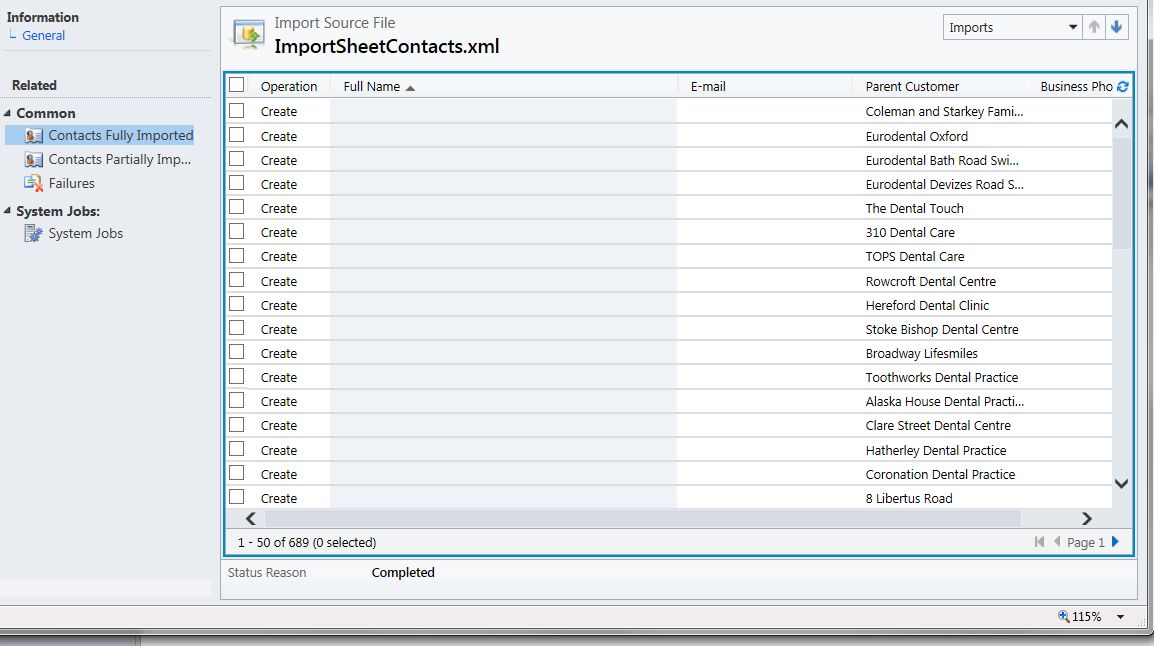
1031.crmss2.png

Here is the first record from that list, as you can see it is linked to one of the accounts, but the rest of the fields are blank.
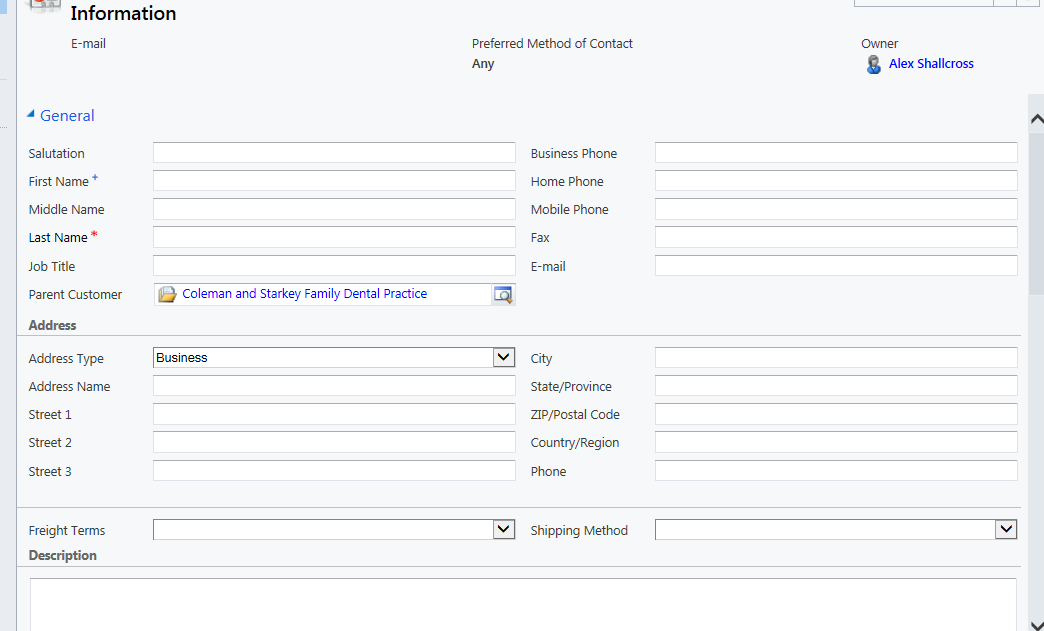
How is it creating the records when a required field, last name, is left blank in the import?

*This post is locked for comments

I have the same question (0)
  • jlattimer Profile Picture
    24,562 on at

    When importing have you verified the fields are mapped correctly?

    As for your question on the last name field being required - the import process does not take into account field requirement levels- so it it possible to import data into a record and not populate any of the required fields.

  • Suggested answer
    Eber Profile Picture
    165 on at

    Hi Alex,

    How is your .csv file formatted? Did you add content on Last name field on your .csv file? Data Import tool on Dynamics CRM is a very good functionality, but you must do the hard work to add the information on the right place. For example, if you add the Last Name field as a column on your .csv file, but didn't add any content, then you will have records with blank fields. The Data Import tool will recognize the content on Parent Customer field, will import because there is a line with content at least in one column, and will "interprete" that the blank fields is a null or empty value. Data Import tool will required at least the required field on the .csv file, but will not check if the column is or not fulfilled.

    What you can do is check to do not allow duplicated records. But that is not solve your problem to import blank contacts. I recommend you review your .csv file.

    Create a new file with the content below and let me know if it will work (I'm using semicolon on the file, so you must specified it before import):

    First Name; Last Name; Parent Customer
    Alex;;Coleman and Starkey Family Dentral Practice

    Best regards,

    Éber Gustavo

Under review

Thank you for your reply! To ensure a great experience for everyone, your content is awaiting approval by our Community Managers. Please check back later.

Helpful resources

Quick Links

Responsible AI policies

As AI tools become more common, we’re introducing a Responsible AI Use…

Neeraj Kumar – Community Spotlight

We are honored to recognize Neeraj Kumar as our Community Spotlight honoree for…

Leaderboard > 🔒一 Microsoft Dynamics CRM (Archived)

#1
SA-08121319-0 Profile Picture

SA-08121319-0 4

#1
Calum MacFarlane Profile Picture

Calum MacFarlane 4

#3
Alex Fun Wei Jie Profile Picture

Alex Fun Wei Jie 2

Last 30 days Overall leaderboard

Featured topics

Product updates

Dynamics 365 release plans
