web
You’re offline. This is a read only version of the page.
close
Skip to main content

Notifications

Announcements

No record found.

Community site session details

Community site session details

Session Id :
Microsoft Dynamics GP (Archived)

Endpoint not found, Benefit Self Service not found

(0) ShareShare
ReportReport
Posted on by 330

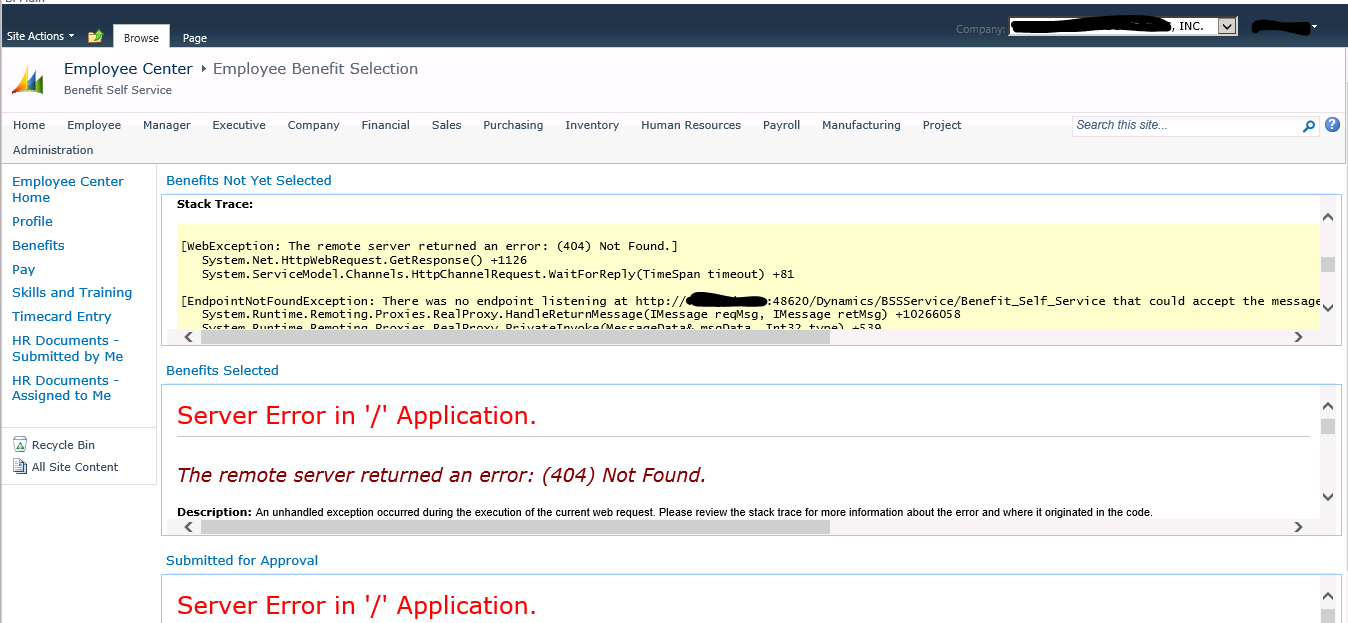
I installed the Business Portal 6.0 with Benefit Self Service Module. Everything is fine, Employee List is coming out fine, Employee Information and other data is okay. But on accessing the Addition Benefit Information link on  Employee\Benefit Page, it shows the errors as pasted below.
7217.BP-Error-2.PNG

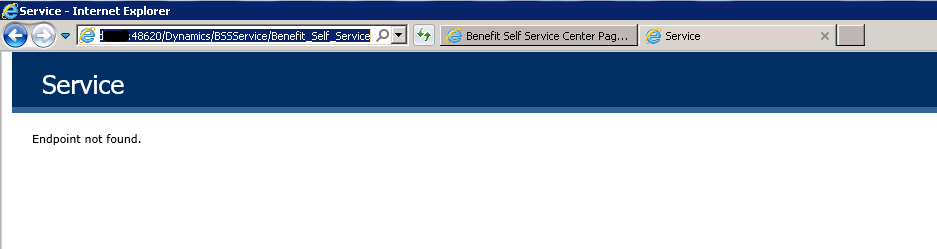
Apparently in all the three web parts it is not able to find the Benefit Self Service at http://servername:48620/Dynamics/BSSService/Benefit_Self_Service.
0486.BP-Error-3.PNG

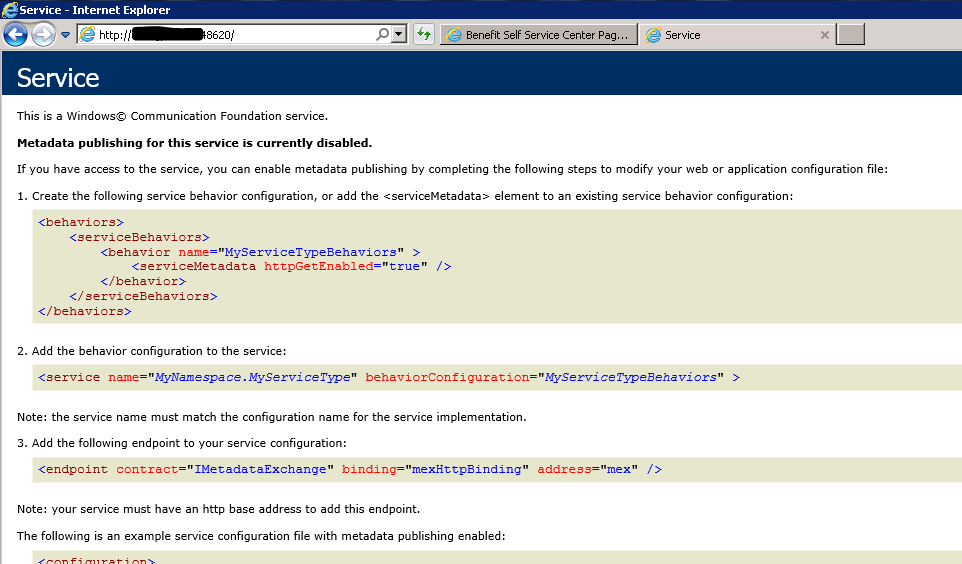
While the Dynamics service is showing fine.
2451.BP-Error-4.PNG

I was able to find literally nothing on this issue but going through the documentation, I found a document named BPHRPSuiteInstallation.pdf. It says what is pasted below.

Initial Installation
To configure BSS Web Services:
This procedure configures BSS Web Services for the Human Resources and Payroll Suite for Business Portal. It only needs to be performed if BSS has been installed. It requires that Microsoft Dynamics GP Web Services has previously been installed.
1.
From the server that is running GP Web Services, access the BSSWebServiceConfig.exe in the directory where Microsoft Dynamics GP Web Services was installed. By default, this is \Program Files\GPWebService.
2.
Double-click BSSWebServiceConfig.exe and follow the on-screen instructions.

For 1, I was able to find the GPWebService folder under Program Files/Microsoft Dynamics/GPWebService, but I couldn't find any file named BSSWebServiceConfig.exe. The only executable file related to BSS found was Integrity.Data.BSS.GPWebService.Security running which it closes unexpectedly.
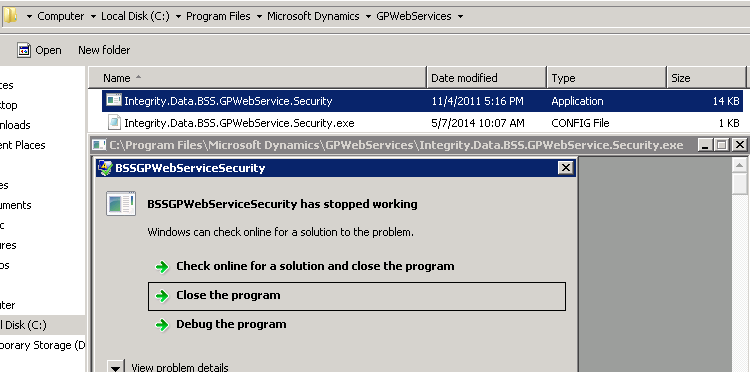
 I guess the service did not install and I do not have any installation file to do it. Any help in this would be appreciated.

*This post is locked for comments

I have the same question (0)
  • soma Profile Picture
    24,410 on at

    Please have a look on the below link.

    community.dynamics.com/.../gp-2010-web-services-error-there-was-no-endpoint-listening-at-at-http-server-48620-dynamics-gpservice.aspx

    Hope this helps!!!

  • Taha Rehman Siddiqui Profile Picture
    330 on at

    Dear SOMA,

    The service http://servername:48620/Dynamics/GPService is accessible on my machine. The problem is with Dynamics/BSSService.

  • Derek Albaugh Profile Picture
    on at

    We've seen this caused by the Web Services for Dynamics GP port number not set correctly in the Business Portal web.config file, as per KB 2431140:

    SYMPTOMS

    When you click  Employee , click Benefits , and then click Additional Benefit Information , you may recieve the following error

    "Server Error in '/' Application The remote server returned an error: (401) unauthorized."

    or

    "Server Error in '/' Application No connection could be made because the target machine actively refused it."

    CAUSE

    The Web Services for Microsoft Dynamics GP 2010 port is not set correctly in the Business Portal web.config file.

    RESOLUTION

    1. At the web server where Business Portal is installed, open Windows Explorer and go to the Business Portal web.config file. The default location is

              C:\inetpub\wwwroot\wss\VirtualDirectories\##\.

    2. Right-click the web.config file and click copy . Right-click in Windows Explorer and click paste to paste a copy in the same folder.

    3. Right-click the web.config file and open the file in a text editor such as Notepad.

    4. Click Edit and then click Find . Find "DynamicsGPWCFService" in the file.

    5. Verify the Web Services port number, the default port is 48620 similar to below.

               address=" http://SERVERNAME:48620/Dynamics/GPService/GPService

    6. Click Edit and then click Find . Find "BSSWebService".

    7. Verify the Web Services port number, the default port is 48620 similar to below

              address=" http://SERVERNAME:48620/Dynamics/BSSService/Benefit_Self_Service

    8. Close and save the file.

    9. Launch Business Portal and verify the error does not appear.

    Thank you,

Under review

Thank you for your reply! To ensure a great experience for everyone, your content is awaiting approval by our Community Managers. Please check back later.

Helpful resources

Quick Links

Responsible AI policies

As AI tools become more common, we’re introducing a Responsible AI Use…

Neeraj Kumar – Community Spotlight

We are honored to recognize Neeraj Kumar as our Community Spotlight honoree for…

Leaderboard > 🔒一 Microsoft Dynamics GP (Archived)

#1
mtabor Profile Picture

mtabor 1

Last 30 days Overall leaderboard

Featured topics

Product updates

Dynamics 365 release plans



