web
You’re offline. This is a read only version of the page.
close
Skip to main content

Announcements

No record found.

News and Announcements icon
Community site session details

Community site session details

Session Id :
Microsoft Dynamics 365 | Integration, Dataverse...
Suggested Answer

Going to Contact Profile from Account Profile Page

(0) ShareShare
ReportReport
Posted on by 29

Hi - is there a way to jump into a Contact profile from an Account profile page?

When I am in an Account (ex. Company - NYC) there is a list of all the contacts that are under that Account. See below
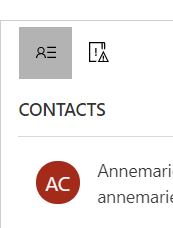
8715.JPG

However, when I click on one of the name, it shows as a quick look in the Account profile page - like below.
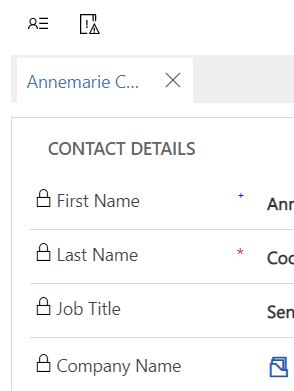
2438.JPG

Is there a way I can navigate to her profile from here?

I have the same question (0)
  • Wahaj Rashid Profile Picture
    11,323 on at

    Hi,

    As per normal behavior, when you click on the Contact name, it should take you to the Contact form,

    Can you share a screenshot of your Account form?

  • JhoustonBGCDA Profile Picture
    29 on at

    Hi - it doesnt do that. I double click it and it just highlights the text as if it wasnt a link

    Here is the screenshot:

    0160.Capture.JPG

  • Suggested answer
    Wahaj Rashid Profile Picture
    11,323 on at

    Hi,

    This seems like a card form (of contact).

    You should have a Contacts sub-grid, under this section, something like this:

    pastedimage1614374535185v1.png

    When you click here, you should able to open the Contac's main form.

    If you do not have Contacts Subgrid (as shown in the above image), let me know.

  • Community Member Profile Picture
    on at

    Hi JhoustonBGCDA,

    You can navigate to related contacts in account form with another way.

    pastedimage1614567623334v1.png

    In account form, move to ‘Related’ tab and click ‘contacts’, then you view related contacts, which is the same with related contacts that list under 'summary' tab.

    pastedimage1614567822178v2.png

    Now, you can navigate to contacts form by clicking them.

    Regards,

    Leah Ju

    Please mark as verified if the answer is helpful. Welcome to join hot discussions in Dynamics 365 Forums.

Under review

Thank you for your reply! To ensure a great experience for everyone, your content is awaiting approval by our Community Managers. Please check back later.

Helpful resources

Quick Links

Introducing the 2026 Season 1 community Super Users

Congratulations to our 2026 Super Stars!

Meet the Microsoft Dynamics 365 Contact Center Champions

We are thrilled to have these Champions in our Community!

Congratulations to the March Top 10 Community Leaders

These are the community rock stars!

Leaderboard > Microsoft Dynamics 365 | Integration, Dataverse, and general topics

#1
11manish Profile Picture

11manish 159

#2
ManoVerse Profile Picture

ManoVerse 54 Super User 2026 Season 1

#2
André Arnaud de Calavon Profile Picture

André Arnaud de Cal... 54 Super User 2026 Season 1

Last 30 days Overall leaderboard

Product updates

Dynamics 365 release plans
