web
You’re offline. This is a read only version of the page.
close
Skip to main content

Notifications

Announcements

No record found.

Community site session details

Community site session details

Session Id :
Microsoft Dynamics CRM (Archived)

why automatic case creation is not working ?

(0) ShareShare
ReportReport
Posted on by 235

I m working with CRM online and trying to implement "Automatic Case Creation using Rules". What I expect is after that when I create a "Phone Call" a case should be created for it automatically which is not happening. Can you please guide if I m missing something or doing something incorrect. Below are details of how I m doing it.

1. Record creation and update rule
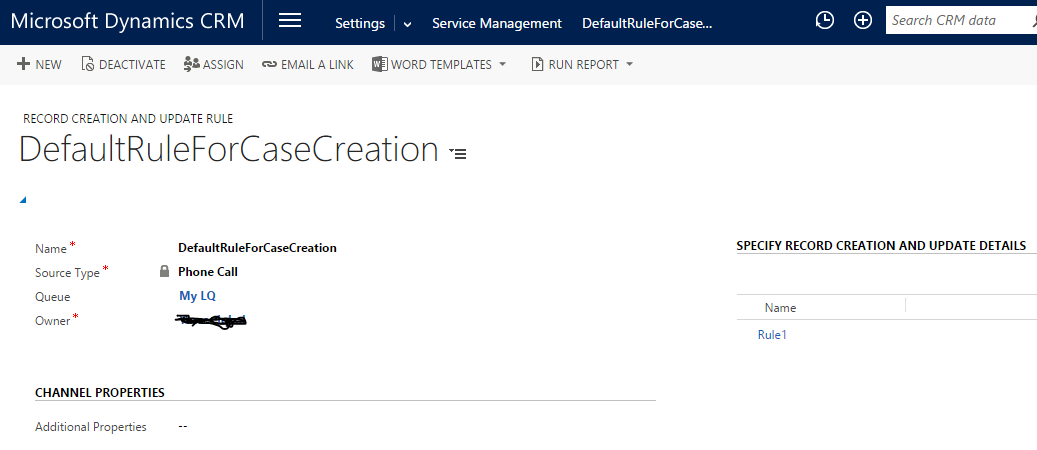
26657.1.PNG

2. SPECIFY RECORD CREATION AND UPDATE DETAILS
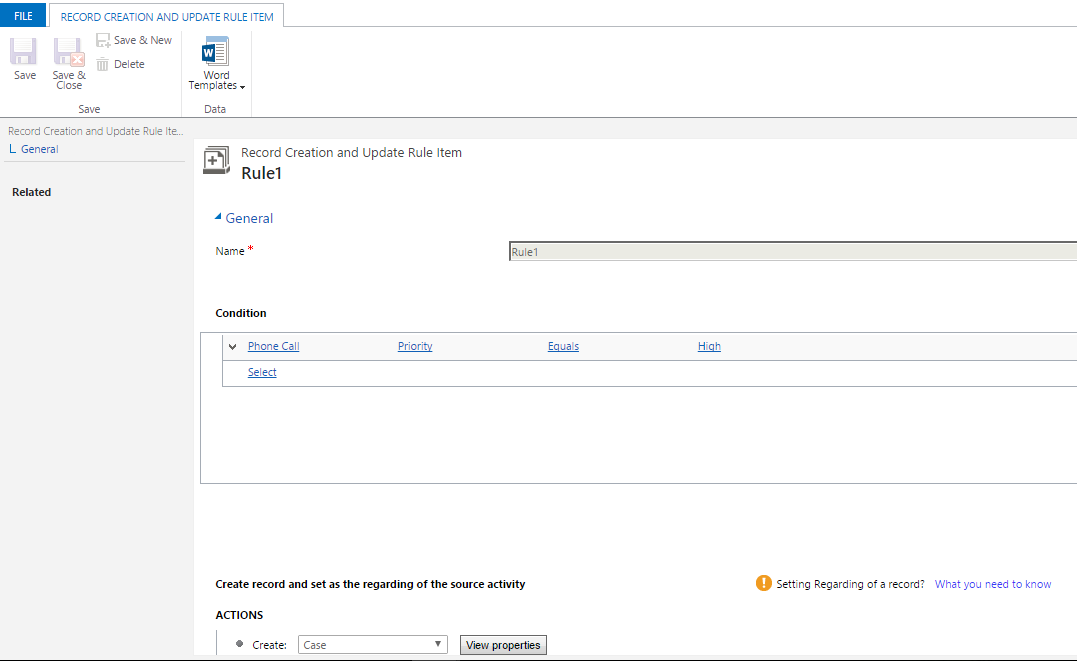
0677.2.PNG

3. Create recod and set as the regarding of the source activity
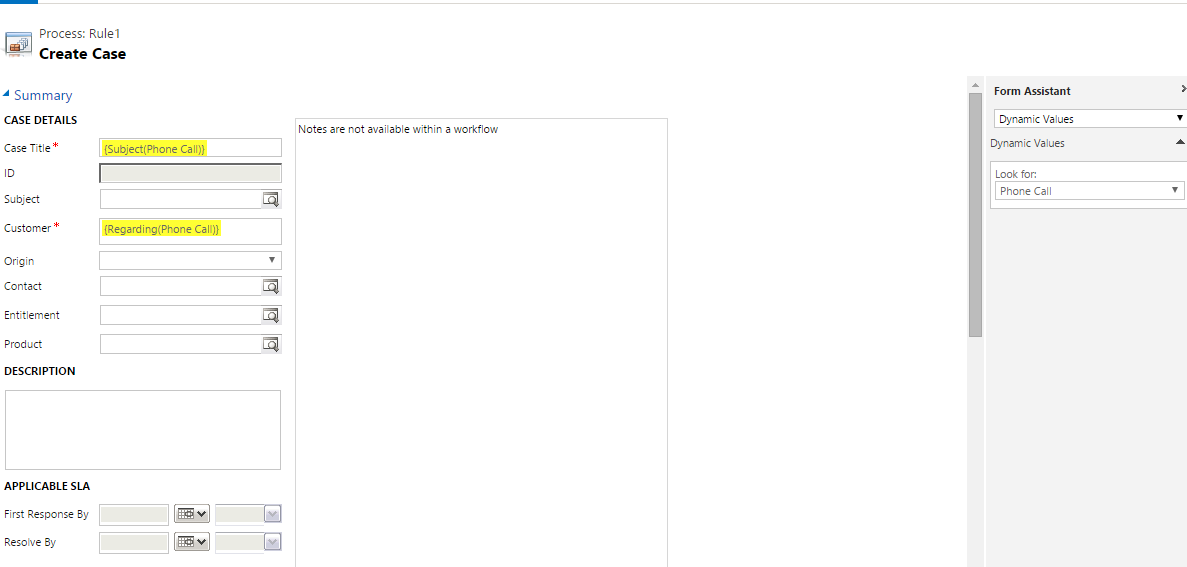
3302.3.PNG

Rule is activated.

After that I click on + and add a Phone Call activity. Finally I go to Cases but don't see new case created from this phone call.

Can you please guide if I m doing some mistake or doing something incorrect.

Thanks a lot.

*This post is locked for comments

I have the same question (0)
  • Community Member Profile Picture
    on at

    Hi,

    As this automatic rules created a workflow process, so you can check the system jobs to find out the issue why the case not created.

  • umma Profile Picture
    235 on at

    Thanks Mohit.

    Sorry I m new to CRM, can you please guide how and where I can check system jobs ?

  • Suggested answer
    Community Member Profile Picture
    on at

    go to advanced find and search for system jobs

    and then click on results and in the system job type columns search for workflow

    Please see the below screenshot :

    system.JPG

  • Suggested answer
    Mahendar Pal Profile Picture
    45,095 on at

    You can also find details of these workflow under backgroup process for your phone call, you should get two workflow there. Open your phone call and from related entities drop down available next to your phone call.

    Thanks

  • umma Profile Picture
    235 on at

    thanks for replying Mohit. I did as you guided but in results there is no Workflow. What I have done is went to Advanced Find > Select entity 'System Jobs' then I tried filtering for 'WorkFlow' and also checked with all results but there is no record with 'Workflow' as  'System Job type' column. It did not resolved but thanks for your time.

Under review

Thank you for your reply! To ensure a great experience for everyone, your content is awaiting approval by our Community Managers. Please check back later.

Helpful resources

Quick Links

Responsible AI policies

As AI tools become more common, we’re introducing a Responsible AI Use…

Neeraj Kumar – Community Spotlight

We are honored to recognize Neeraj Kumar as our Community Spotlight honoree for…

Leaderboard > 🔒一 Microsoft Dynamics CRM (Archived)

#1
SA-08121319-0 Profile Picture

SA-08121319-0 4

#1
Calum MacFarlane Profile Picture

Calum MacFarlane 4

#3
Alex Fun Wei Jie Profile Picture

Alex Fun Wei Jie 2

Last 30 days Overall leaderboard

Featured topics

Product updates

Dynamics 365 release plans



