web
You’re offline. This is a read only version of the page.
close
Skip to main content

Notifications

Announcements

No record found.

Community site session details

Community site session details

Session Id :
Small and medium business | Business Central, N...
Answered

Workflow email customization

(0) ShareShare
ReportReport
Posted on by 25

Hello, I have set up a simple workflow that will send an email notification to a specific user whenever a purchase document is released over 10000€. 

I have managed to set up the smtp service, and the workflow is working, but the email content is empty:
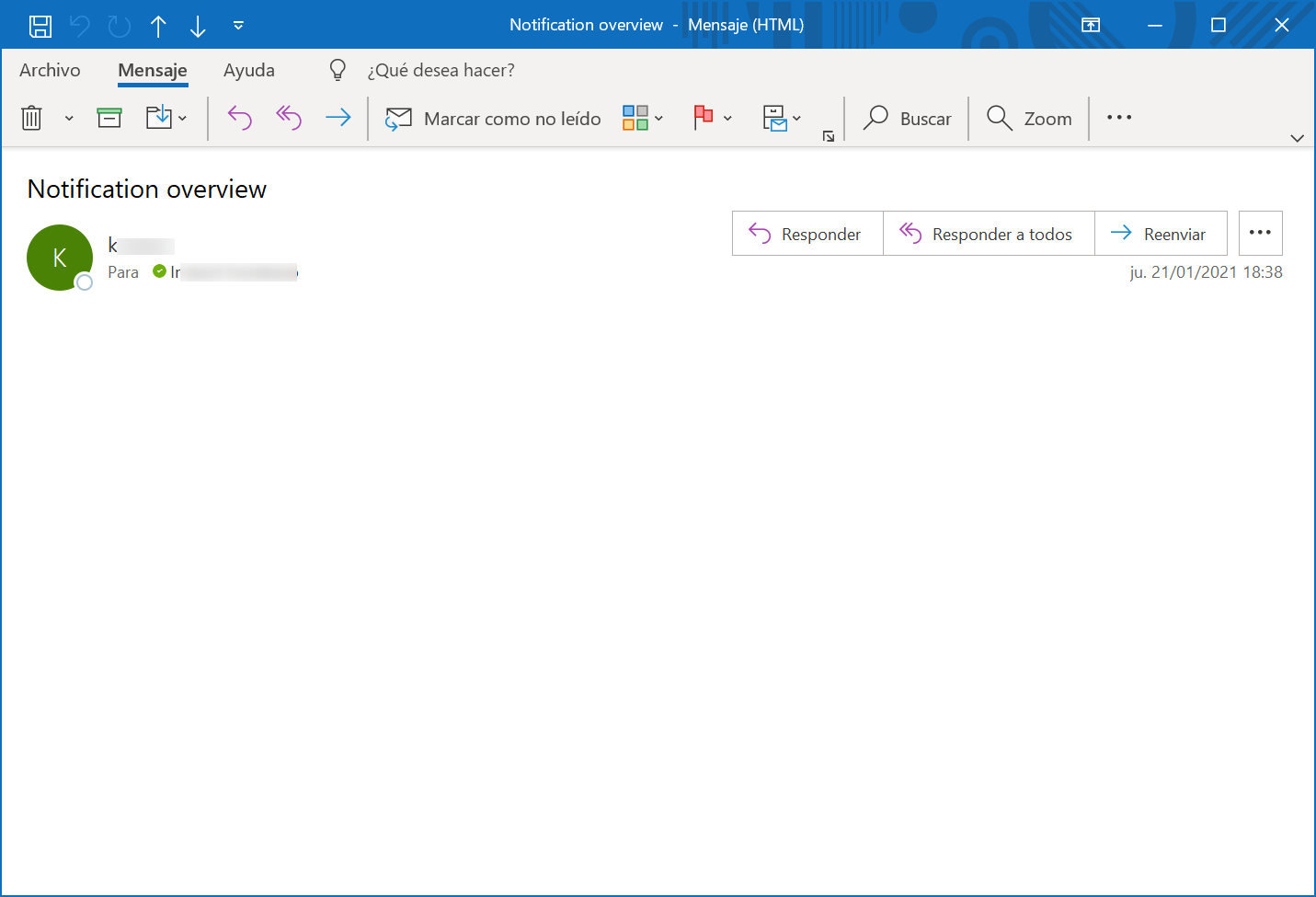
2021_2D00_01_2D00_21_5F00_19h00_5F00_08.png

How can I customize this email? I have tried to modify the built-in report "Notification Email" but I don't know how can I link a custom report to this workflow. 

I am using the following version:

ES Business Central 16.6 (Platform 16.0.17024.0 + Application 16.6.17046.0)

Thank you.

I have the same question (0)
  • Suggested answer
    Bilal Haider Profile Picture
    414 on at

    Hi,

    The email body that is sent as notification from workflow is Report 1320.

    You can customize it by opening Custom Report Layouts and then see if this report exist in this list or not. If not then using new action add this report. On adding use Insert Word layout. After adding export its word layout.

    Customize it in Microsoft word. And then import it back using same Custom Report Layout page.

  • Imanol Profile Picture
    25 on at

    Hi Bilal,

    I already have a "Purchase Order Notification" entry in that table, number 1320, with a copy of the built in notification (I added a test text line), but still no luck. Even if my custom notification wasn't working, shouldn't I get at least the built in text of "You are receiving this notification..."?

  • Suggested answer
    Marco Mels Profile Picture
    on at

    Hello,

    You mentioned "specific customer". When you send a mail to other customers, they do get a correctly formatted body template?

    Thanks.

  • Imanol Profile Picture
    25 on at

    Hello Marco,

    I mentioned "specific user" refering to the person that will receive the notifications from the workflow. Unfortunately, we get a blank email with every vendor, and in any case we wouldn't want this to be vendor-dependent.

    Thanks.

  • Suggested answer
    Marco Mels Profile Picture
    on at

    Hello,

    I rant the scenario myself and do get a well formatted notification plus body. Let me try a few things more to see what could be the problem at your side.

    Thanks.

  • Suggested answer
    Marco Mels Profile Picture
    on at

    Hello,

    Here is the result out of the box. I did not customize any report.

    ///

    pastedimage1611652040961v1.png

    I assume this is blank at your side after you tried to customize the report? What happens if you switch back to the original built in report?

    Thanks.

  • Suggested answer
    Marco Mels Profile Picture
    on at

    Hello,

    Here is my very basic adjustment ("this is a test"). 

    ///

    pastedimage1611653772021v1.png

    ///

    I followed this link as documentation:
    Saurav Dhyani - #MSDynNAV & #MSDyn365bc: HOW DO I - Customize Report Word Layout.

    You also need to ensure the new report is being used.

    pastedimage1611653945425v2.png

    To get back to the working scenario, you can change it back to built in report. Then there is out of the box one and you can try again to adjust the report following business requirements.

    Thanks.

  • Imanol Profile Picture
    25 on at

    Hi Marco, thanks for your tests. What version of Business Central did you use?

    I found out that the customization has nothing to do with the issue, because the email is empty with the standard notification on a fresh installation. I set up some containers with different OnPrem versions and this is what I got:

    Versions 16.5 W1 - 17.1 W1: standard email notification works correctly, tried customizing report 1320 and it worked too.

    Versions 16.6 ES - 16.6 W1 -16.7 W1 -16.9 W1: standard email notification is emtpy.

    So I'm afraid we will have to update the Business Central version, right?

    Thank you!

  • Suggested answer
    Marco Mels Profile Picture
    on at

    Hello,

    For the test I am using v173. I just reran the test using v16.9 and it indeed seems to be an issue. Do you want to raise it via a support ticket so you can track it on your end as well or shall I request for an internal fix myself? Whatever you decide is fine by me.

    Thanks.

  • Imanol Profile Picture
    25 on at

    Hello,

    You can request an internal fix yourself, thank you. Just out of curiosity, how long do these fixes usually take? Because we might consider an update to version 17, as this is an important feature for our key users.

    Thank you,

Under review

Thank you for your reply! To ensure a great experience for everyone, your content is awaiting approval by our Community Managers. Please check back later.

Helpful resources

Quick Links

Responsible AI policies

As AI tools become more common, we’re introducing a Responsible AI Use…

Neeraj Kumar – Community Spotlight

We are honored to recognize Neeraj Kumar as our Community Spotlight honoree for…

Leaderboard > Small and medium business | Business Central, NAV, RMS

#1
OussamaSabbouh Profile Picture

OussamaSabbouh 2,785

#2
Jainam M. Kothari Profile Picture

Jainam M. Kothari 1,007 Super User 2025 Season 2

#3
YUN ZHU Profile Picture

YUN ZHU 948 Super User 2025 Season 2

Last 30 days Overall leaderboard

Featured topics

Product updates

Dynamics 365 release plans
