web
You’re offline. This is a read only version of the page.
close
Skip to main content

Announcements

No record found.

News and Announcements icon
Community site session details

Community site session details

Session Id :
Finance | Project Operations, Human Resources, ...
Unanswered

Overhead not showing on Item cost price calculation

(0) ShareShare
ReportReport
Posted on by 2,722

Hello all

We have calculated the item cost price for a manufactured item; however, after performing adjustments on the costing sheet, the customer indicates an overhead estimation is not displayed for level 2.

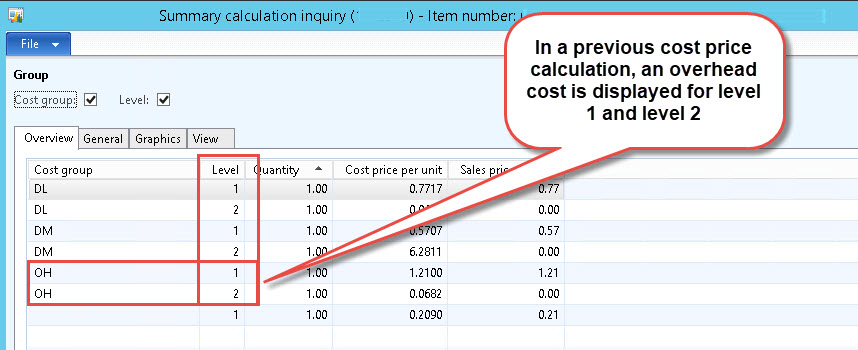
This was the original cost price estimation, from a previous cost version, executed before editing the cost sheet. Overhead estimations are displayed for level 1 and 2. Note: Overhead is defined as a surcharge percentage, based on a cost group of type Direct labor.
2746.jpg

0207.jpg

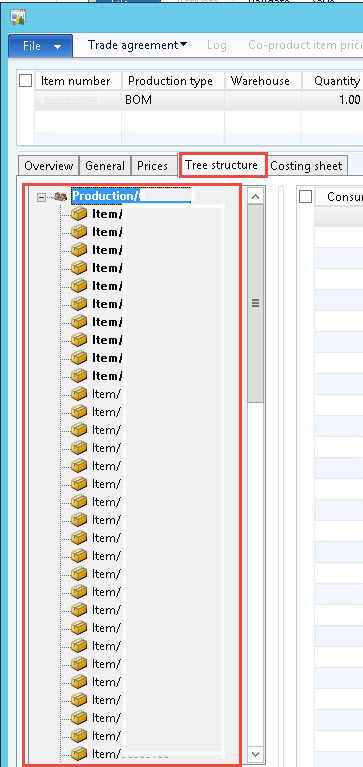
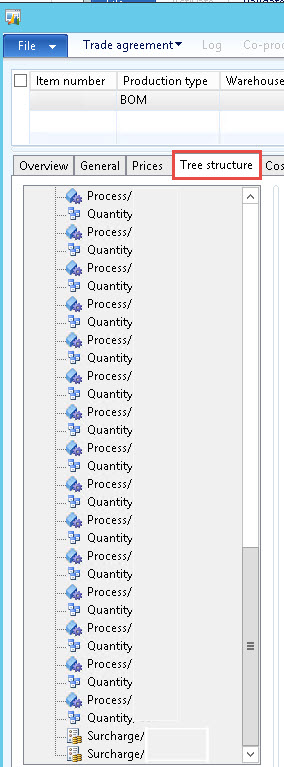
When talking about BOM calculations, we understand level 2 refers to a Sub-BOM, consumed as a component of the materials required to produce a finished good. But when we display the Tree structure, all items appear on the same level, as well as the labor components and surcharges:
4456.jpg        2364.jpg

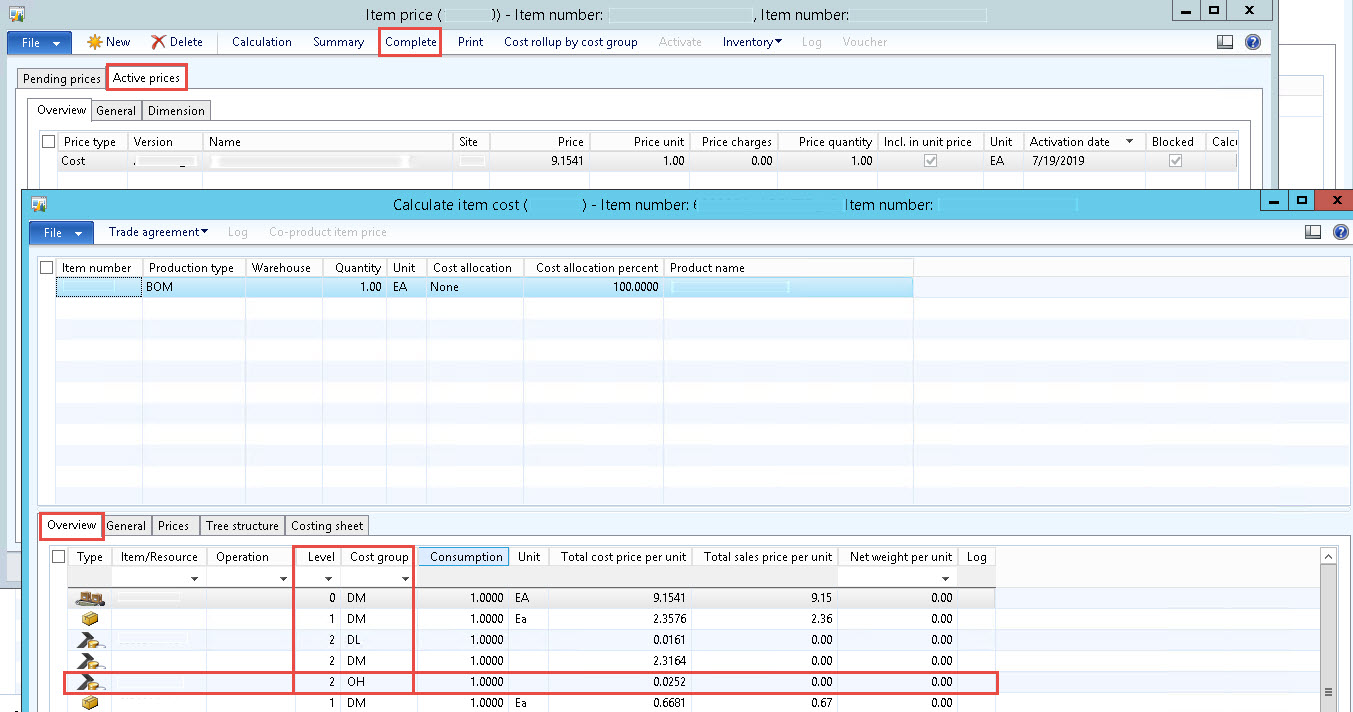
So how is the system identifying level 1 items and level 2 items? We do know some of the BOM components are Co-products, though, so perhaps these are the level 2 items?

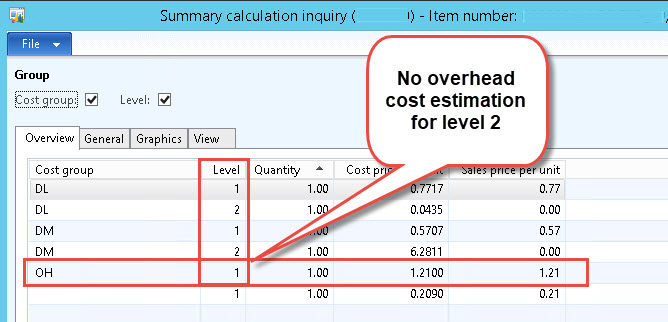
This is how overhead is being calculated now, with no cost estimation for level 2:
4265.jpg

Our question is the following: if calculation basis for the overhead is a cost group of type Direct labor, what does level 2 refer to?  And how do we get the system to calculate an overhead surcharge for level 2? 

I have the same question (0)
  • Ludwig Reinhard Profile Picture
    Microsoft Employee on at

    Hi,

    What adjustments did you perform on the costing sheet?

    Can you provide more details on that?

    Many thanks,

    Ludwig

  • fgil12 Profile Picture
    2,722 on at

    Hello, Ludwig, thank you for answering

    Modifications on the costing sheet were on the calculation of variable overhead. First, calculation basis is a cost group of type Direct manufacturing:

    5556.jpg

    Then, overhead is calculated as a surcharge percent for every finished good item group:

    3364.jpg

  • Ludwig Reinhard Profile Picture
    Microsoft Employee on at

    Good Morning,

    Can you share what configuration has been made in the general tab for the overhead cost line?

    Many thanks,

    Ludwig

  • fgil12 Profile Picture
    2,722 on at

    This is the configuration in the general tab:

    1805.jpg

  • fgil12 Profile Picture
    2,722 on at

    After analyzing the Calculate item cost form, from the currently active cost price, we found all level 2 overhead cost lines are related to Co-products. So we figured something may be missing on the BOM or the Co-products' item number's configuration.

    5672.jpg

    In this company's scenario, Co-products come from planning formulas. So, where should we put our focus on, in order to get the system to calculate level 2 overhead in the new item cost price calculation?

Under review

Thank you for your reply! To ensure a great experience for everyone, your content is awaiting approval by our Community Managers. Please check back later.

Helpful resources

Quick Links

Introducing the 2026 Season 1 community Super Users

Congratulations to our 2026 Super Stars!

Congratulations to our 2025 Community Spotlights

Thanks to all of our 2025 Community Spotlight stars!

Leaderboard > Finance | Project Operations, Human Resources, AX, GP, SL

#1
Giorgio Bonacorsi Profile Picture

Giorgio Bonacorsi 617

#2
André Arnaud de Calavon Profile Picture

André Arnaud de Cal... 461 Super User 2026 Season 1

#3
Syed Haris Shah Profile Picture

Syed Haris Shah 298 Super User 2026 Season 1

Last 30 days Overall leaderboard

Product updates

Dynamics 365 release plans
