web
You’re offline. This is a read only version of the page.
close
Skip to main content

Announcements

No record found.

News and Announcements icon
Community site session details

Community site session details

Session Id :
Finance | Project Operations, Human Resources, ...
Suggested Answer

D365 HR virtual tables not synching

(1) ShareShare
ReportReport
Posted on by 34

Hi All,

I was able to setup the virtual tables on our HR environment and I can see it was generated on the worker entity.

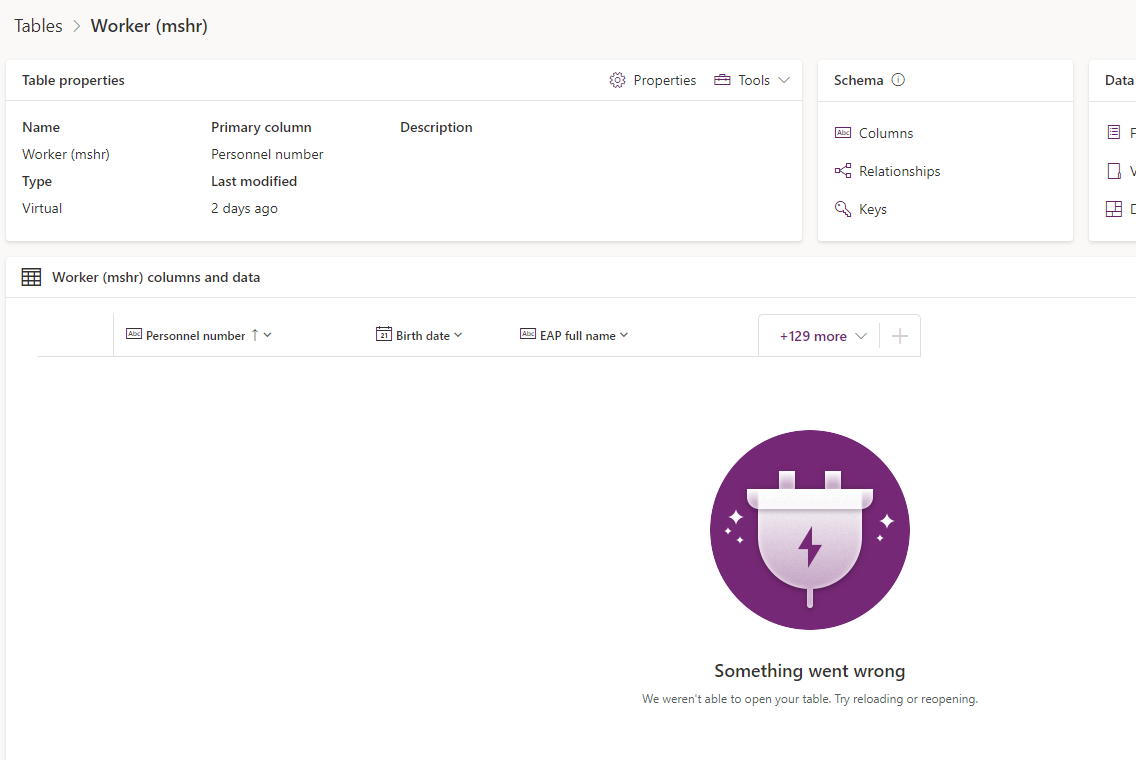
But when I create a record in our D365 HR it doesn't sycn to virtual tables.

I can see it was a message "We weren't able to open your table. Try reloading or reopening." I tried reopening it after 3 days but it returns the same.

Does anyone knows how to fix this?
pastedimage1675652301169v1.png

I have the same question (0)
  • Suggested answer
    Parag Chapre Profile Picture
    12,254 Most Valuable Professional on at

    Hi Chid,

    If you go to dataverse configuration and select your entity and click on generate/refresh, then it should work. Sometimes, it does not sync automatically due to batch job.

    Please check the

  • Chid Profile Picture
    34 on at

    I did this generate/refresh 2 days ago for multiple times and also today but still have this message, in the Batch job as well all are working fine.

    I can see records in Position V2 virtual entity but in Worker virtual entity has this message.

  • Suggested answer
    Parag Chapre Profile Picture
    12,254 Most Valuable Professional on at

    Hi Chid,

    The last option is to clear the data for hcmworker entity from virtual entity and generate again. This will solve the problem.

    You can do this via virtual tables configuration in Microsoft Dataverse integration form in d365 F&O. If you need help, then send me a message.

  • Chid Profile Picture
    34 on at

    Hi Parag,

    How do I able to clear the data? In the Integration page in D365 it is only Generate / Refresh that I can see.

    Thanks for the response.

    -Chid

  • Suggested answer
    Parag Chapre Profile Picture
    12,254 Most Valuable Professional on at

    Hi Chid,

    I think this option only exists for Dataverse entity. Sorry, my bad.

    Can you please raise support ticket request for this?

  • Chid Profile Picture
    34 on at

    Hi Parag,

    Thanks for your reply, yes we just filed a ticket for this.

    -Chid

Under review

Thank you for your reply! To ensure a great experience for everyone, your content is awaiting approval by our Community Managers. Please check back later.

Helpful resources

Quick Links

Introducing the 2026 Season 1 community Super Users

Congratulations to our 2026 Super Stars!

Meet the Microsoft Dynamics 365 Contact Center Champions

We are thrilled to have these Champions in our Community!

Congratulations to the March Top 10 Community Leaders

These are the community rock stars!

Leaderboard > Finance | Project Operations, Human Resources, AX, GP, SL

#1
Giorgio Bonacorsi Profile Picture

Giorgio Bonacorsi 658

#2
André Arnaud de Calavon Profile Picture

André Arnaud de Cal... 468 Super User 2026 Season 1

#3
Syed Haris Shah Profile Picture

Syed Haris Shah 333 Super User 2026 Season 1

Last 30 days Overall leaderboard

Product updates

Dynamics 365 release plans
