web
You’re offline. This is a read only version of the page.
close
Skip to main content

Notifications

Announcements

No record found.

Community site session details

Community site session details

Session Id :
Microsoft Dynamics 365 | Integration, Dataverse...
Answered

How do I Autopopulate a field based on the lookup selection?

(0) ShareShare
ReportReport
Posted on by

Hello All,

I am new to D365, currently I am trying to write a JS code to Auto populate a Company name Text field if the respective Company Name (Existing Client) is chosen in lookup by the user in the Custom entity. I can write this as a workflow but it happens only on Save. So I am looking to write JS code to achieve this change. So whenever users change the value in Existing Client Field then the respective company name should be populated from the Existing Client.

Can you kindly help here please?

2465.pastedimage1630960982914v1.png

Best Regards

Gowtham

I have the same question (0)
  • Suggested answer
    Community Member Profile Picture
    on at

    Hi Gowtham89,

    You can use following js code into lookup field onChange event in form properties.

    function getLookupName(executionContext) {
        var formContext = executionContext.getFormContext();
        var lookupFieldObject = formContext.getAttribute("new_existingclient"); 
        if (lookupFieldObject.getValue() != null) {
            var entityName =  lookupFieldObject.getValue()[0].name;
        }
        var company = formContext.getAttribute("new_company");
        company.setValue(entityName);
    }
    

    Go Settings > Customizations > Customize the system > Web Resources to add new js resource.
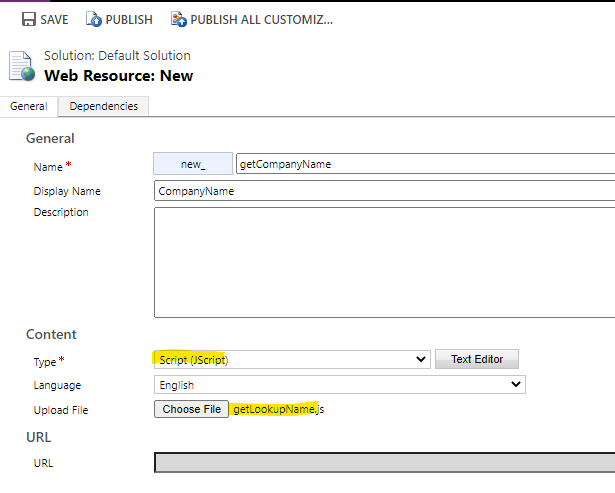
    7587.pastedimage1630979968367v3.png

    Then expand Entities to open one form of the entity you need
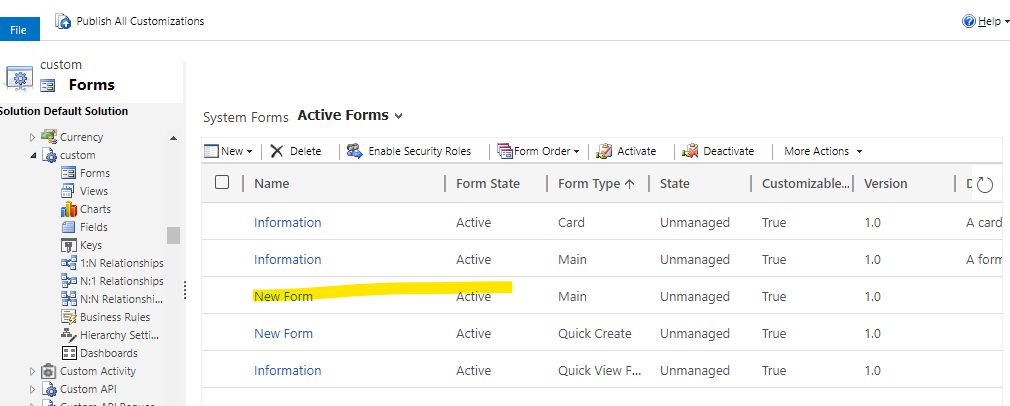
    5305.pastedimage1630980210850v6.png

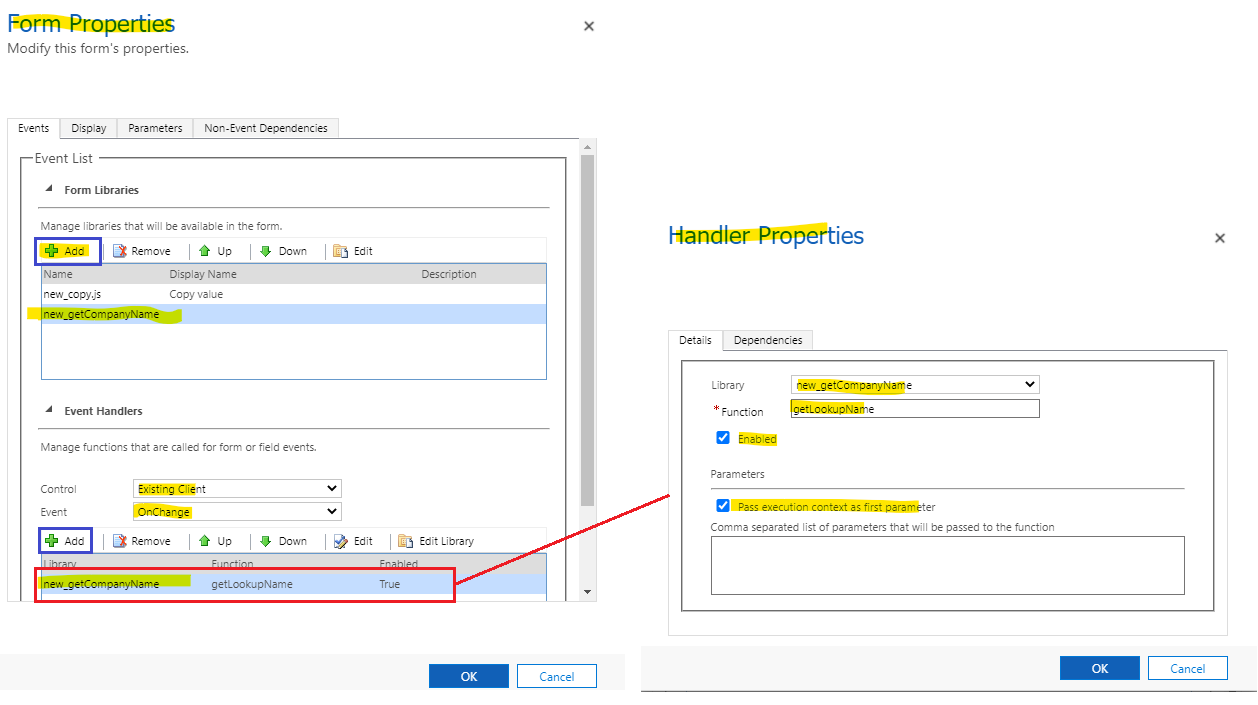
    Click 'Form Properties' to open dialog to add resource you just created.
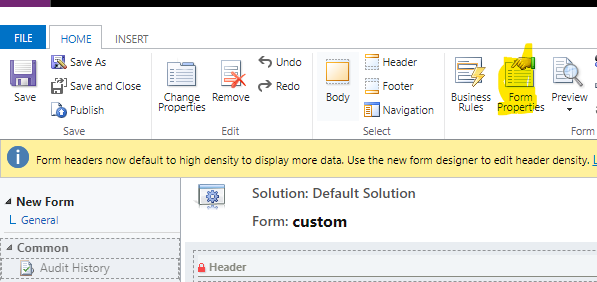
    8475.pastedimage1630980127999v5.png

    2021.pastedimage1630980097907v4.png

    Save and Publish all customizations.

    Test:

    Changing lookup field value without clicking save button, company field has been populated with lookup field name. 
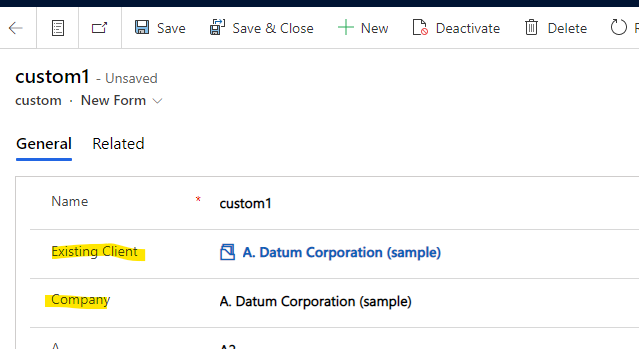
    0728.pastedimage1630980288784v7.png

  • Gowtham89 Profile Picture
    on at

    Hello, Thank you so much for the step by step explanation. I will try this out and will keep you posted once it is sorted out.

  • Verified answer
    Community Member Profile Picture
    on at

    Hi Gowtham89, 

    Please click Yes under "Did this answer your question?" to close this thread if the answer is helpful.

     pastedimage1631063714359v1.png

    Thanks.

Under review

Thank you for your reply! To ensure a great experience for everyone, your content is awaiting approval by our Community Managers. Please check back later.

Helpful resources

Quick Links

Responsible AI policies

As AI tools become more common, we’re introducing a Responsible AI Use…

Neeraj Kumar – Community Spotlight

We are honored to recognize Neeraj Kumar as our Community Spotlight honoree for…

Leaderboard > Microsoft Dynamics 365 | Integration, Dataverse, and general topics

#1
iampranjal Profile Picture

iampranjal 41

#2
Martin Dráb Profile Picture

Martin Dráb 38 Most Valuable Professional

#3
Satyam Prakash Profile Picture

Satyam Prakash 35

Last 30 days Overall leaderboard

Product updates

Dynamics 365 release plans