web
You’re offline. This is a read only version of the page.
close
Skip to main content

Announcements

News and Announcements icon
Community site session details

Community site session details

Session Id :
Small and medium business | Business Central, N...
Suggested Answer

Can't post a Purchase Order due to the following error "Amount must be Negative.."

(0) ShareShare
ReportReport
Posted on by 95

We have a PO for which we posted 100% of prepayment.

Then we partially posted some quantities from the lines of this PO.

Later when we come back to post the fully, we got the following error

WhatsApp-Image-2022_2D00_10_2D00_27-at-9.18.16-AM.jpeg

Upon doing some research, I realized if on the line that we are trying to fully post if I add a 0.002 online discount amount I can get this error fixed, but the line discount amount does not accept more than 2 decimal places.
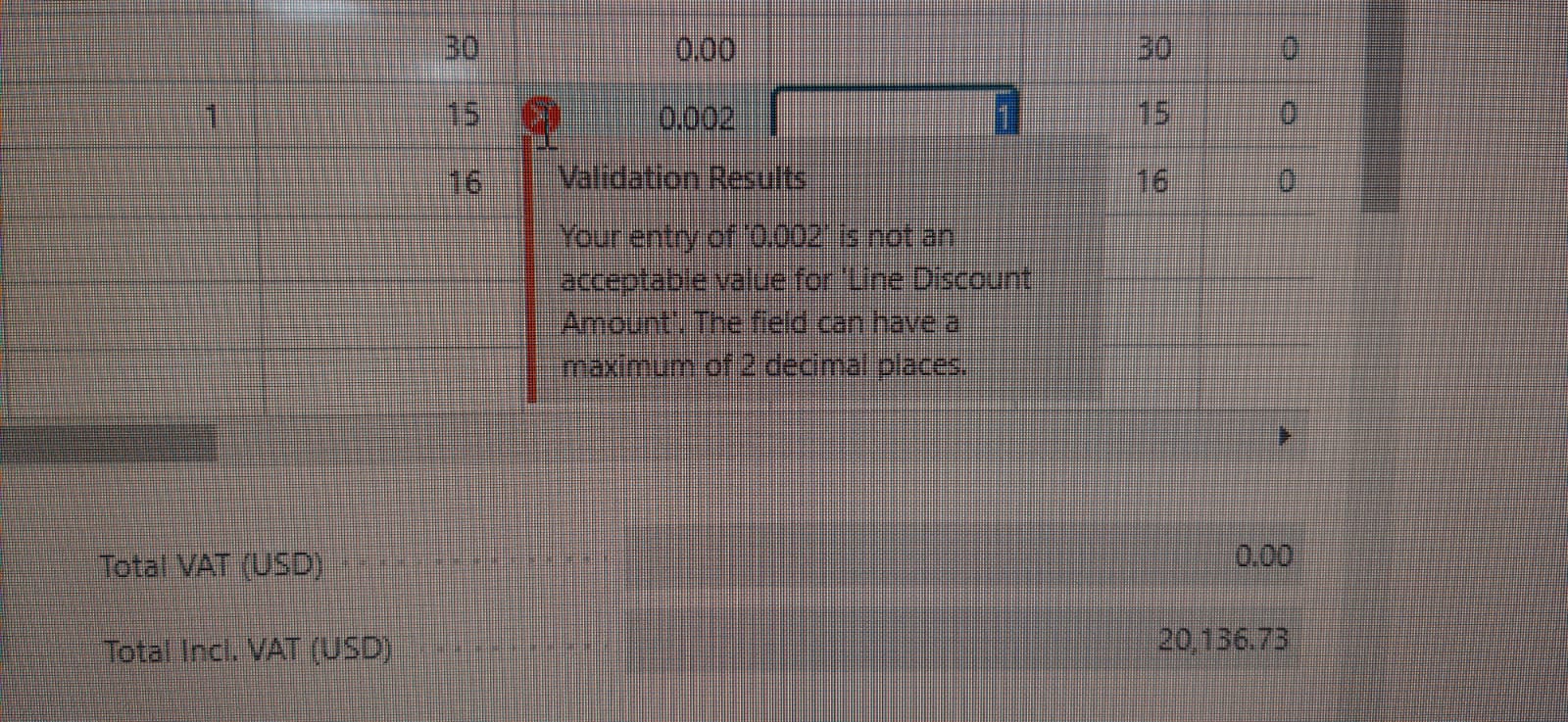
WhatsApp-Image-2022_2D00_10_2D00_27-at-9.21.18-AM.jpeg

The assistance I request the community from is how can I solve this and why I have a 0.002 difference. I just need to post my PO and get rid of this error.

I have the same question (0)
  • Suggested answer
    Nitin Verma Profile Picture
    21,812 Moderator on at

    Hi,

    Are you trying to post the PO as Invoice? It must be post as Receive.

  • Suggested answer
    MahGah Profile Picture
    15,613 on at

    Hi

    Is this in your local currency or it is in foreign currency?

    If it is in local currency what do you have in General Ledger Setup under  Amount Rounding Precision (LCY)

    if it is in foreign currency what do you in the currency card for "Amount Rounding Precision (LCY)"

  • Suggested answer
    Dallefeld Profile Picture
    235 User Group Leader on at

    It looks like you have changed quantities or prices and when you process prepayments, you cannot do anything that affects the total dollars.

    Your options might be to issue a Prepayment Credit Memo, then post the invoice and followup by applying the credit memo to the invoice....you want them to be the same amount or you will still have cleanup to do.

Under review

Thank you for your reply! To ensure a great experience for everyone, your content is awaiting approval by our Community Managers. Please check back later.

Helpful resources

Quick Links

Season of Sharing Community Challenge Winners!

Congratulations to our community stars!

Women in Power Builds Momentum

Expanding mentorship, skilling, and AI innovation

Congratulations to the June Top 10 Community Leaders

These are the community rock stars!

Leaderboard > Small and medium business | Business Central, NAV, RMS

#1
OussamaSabbouh Profile Picture

OussamaSabbouh 658 Super User 2026 Season 1

#2
YUN ZHU Profile Picture

YUN ZHU 499 Super User 2026 Season 1

#3
Khushbu Rajvi. Profile Picture

Khushbu Rajvi. 328 Super User 2026 Season 1

Last 30 days Overall leaderboard

Featured topics

Microsoft Training Manuals

Product updates

Dynamics 365 release plans
