web
You’re offline. This is a read only version of the page.
close
Skip to main content

Announcements

No record found.

News and Announcements icon
Community site session details

Community site session details

Session Id :
Customer experience | Sales, Customer Insights,...
Answered

How to restrict users other than the ones assigned with a specific security role to be able to move to next stage in BPF.

(0) ShareShare
ReportReport
Posted on by 50

Hi,

I want to achieve this scenario using a Plugin:

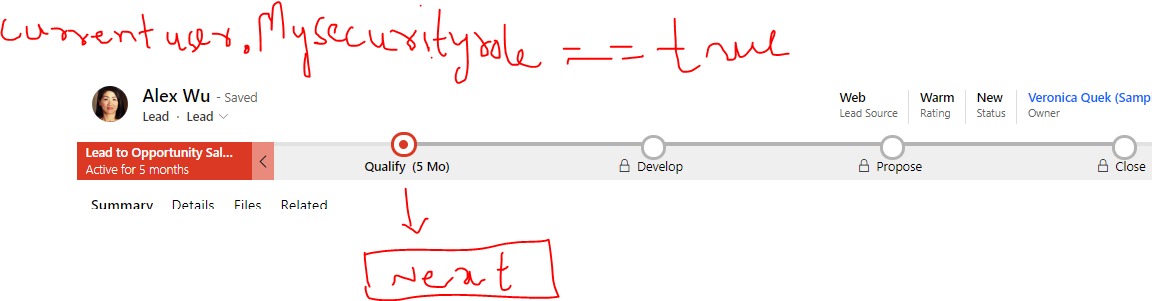
-When moving to the next stage in BPF. I need to check if the current logged-in user has a specific security role assigned to him/her. If the condition matches, then Only that user is allowed to move to the next stage, other users who do not have that security role cannot do so. Similarly, for different stages we have different security roles assigned to users.

I know of other ways we can accomplish this, but I need to do this specifically with Plugins.

Any help would be much appreciated. Thanks!
5bc8b5e3_2D00_48e7_2D00_4813_2D00_8d49_2D00_aa766f238908.jpg

I have the same question (0)
  • Verified answer
    Bipin D365 Profile Picture
    28,985 Moderator on at

    Hi,

    You can get the current User Id in your plugin by using below code

    Guid currentUserId=context.InitiatingUserId;

    To check if role is assigned to user, you can use below fetchxml and pass the currentUserId and Security Role name-


    Now, you will need to register your plugin step on Lead To Opportunity Sales Process Entity, Update message and preoperation stage.

    Lead To Opportunity Sales Process Entity -> Custom entity auto created by the system

    CR31.PNG

    As shown in above image, My BPF name is Assessment Process so Entity name is Assessment process. Active Stage is field where stage name will appear.

    Based on the above details, you should be able to write your plugin code.

    Please mark my answer verified if this is helpful!

    Regards,

    Bipin Kumar

    Follow my Blog: xrmdynamicscrm.wordpress.com/

  • Ali Profile Picture
    50 on at

    Thanks for the help Bipin, I managed to achieve my target.

Under review

Thank you for your reply! To ensure a great experience for everyone, your content is awaiting approval by our Community Managers. Please check back later.

Helpful resources

Quick Links

Introducing the 2026 Season 1 community Super Users

Congratulations to our 2026 Super Stars!

Meet the Microsoft Dynamics 365 Contact Center Champions

We are thrilled to have these Champions in our Community!

Congratulations to the April Top 10 Community Leaders

These are the community rock stars!

Leaderboard > Customer experience | Sales, Customer Insights, CRM

#1
Muhammad Shahzad Shafique Profile Picture

Muhammad Shahzad Sh... 69 Most Valuable Professional

#2
ManoVerse Profile Picture

ManoVerse 62 Super User 2026 Season 1

#3
11manish Profile Picture

11manish 47

Last 30 days Overall leaderboard

Product updates

Dynamics 365 release plans
