web
You’re offline. This is a read only version of the page.
close
Skip to main content

Notifications

Announcements

Community site session details

Community site session details

Session Id :
Microsoft Dynamics NAV (Archived)

Sales Lines Page Customization

(0) ShareShare
ReportReport
Posted on by 559

I tried to Customize the sales lines Page (516) Using the NAV Developer to add the Bill To name And Sell To Name to the sales Line list as below 
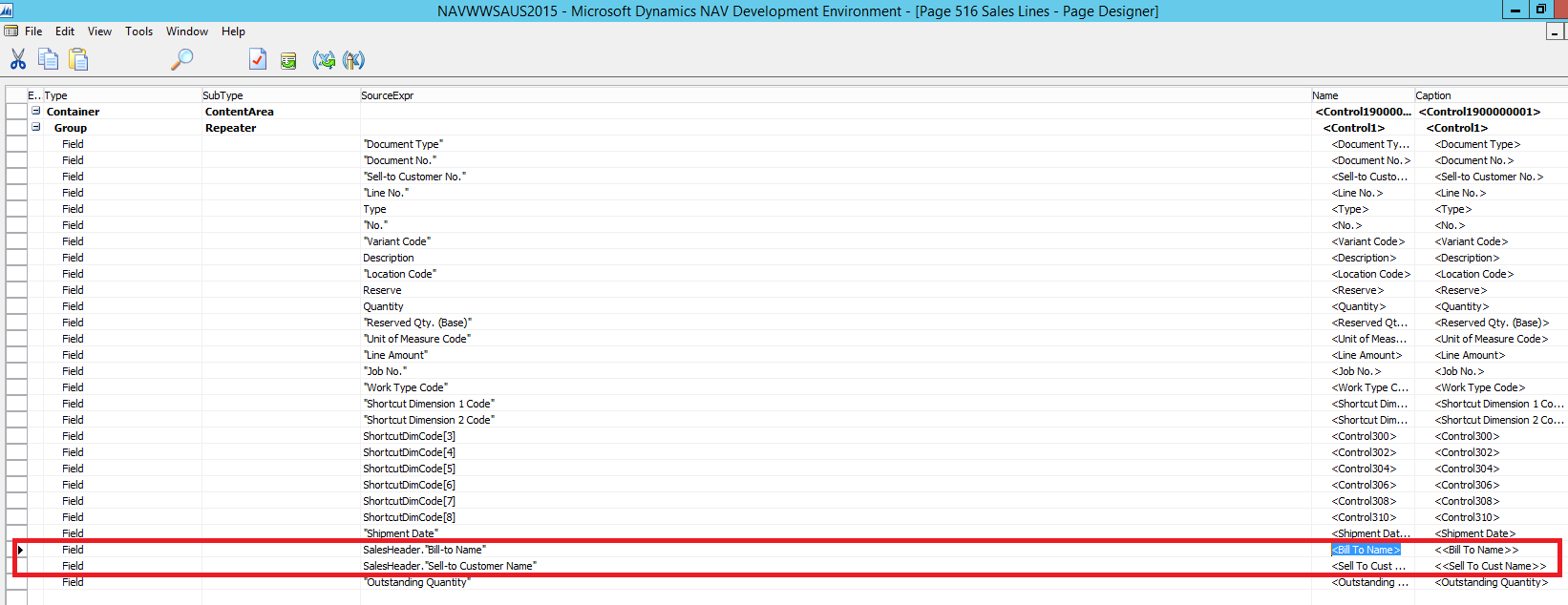
7178.dev.png

when i open the sales line the values did not populated 
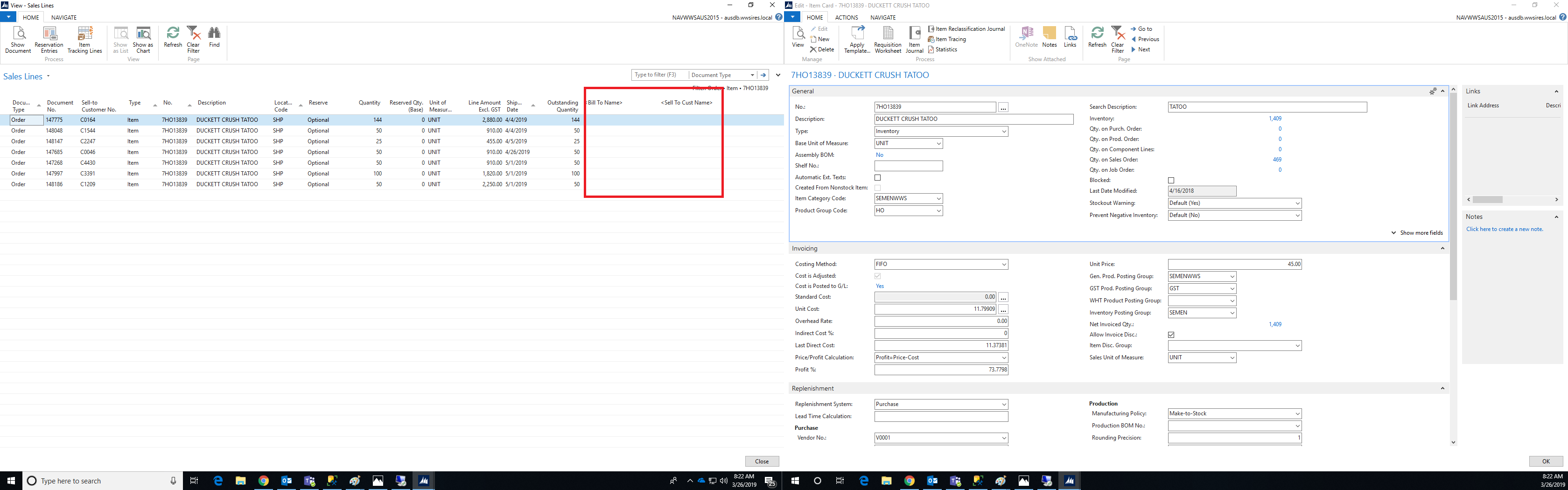
saleslines1.png

but when i chose one order and press on show order and close the screen the system take the values of the order that i opened and populated for all the lines which is not correct 
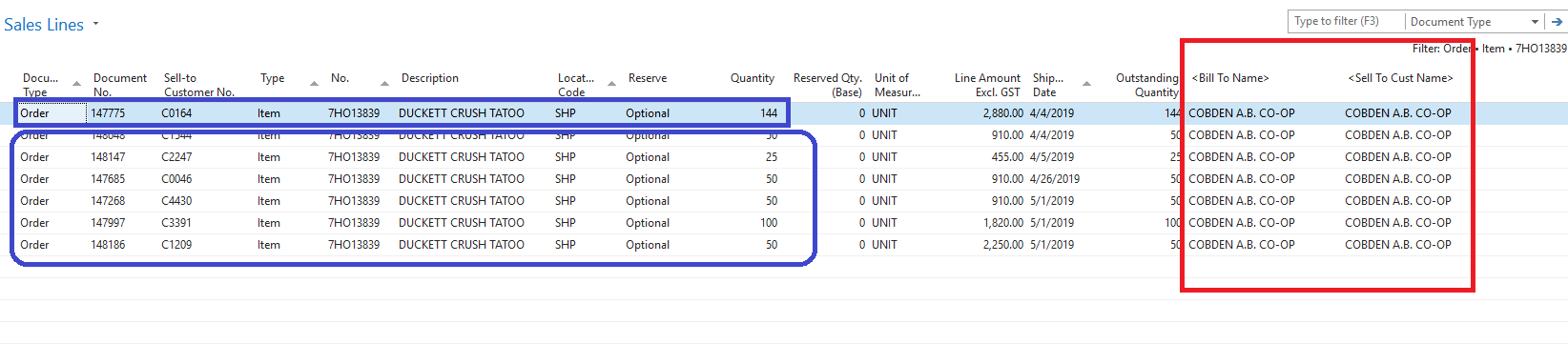
salesline2.png

any idea the reason of that ?

*This post is locked for comments

I have the same question (0)
  • Suggested answer
    Mohana Yadav Profile Picture
    61,083 Super User 2025 Season 2 on at

    Bill To name And Sell To Name are fields from Sales Line table or Item table?

    if Item table then what code and where did you write?

  • Samer Baskhayroun Profile Picture
    559 on at

    i added from the Sales Header As below screen shots 

    dev2.png

  • Suggested answer
    Teddy Herryanto (That NAV Guy) Profile Picture
    14,292 Super User 2025 Season 2 on at

    Where did you put the code to get the sales header ? OnAfterGetCurrRecord ?

  • Samer Baskhayroun Profile Picture
    559 on at

    i did not write any code i just added in the page designer

  • Suggested answer
    Teddy Herryanto (That NAV Guy) Profile Picture
    14,292 Super User 2025 Season 2 on at

    It will not work. Currently, the SalesHeader record will only be retrieved when you click the Show Document.

    You will need to put the code to retrieve the SalesHeader record under OnAfterGetCurrRecord.

  • Suggested answer
    Suresh Kulla Profile Picture
    50,255 Super User 2025 Season 2 on at

    If you add any fields other then the source of the page you need to retrieve that record in the OnAfterGetRecord of that page, check the page 10010 for example where it show fields from the Sales Header table but the source of the table is Sales Line.  Check the code added in the OnAfterGetRecord trigger.

Under review

Thank you for your reply! To ensure a great experience for everyone, your content is awaiting approval by our Community Managers. Please check back later.

Helpful resources

Quick Links

Responsible AI policies

As AI tools become more common, we’re introducing a Responsible AI Use…

Congratulations to our 2025 Community Spotlights

Thanks to all of our 2025 Community Spotlight stars!

Leaderboard > 🔒一 Microsoft Dynamics NAV (Archived)

Last 30 days Overall leaderboard

Featured topics

Product updates

Dynamics 365 release plans
