web
You’re offline. This is a read only version of the page.
close
Skip to main content

Announcements

No record found.

News and Announcements icon
Community site session details

Community site session details

Session Id :
Microsoft Dynamics AX (Archived)

MPOS : Application error occur when select product

(0) ShareShare
ReportReport
Posted on by

Hi,

I have installed  MPOS in windows 10 and successfully activated it.  Now when I select product from product list it shows application error as follow. 

0702.error.png 

Also when I select Hardware Station from MPOS it shows Not Active as well as not Pair and not able to active and pair from MPOS.
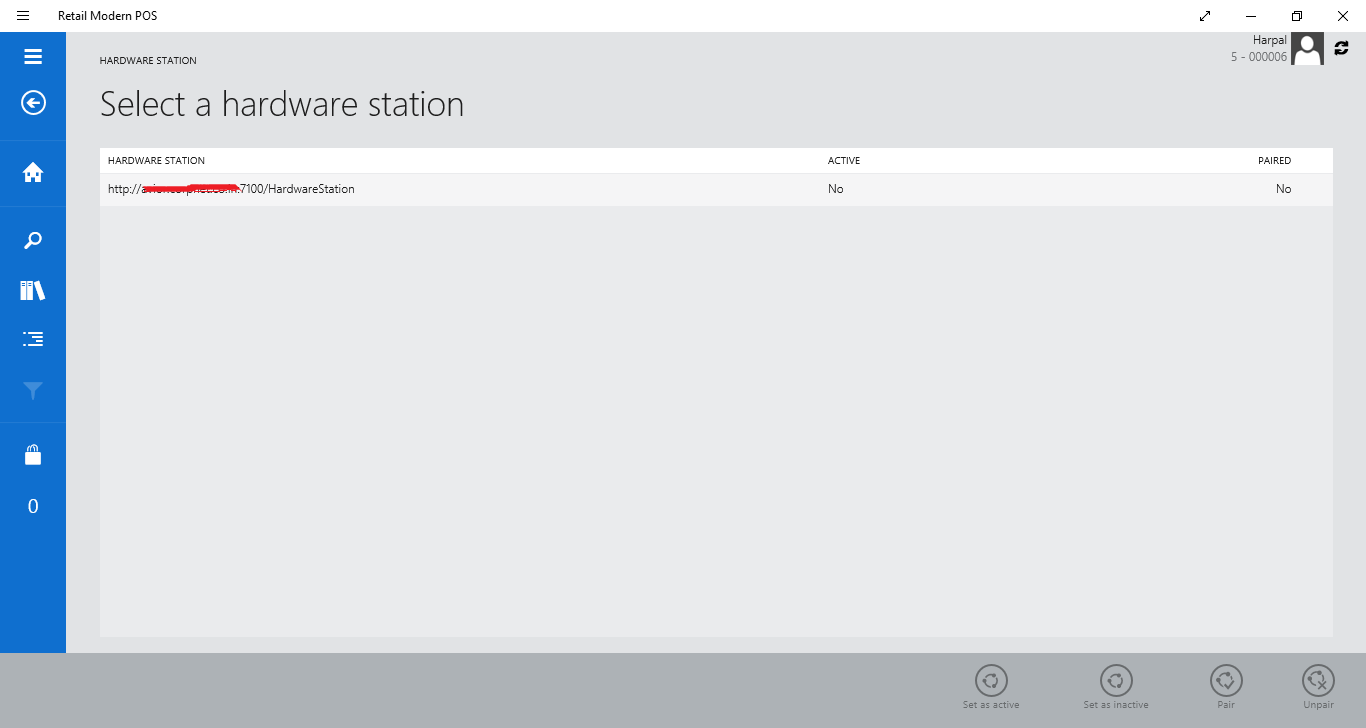
8055.error1.png

*This post is locked for comments

I have the same question (0)
  • Suggested answer
    Maciej Krzysztofik Profile Picture
    290 on at

    Could You please check what error You have in Even Viewer ? And possibly Fiddler ?

    As for the second question, You need to mark the Hardware station by swiping on it with Your finger (on a touch screen) and then click Pair, after that You can Activate (if it's configured correctly).

  • Community Member Profile Picture
    on at

    Now I am able to activate Hardware station. But  there is no such error in event viewer also check after install Fiddler. It showing error when I select product in transaction. I am able to select customer successfully in transaction.

  • Andreas Hofmann Profile Picture
    Microsoft Employee on at

    ModernPOS traces can be inspected locally in the Event Viewer at “Event Viewer (Local)/Applications and Services Logs/Microsoft/Dynamics/Commerce-ModernPOS/Operational”.

  • Community Member Profile Picture
    on at

    Hi Andreas Hofmann,

    Please find the below  screen shot of event viewer. There is no event log for Modern POS. Event log only contains log of Dynamics AX.

    5775.Error3.png

  • Andreas Hofmann Profile Picture
    Microsoft Employee on at

    Look in the EventViewer for RetailServer (side-by-side to ModernPOS events).

  • Community Member Profile Picture
    on at

    I have check in event viewer in RetailServer also but not found any related log. I thing product is not added perfectly in AX for MPOS. I have also install Retail POS in same system and able to do all transaction in both product with Retail POS but error in Application when use MPOS. So please give me any document link that contain checklist for MPOS.  I am first time configuring MPOS.

  • Verified answer
    Community Member Profile Picture
    on at

    Hi, If you are using AX 2012 R3 then you can find Store product attribute menu under Retail > Setup. Do the following activities one by one

    1) Select specific channel and (Double click)

    2) Attach specific attribute group

    3) Go to Setup tab > Set attributes metadata

    4) Click Product name attribute and select Include flag.

    5) Click description attribute and select include flag.

    6) Save and Publish

    7) Run the Process assortment job

    8) Run Catalog and Channel configuration Job from Distribution schedule or Channel database.

    9) Also make sure that product is associated in Store product attribute. If not then add it.

    It should show Product name in search list. Hope it helps...

  • Community Member Profile Picture
    on at

    Hi,

    I have reconfigure all products in dynamics ax and problem has been resolved. Now when I select product  add it in sale product successfully added but when I press pay cash quick button transaction completed but it shows message as follow:

    4682.Untitled1.png

  • Community Member Profile Picture
    on at

    Hi,

    That's good news that you can work with products now.

    1) Is there any error message in event viewer?

    2) Transaction get posted but still you are getting error (If yes then please check Hardware profile and it is associated with valid Receipt profile.) If transaction is not getting posted and still in shopping cart then check the event viewer and give us the details.

    We able to help you further if you give little extra details.

  • Community Member Profile Picture
    on at

    Hi Sridharan,

    Transaction complete and posted successfully I have checked  in channel DB. For hardware and receipt profile I have added  Printer [Microsoft XPS Document Writer] added in Hardware profile related receipt profile also added in register. Still it shows an error as follow after transaction completed.

    1200.Untitled1.png

Under review

Thank you for your reply! To ensure a great experience for everyone, your content is awaiting approval by our Community Managers. Please check back later.

Helpful resources

Quick Links

Introducing the 2026 Season 1 community Super Users

Congratulations to our 2026 Super Stars!

Meet the Microsoft Dynamics 365 Contact Center Champions

We are thrilled to have these Champions in our Community!

Congratulations to the April Top 10 Community Leaders

These are the community rock stars!

Leaderboard > 🔒一 Microsoft Dynamics AX (Archived)

#1
CP04-islander Profile Picture

CP04-islander 24

#2
Michel ROY Profile Picture

Michel ROY 14

#3
Jagadabi Profile Picture

Jagadabi 6

Last 30 days Overall leaderboard

Featured topics

Product updates

Dynamics 365 release plans
