web
You’re offline. This is a read only version of the page.
close
Skip to main content

Announcements

No record found.

News and Announcements icon
Community site session details

Community site session details

Session Id :
Microsoft Dynamics AX (Archived)

CZE - Create a customer advance invoice functionality

(0) ShareShare
ReportReport
Posted on by 1,174

hi expert,

I'm searching for the best way to create Advance invoice AR, the scenario is once we create SO and receive the payment as advance, we should issued the advance invoice document to customer. I find some workaround such as : https://daxusers.wordpress.com/2014/08/25/customer-prepayment-payment-in-ax-2012/  but it was not possible to create invoice.

the journal expected is :

1. Create SO = no journal

2. issue advance payment to customer = AR (dr) against to Advance payment (cr)

3. make receipt payment = Bank (dr) against to AR (cr)

so, I found the link : https://technet.microsoft.com/en-us/library/jj677482.aspx.

hopefully suitable for my scenario. I activate it, but I still do not know to use that menu. when I open ALL advance invoice, all buttons are disable.
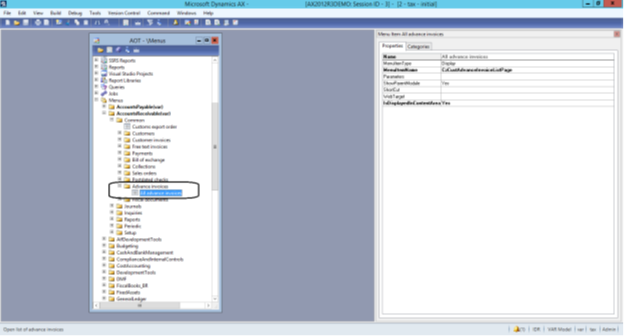
Nov.png

any volunteer has document regarding how to use this menu ?

thanks in advance.

*This post is locked for comments

I have the same question (0)
  • Suggested answer
    Ludwig Reinhard Profile Picture
    Microsoft Employee on at

    Hello Agus Setiawan,

    There are a couple of options available how advances can be recorded.

    You already found one in the wordpress article that you show above.

    The CZE functionality is something that I would not use unless you do a through testing of this country-specific feature - ideally together with a colleagues from the development department.

    Can you post your screenprint once again? Unfortunately, it is very small and blurred and cannot be zoomed once opened.

    Many thanks,

    Ludwig

  • agus Profile Picture
    1,174 on at

    Hi Ludwig,

    below is my screenprint.

    2577.AOT.png2577.AOT.png

    I'm planning to test this menu. but it has not yet found the guide for this.

    need help. thanks in advance

  • Suggested answer
    Ludwig Reinhard Profile Picture
    Microsoft Employee on at

    Hi agus,

    You can make this form available in your machine by extending the Country-Region codes associated with the menu item.

    cz.png

    Yet, be careful when doing that and get a developer involved.

    That is because you might need to compile and run the CIL and because there seem to be other CZ country specific forms and functionalities related to this one.

    Please don't do this in a live environment but in a demo/test system if you want to see what this feature is doing.

    Note:

    Have you thought about using dummy(Service) items for that purpose or the Project module that ships with good advance payment functionalities.

Under review

Thank you for your reply! To ensure a great experience for everyone, your content is awaiting approval by our Community Managers. Please check back later.

Helpful resources

Quick Links

Introducing the 2026 Season 1 community Super Users

Congratulations to our 2026 Super Stars!

Meet the Microsoft Dynamics 365 Contact Center Champions

We are thrilled to have these Champions in our Community!

Congratulations to the March Top 10 Community Leaders

These are the community rock stars!

Leaderboard > 🔒一 Microsoft Dynamics AX (Archived)

#1
CP04-islander Profile Picture

CP04-islander 26

#2
imran ul haq Profile Picture

imran ul haq 8

#3
André Arnaud de Calavon Profile Picture

André Arnaud de Cal... 4 Super User 2026 Season 1

Last 30 days Overall leaderboard

Featured topics

Product updates

Dynamics 365 release plans
