web
You’re offline. This is a read only version of the page.
close
Skip to main content

Announcements

No record found.

News and Announcements icon
Community site session details

Community site session details

Session Id :
Small and medium business | Business Central, N...
Suggested Answer

Adjust cost - item entries applied several days after running the Adjust Cost

(0) ShareShare
ReportReport
Posted on by 93

Hi everyone,

We have the following question about the adjust cost process, we have scheduled a job queue to execute the adjust cost - item entries every night, it supposed that every entry in the day will be adjust at night, however, we see this isn't happening.

For example, the first line is the entry that a user did on the 13th day
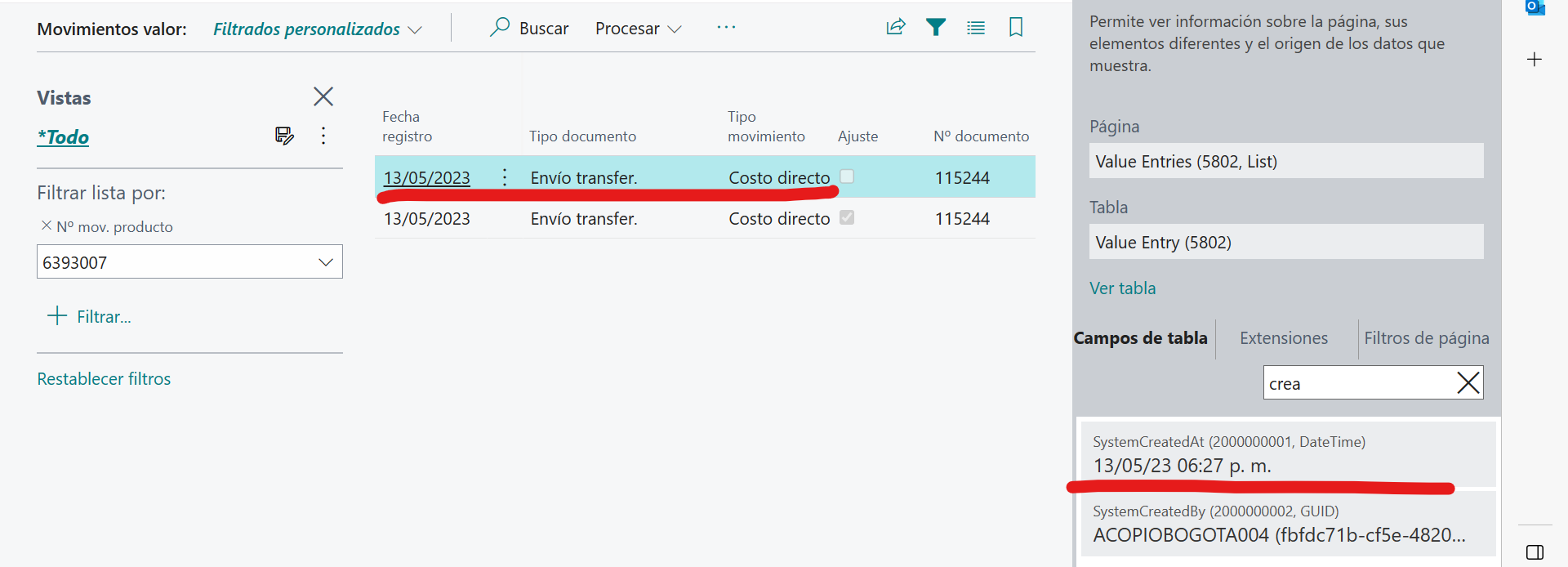
pastedimage1686169952345v2.png

And we see the line for the adjust cost is created on the 28th day
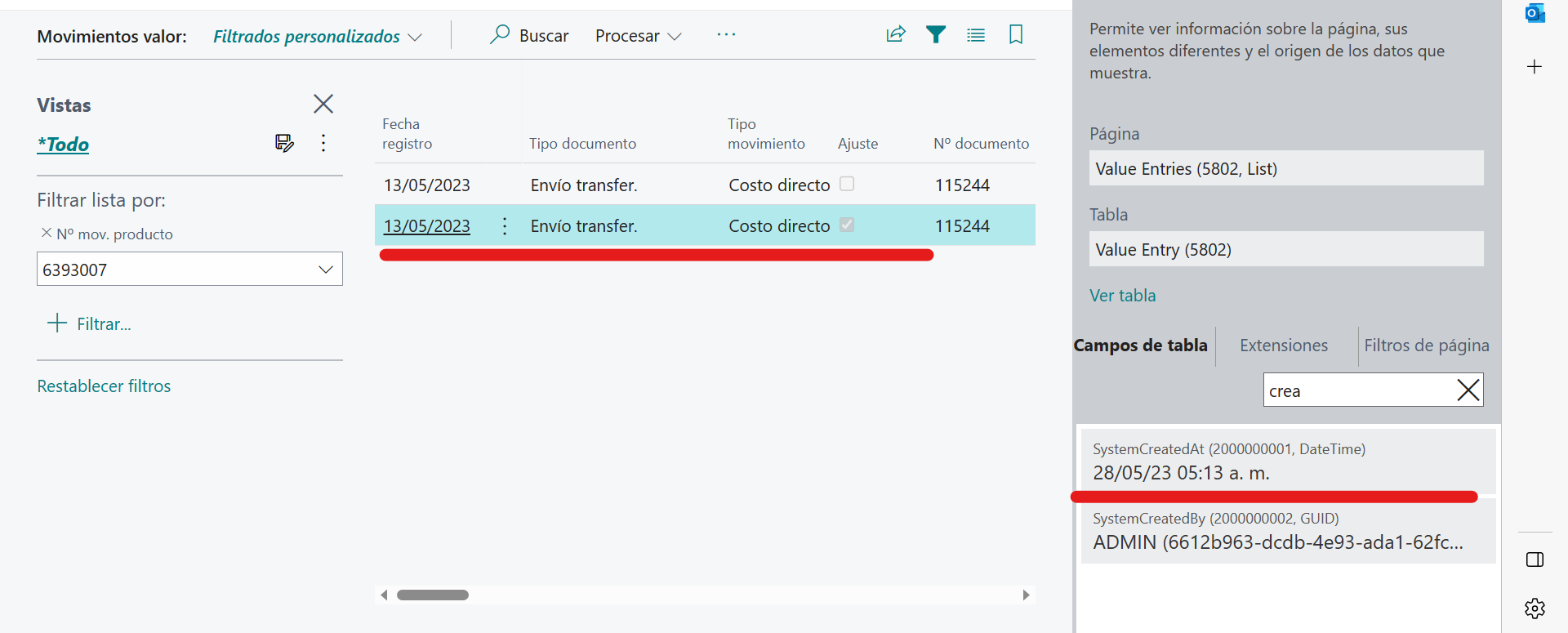
pastedimage1686170280754v3.png

The job queue for the process is reported as successfully executed. This is our inventory setup
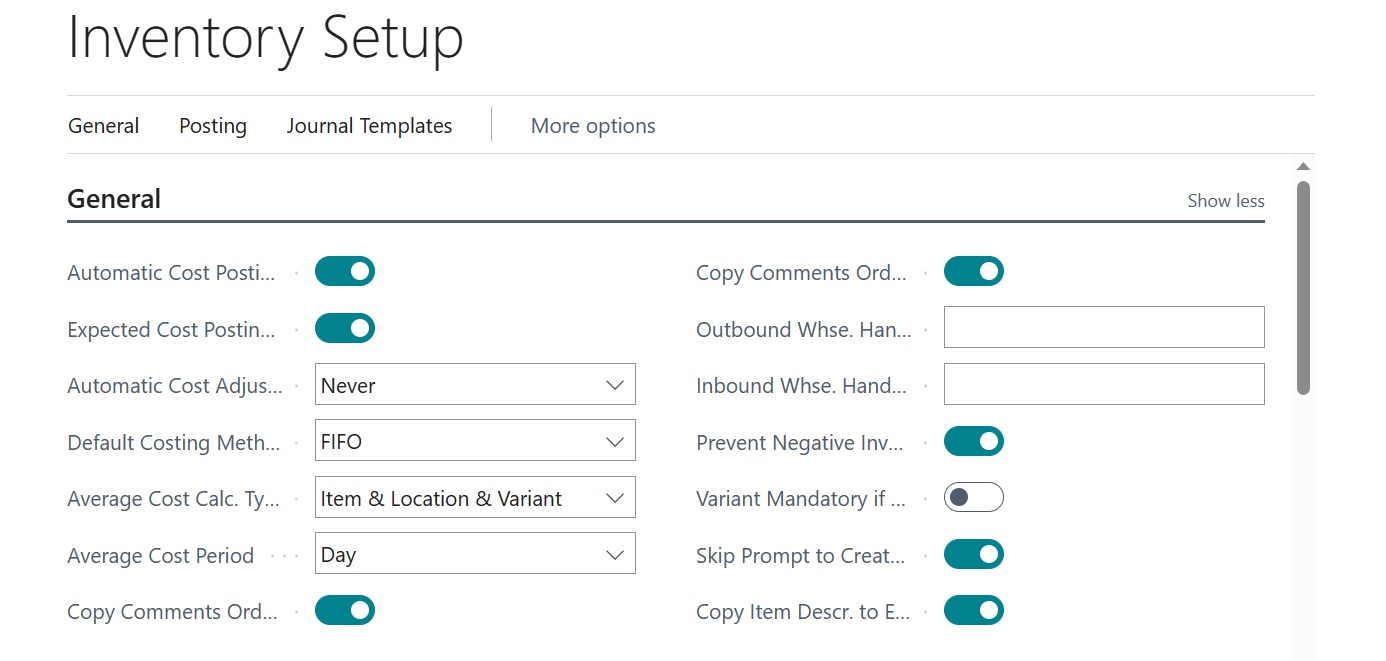
We would like to understand why this delay between the creation of the entry and the day of the creation of adjust cost line.

Thanks in advance if anyone knows an answer.

I have the same question (0)
  • Suggested answer
    Jun Wang Profile Picture
    8,216 Moderator on at

    this is quite simple, the cost adjustments were posted using the date when the original transaction was posted. e.g. a sale was posted on jan 1st, 2023, then you run the job in may, the adjustment is posted to jan 1st.

  • Suggested answer
    SilverAdo2021 Profile Picture
    598 on at

    First you could watch my video on setting up adjust item cost. Maybe you missed something.

    And if you like it, be a subscriber - it's free :)

    https://youtu.be/2bUsBuZs_jo

    Did you have transactions between the 2 dates? If yes, work with a developer and debug the adjust item cost report.

Under review

Thank you for your reply! To ensure a great experience for everyone, your content is awaiting approval by our Community Managers. Please check back later.

Helpful resources

Quick Links

Introducing the 2026 Season 1 community Super Users

Congratulations to our 2026 Super Stars!

Meet the Microsoft Dynamics 365 Contact Center Champions

We are thrilled to have these Champions in our Community!

Congratulations to the April Top 10 Community Leaders

These are the community rock stars!

Leaderboard > Small and medium business | Business Central, NAV, RMS

#1
OussamaSabbouh Profile Picture

OussamaSabbouh 2,012 Super User 2026 Season 1

#2
YUN ZHU Profile Picture

YUN ZHU 986 Super User 2026 Season 1

#3
Teagen Boll Profile Picture

Teagen Boll 659 Super User 2026 Season 1

Last 30 days Overall leaderboard

Featured topics

Product updates

Dynamics 365 release plans
