web
You’re offline. This is a read only version of the page.
close
Skip to main content

Notifications

Announcements

No record found.

Community site session details

Community site session details

Session Id :
Finance | Project Operations, Human Resources, ...
Suggested Answer

I don't Find all models in VS

(0) ShareShare
ReportReport
Posted on by 66

Hello,

I installed certain binary-specific models, and everything was well until those models disappeared from the list of models in VS; I attempted to refresh the models, and I received this error.

"Module Reference 'yyy' in model 'zzz' cannot be located. This is an indication that model store is in a broken state."

So I uninstall and reload all the binary models and models that rely on them, but they still don't appear in the list of models on VS. The issue is that I don't see all of the models that I just installed in the list, even if they are in the list presented by powershell(Get-D365Model), as seen below.
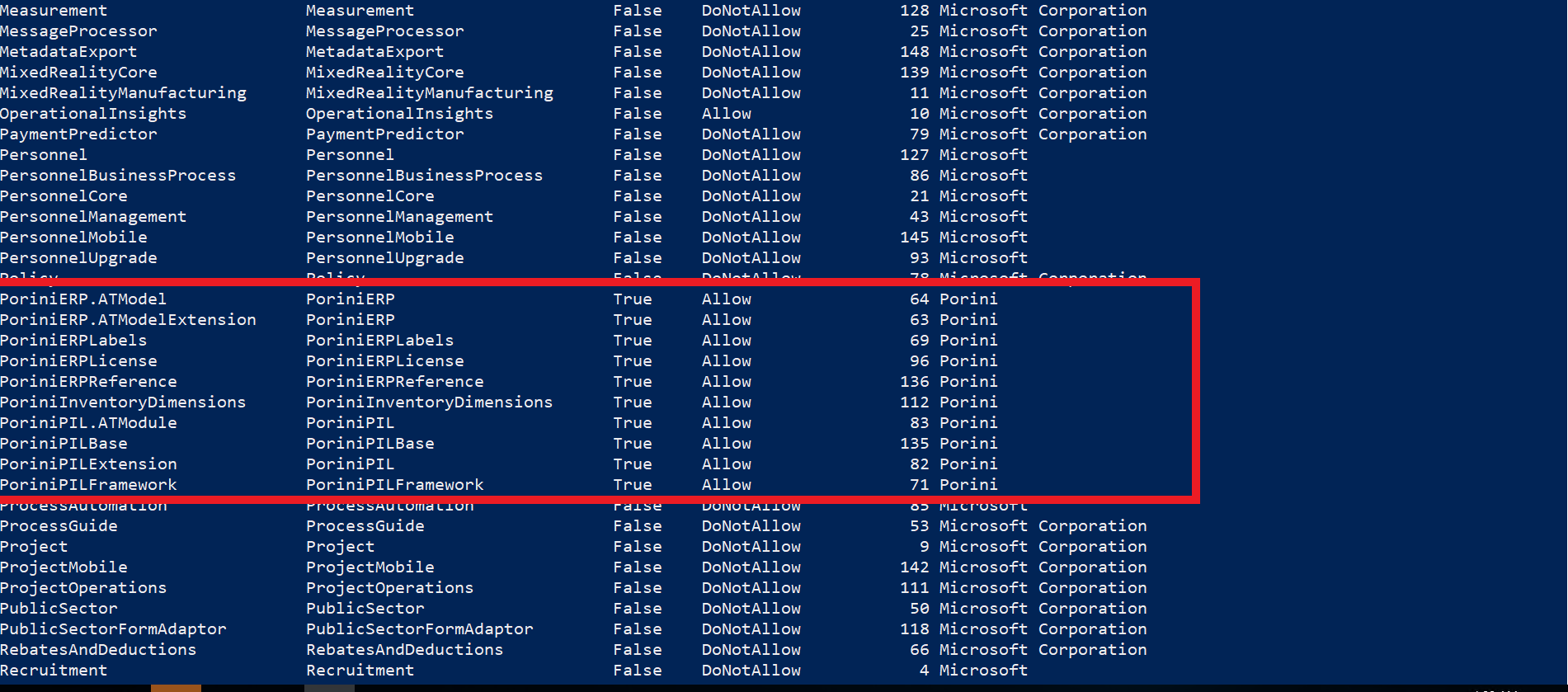
pastedimage1668762828319v1.png

and this is the list of models shown in VS:

pastedimage1668762955284v2.png

I tried refreshing the models' multiple times, but it did not fix the issue.

I have the same question (0)
  • Suggested answer
    GirishS Profile Picture
    27,827 Moderator on at

    Hi Hatem SAOUDI,

    How may models do you want to install?

    I would suggest you to install one model then do a build and synch of the model and then go for other model.

    If there is lot of models try to split the model installation - Like install all the base models - Do a build and then go for other child models.

    Thanks,

    Girish S.

  • TNGrizzly Profile Picture
    66 on at

    Hello Girish ,

    The models (Porini) are all put together, so I can't separate them. After installing them, I run a full build and DB sync, and then I can see their advancements on the environment.

    thanks;

  • GirishS Profile Picture
    27,827 Moderator on at

    Does it available in PackageLocalDirectory?

    Check whether this models are available in the K:\AOSService\PackagesLocalDirectory path.

    Try restarting your VM and check.

    Thanks,

    Girish S.

Under review

Thank you for your reply! To ensure a great experience for everyone, your content is awaiting approval by our Community Managers. Please check back later.

Helpful resources

Quick Links

Responsible AI policies

As AI tools become more common, we’re introducing a Responsible AI Use…

Neeraj Kumar – Community Spotlight

We are honored to recognize Neeraj Kumar as our Community Spotlight honoree for…

Leaderboard > Finance | Project Operations, Human Resources, AX, GP, SL

#1
Martin Dráb Profile Picture

Martin Dráb 646 Most Valuable Professional

#2
André Arnaud de Calavon Profile Picture

André Arnaud de Cal... 529 Super User 2025 Season 2

#3
Sohaib Cheema Profile Picture

Sohaib Cheema 285 User Group Leader

Last 30 days Overall leaderboard

Product updates

Dynamics 365 release plans
