web
You’re offline. This is a read only version of the page.
close
Skip to main content

Notifications

Announcements

No record found.

Community site session details

Community site session details

Session Id :
Microsoft Dynamics CRM (Archived)

Pre & Post image plugin issue

(0) ShareShare
ReportReport
Posted on by 2,510

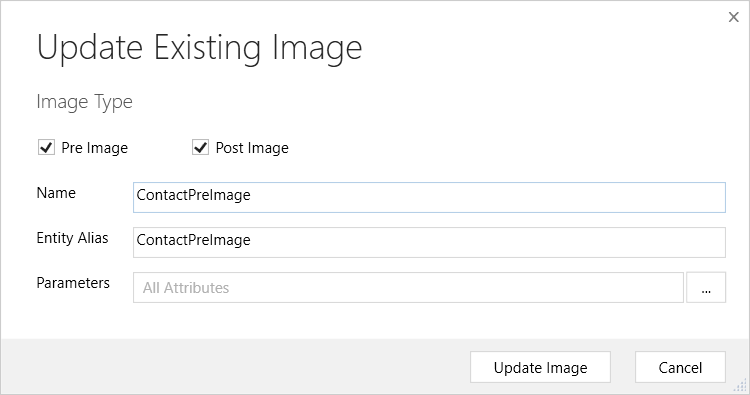
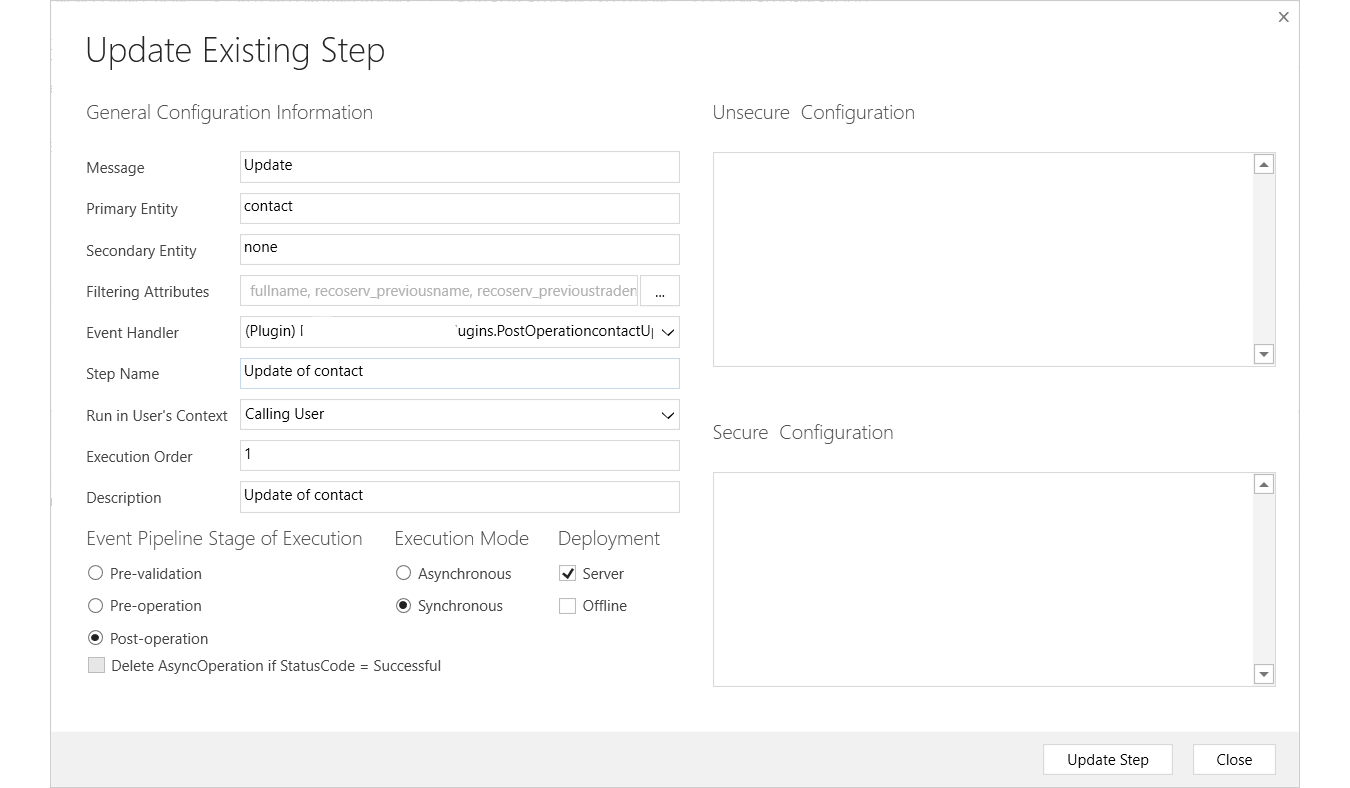
Hi, I am trying to have a plugin to update fields in contact with old values, but I got the error, what else I have missed?
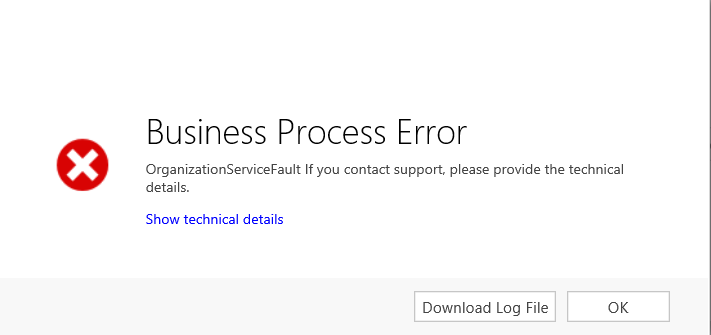
plugin_5F00_error.png

plugin_5F00_registration.png

4314.image.png

            if (context.InputParameters.Contains("Target") && context.InputParameters["Target"] is Entity)
            {
                Entity entity = (Entity)context.InputParameters["Target"];

                if (entity.LogicalName == "contact")
                {
                    Entity contact = (Entity)context.InputParameters["Target"];
                    Entity preImageContact = (Entity)context.PreEntityImages["ContactPreImage"];
                    Entity postImageContact = (Entity)context.PostEntityImages["ContactPreImage"];
                    string preImagefullname = preImageContact.Attributes["fullname"].ToString();
                    string preImagetradename = preImageContact.Attributes["tradename"].ToString();

                    string postImagefullname = postImageContact.Attributes["fullname"].ToString(); ;
                    string postmagetradename = postImageContact.Attributes["tradename"].ToString();
                    tracingService.Trace("Pre-image fullname: {0}, Pre-image tradename: {1}", preImagefullname, preImagetradename);
                    tracingService.Trace("Post-image fullname: {0}, Post-image tradename: {1}", postImagefullname, postmagetradename);
                    Entity mycontact = new Entity("contact");
                    mycontact.Id = contact.Id;
                    mycontact["previousname"] = preImagefullname;
                    mycontact["previoustradename"] = preImagetradename;
                    mycontact["changedate"] = DateTime.Now;
                    service.Update(mycontact);
                    tracingService.Trace("updated");
                }
            }


*This post is locked for comments

I have the same question (0)
  • Suggested answer
    Michel van den Brink Profile Picture
    4,697 on at

    Hello,

    To best help you, could you also include the log you can download when clicking on 'Show technical details'?


    Looking at your code, I notice two things that might be causing your error:


    1. You are trying to update the record on which the plug-in is being triggered, you are creating a loop, because when you call service.Update(mycontact) you are triggering your own plug-in.

      Change your plug-in to PreOperation stage and instead of calling service.Update(mycontact), assign your values directly to the 'contact' variable, which represents the "Target" parameter.

      In a PreOperation stage you can directly influence your attribute values on the Target entity, no need to call service.Update

    2. You trying are trying to read attribute values directly by using entity.Attributes["fullname"].ToString()
      This will throw a NullReferenceException if your attribute is NULL or empty, because you can't call ToString on NULL

      Try using this method for it instead: entity.GetAttributeValue<string>("fullname")

      No need to use ToString for this, because the casting mechanism already makes it a valid string, if it can, otherwise NULL is returned but no exception it thrown.


    Hope this helps you find your way to the issue. Let me know if you have any additional questions :-)

  • Suggested answer
    gdas Profile Picture
    50,091 Moderator on at

    Hello,

    There is wrong in your code where you write to get the attribute data from image.

    Please refer below article

    [View:https://community.dynamics.com/crm/b/crmchap/archive/2016/08/21/utilising-pre-post-entity-images-in-a-dynamics-crm-plugin]

    Hope this helps.

  • Suggested answer
    gdas Profile Picture
    50,091 Moderator on at

    And secondly use depth check in your code  as you are updating same entity  to avoid infinity loop.

  • ashlega Profile Picture
    34,477 on at

    It's not always a loop - depends on whether those attributes which are updated are included into the filtering attributes..

    But I'm also wondering if the solution prefix is missing for some of those fields at least (is there a changedate field? Or a previousname field?)

  • sdnd2000 Profile Picture
    2,510 on at

    Hi, Michel,

    I switched to pre-operation, and I assign the values to "contact" variable, there is no error this time, but the fields didn't get updated, they are still empty.

    if (context.InputParameters.Contains("Target") && context.InputParameters["Target"] is Entity)
                {
                    Entity entity = (Entity)context.InputParameters["Target"];
    
                    if (entity.LogicalName == "contact")
                    {
                        Entity contact = (Entity)context.InputParameters["Target"];
                        Entity preImageContact = (Entity)context.PreEntityImages["ContactPreImage"];
                        string preImagefullname = preImageContact.Attributes["fullname"].ToString();
                        string preImagetradename = preImageContact.Attributes["new_tradename"].ToString();
                        tracingService.Trace("Pre-image fullname: {0}, Pre-image tradename: {1}", preImagefullname, preImagetradename);
    
                        contact.Attributes.Add("new_previousname", preImagefullname);
                        contact.Attributes.Add("new_previoustradename", preImagetradename);
                        contact.Attributes.Add("new_changedate", DateTime.Today);
    }
    }
  • sdnd2000 Profile Picture
    2,510 on at

    Hi, Alex,

    I do have a prefix for each field, and the changedate and previousname  are all created.

  • Michel van den Brink Profile Picture
    4,697 on at

    Hello,

    Try setting the attributes on the 'entity' variable by using the Attributes dictionary directly:

    entity.Attributes["new_previousname"] = preImagefullname;

    Is see you are reading the "Target" parameter twice, which isn't necessary.

    Also, if you use Attributes.Add and the attribute is already in the collection, you'll get an ArgumentException

  • ashlega Profile Picture
    34,477 on at

    What do you see in the trace logs - are you hitting that code at all?

    You can also just throw an exception for a quick test

    throw new InvalidPluginExecutionException(preImagetradename);

    Do you have try-catch in the plugin? Wondering if there is still an error and you are just not seeing it because of the try-catch

    Are you sure there are those attribute in the preImage, btw (might be null.. in which case they'll be missing in the preImage)?

    PS. You did not have prefix in the original code, so I was not sure..

Under review

Thank you for your reply! To ensure a great experience for everyone, your content is awaiting approval by our Community Managers. Please check back later.

Helpful resources

Quick Links

Responsible AI policies

As AI tools become more common, we’re introducing a Responsible AI Use…

Neeraj Kumar – Community Spotlight

We are honored to recognize Neeraj Kumar as our Community Spotlight honoree for…

Leaderboard > 🔒一 Microsoft Dynamics CRM (Archived)

#1
SA-08121319-0 Profile Picture

SA-08121319-0 4

#1
Calum MacFarlane Profile Picture

Calum MacFarlane 4

#3
Alex Fun Wei Jie Profile Picture

Alex Fun Wei Jie 2

Last 30 days Overall leaderboard

Featured topics

Product updates

Dynamics 365 release plans