web
You’re offline. This is a read only version of the page.
close
Skip to main content

Notifications

Announcements

No record found.

Community site session details

Community site session details

Session Id :
Microsoft Dynamics AX (Archived)

Microsoft SQL Server Reporting Services web service error

(0) ShareShare
ReportReport
Posted on by 40

I am attempting to install the Reporting Services Extensions in AX 2012 R3 CU11. I will also be installing the Management Reporter, but need to fix this first.

I have SQL Server 2016 (RTM) installed.

When I run the Validation checker to see if I can install the Reporting Services I get the following warning (which turns into an error if I try to install):
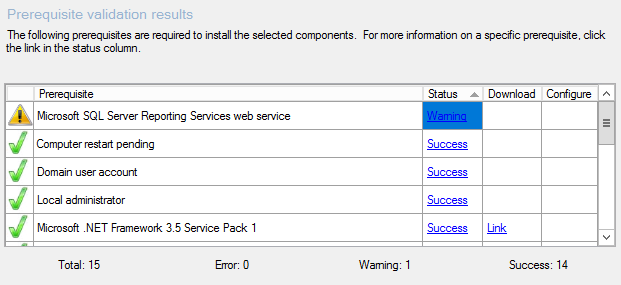
Validations.PNG

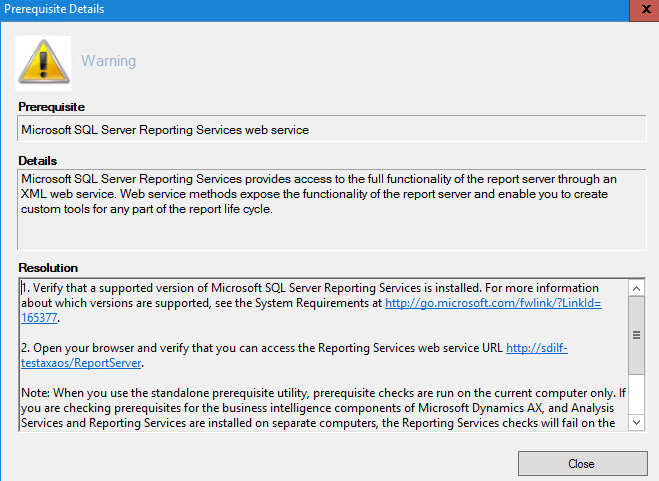
The details are as follows:

Details.PNG

When I click on the link in the Details it takes me to a page that doesn't work and gives me this error:

WebServiceURLError.PNG

I have done some research and it appeared that I needed to configure the Web Service URL, so I opened the SQL Server 2016 Reporting Services Configuration Manager. I found that everything was already configured as it should be:
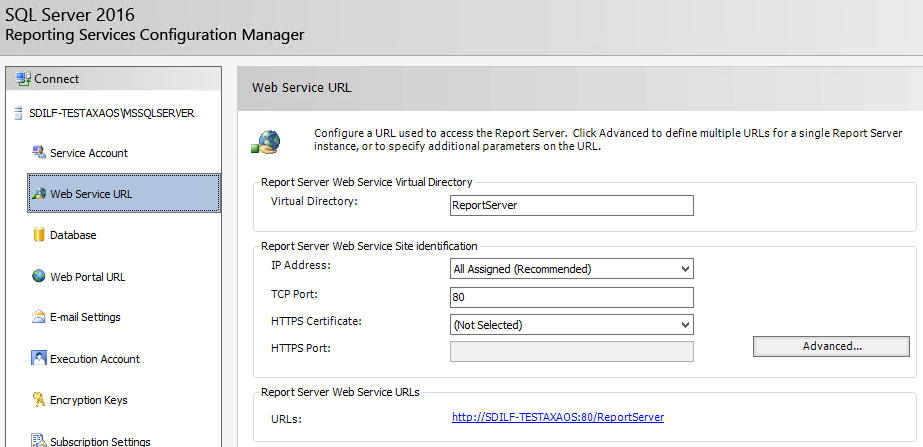
WebServiceURL.PNG

Clicking on the link in there provided the same error page as earlier. So I checked the Web Portal URL to see if it was configured and/or working:
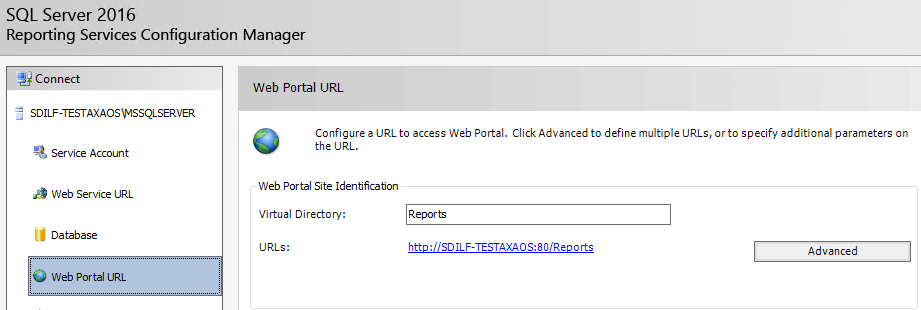
WebPortalURL.PNG

It too was already configured and when I click on its link I get a working page:

WebPortalURLWorking.PNG

I checked the Feature Selection in the installation media for SQL Server to see if I had missed something:
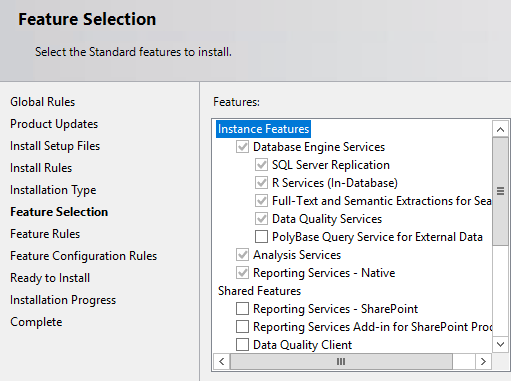
CurrentFeatures.PNG

The only thing that might be missing is the "Reporting Services - SharePoint", but I don't think that is the case or it would have recommended that I install it. I have tried reinstalling the Reporting Services by first removing them and then rebooting and then re-adding them and rebooting again to see if that would help. It did not, I still get the same errors.

How do I get this to work?

*This post is locked for comments

I have the same question (0)
  • KCDeVoe Profile Picture
    1,450 on at

    When you click the link in the Details it gives you an error, and it works if you click the link in the SSRS config? If this is the case just check what the difference is between the urls that are launched in the browser. It may be you need to add the port into your AX install configuration step.

  • Mike in IT Profile Picture
    40 on at

    I get the same error page for both the Details link and the link in the Reporting Services Configuration Manager for the Web Service URL. And both URLs are the same.

  • KCDeVoe Profile Picture
    1,450 on at

    Did you verify the Database name configured is the same one that is in the WS setup and that it was indeed created in SQL?

  • Mike in IT Profile Picture
    40 on at

    There is only on DB on the server. This is going to be a test environment so I'm installing everything on one server. The DB name is correct in the setup and is the only one that was created. I left it as the default name.

  • KCDeVoe Profile Picture
    1,450 on at

    You might be able to find better help on an SSRS/SQL forum. I've always verified SSRS works before I even begin installing AX components. The WS Url should work before you start anything else.

    Sorry I couldn't help more.

  • Mike in IT Profile Picture
    40 on at

    How can I get this question to the other forum? Where is the SSRS/SQL forum? I'm still new to the site.

Under review

Thank you for your reply! To ensure a great experience for everyone, your content is awaiting approval by our Community Managers. Please check back later.

Helpful resources

Quick Links

Responsible AI policies

As AI tools become more common, we’re introducing a Responsible AI Use…

Neeraj Kumar – Community Spotlight

We are honored to recognize Neeraj Kumar as our Community Spotlight honoree for…

Leaderboard > 🔒一 Microsoft Dynamics AX (Archived)

#1
Martin Dráb Profile Picture

Martin Dráb 4 Most Valuable Professional

#1
Priya_K Profile Picture

Priya_K 4

#3
MyDynamicsNAV Profile Picture

MyDynamicsNAV 2

Last 30 days Overall leaderboard

Featured topics

Product updates

Dynamics 365 release plans