web
You’re offline. This is a read only version of the page.
close
Skip to main content

Notifications

Announcements

Community site session details

Community site session details

Session Id :
Small and medium business | Business Central, N...
Suggested Answer

RE: Open in Excel feature and read-only fields

(0) ShareShare
ReportReport
Posted on by 5

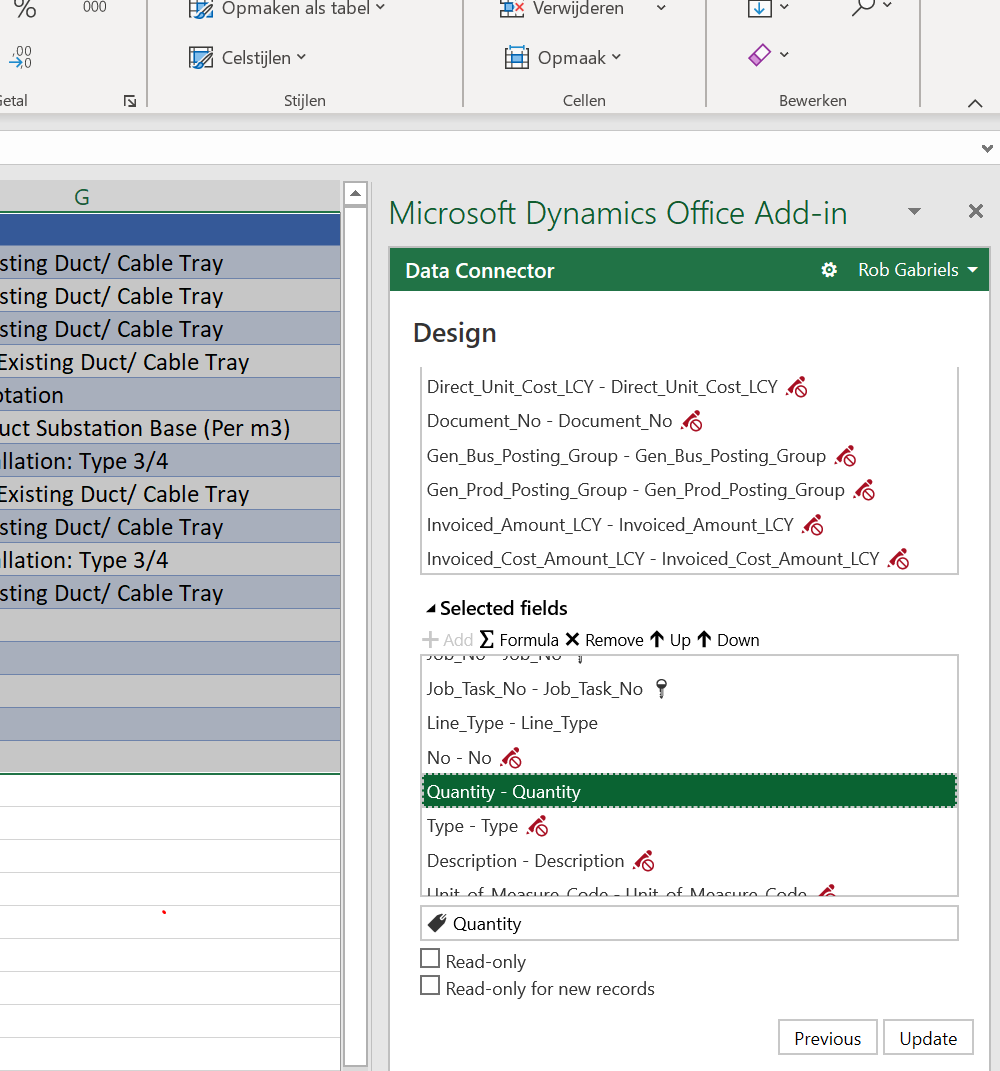
Hi Guys, it seems that the same struggling happens to me. The fields in the design columns are showing icons of a Key or Non-editable property. How and where to adjust these properties so they become editable in Excel and can be imported as changed values in Dynamics?
pastedimage1575283527139v1.png

Best regards,

Rob Gabriels

I have the same question (0)
  • Suggested answer
    nmaenpaa Profile Picture
    101,166 Moderator on at

    I believe Andre's suggestion about using Trade agreement journals to import prices still applies.

  • André Arnaud de Calavon Profile Picture
    301,459 Super User 2025 Season 2 on at

    Hi Rob,

    I do believe you are using Business Central?

  • Community Member Profile Picture
    on at

    Hi Andre, that's correct. In the meantime I already see and understand that the validation within BC which will overrule the edit mode in Excel. I was looking for a way to deactivate the Read-only option in Excel. But that's not an option in my case unfortunately .

    BR

Under review

Thank you for your reply! To ensure a great experience for everyone, your content is awaiting approval by our Community Managers. Please check back later.

Helpful resources

News and Announcements

Season of Giving Solutions is Here!

Quick Links

Responsible AI policies

As AI tools become more common, we’re introducing a Responsible AI Use…

Neeraj Kumar – Community Spotlight

We are honored to recognize Neeraj Kumar as our Community Spotlight honoree for…

Leaderboard > Small and medium business | Business Central, NAV, RMS

#1
OussamaSabbouh Profile Picture

OussamaSabbouh 1,651

#2
Khushbu Rajvi. Profile Picture

Khushbu Rajvi. 808 Super User 2025 Season 2

#3
YUN ZHU Profile Picture

YUN ZHU 718 Super User 2025 Season 2

Last 30 days Overall leaderboard

Featured topics

Product updates

Dynamics 365 release plans



