web
You’re offline. This is a read only version of the page.
close
Skip to main content

Announcements

No record found.

News and Announcements icon
Community site session details

Community site session details

Session Id :
Microsoft Dynamics AX (Archived)

Cannot update Purchase Order in AX 2012 R3

(0) ShareShare
ReportReport
Posted on by

Hi,

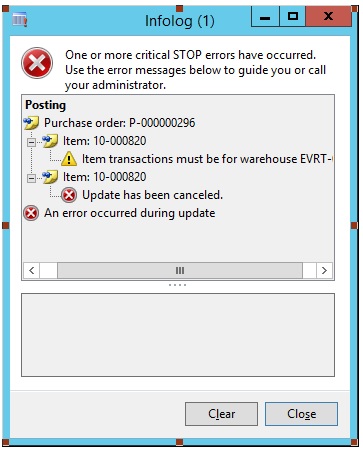
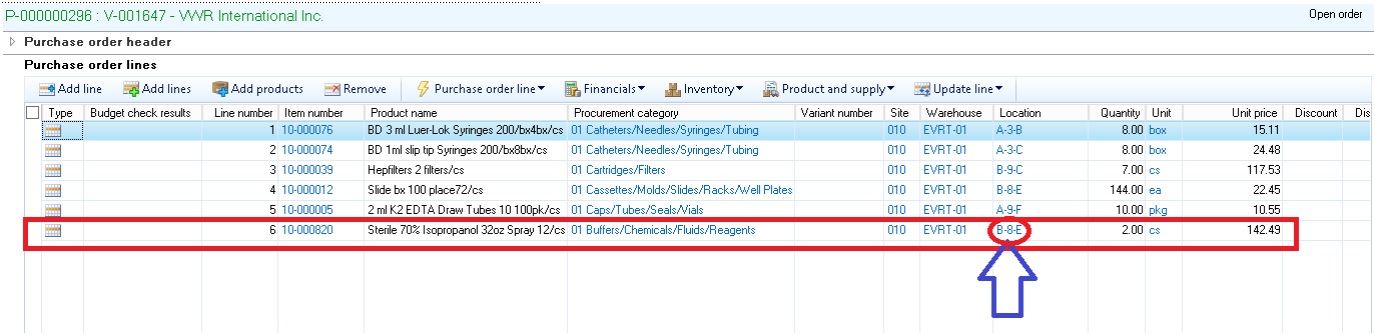
Receive_5F00_PO0.jpgReceive_5F00_PO1.jpg

I have a PO P-000000296 as shown above & I cannot do Product received due to Warehouse field was not specified yet in the PO screen. Then I went to PO & filled the value 'EVRT-01' into, then I tried to do Product receipt again with this PO, but ended with an error message as shown below. Please advise me!
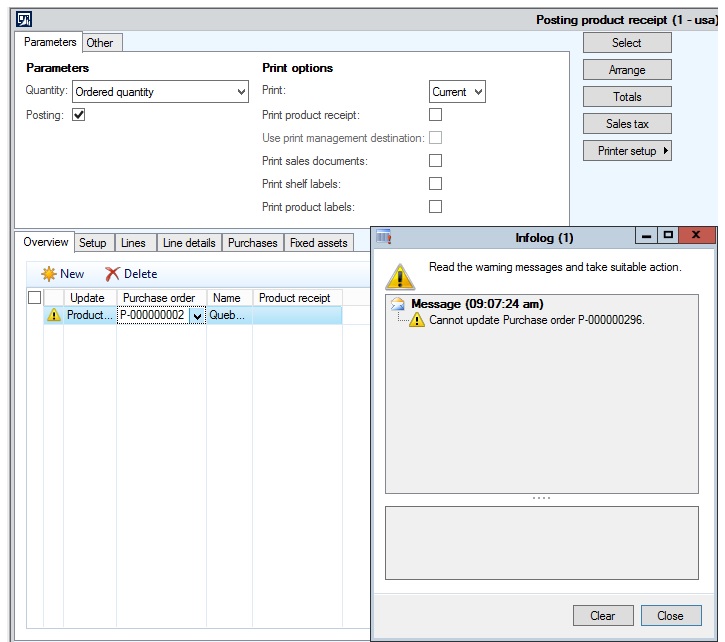
Receive_5F00_PO2.jpg

Thanks

Thai

*This post is locked for comments

I have the same question (0)
  • Verified answer
    Yohann Rolland Axcible Profile Picture
    3,111 on at

    Hi,

    it's probably because you need to confirm again the PO before running the product receipt.

    Try this.

    Yohann

  • Community Member Profile Picture
    on at

    Hi Yohann,

    Can you tell me how to confirm an order?

    Thanks

    Thai

  • Verified answer
    Community Member Profile Picture
    on at

    Query PO- click purchase tab and then click "confirm" if all is good PO status will change to confirmed. Then try your receipt again

  • Verified answer
    Yohann Rolland Axcible Profile Picture
    3,111 on at

    Select your PO, you must have the "Confirm" button in the upper part (in the Purchase tab > generate)

  • Community Member Profile Picture
    on at

    Hi Yohann & Ron,

    Thanks so much for all your help. Now I can do Products receipt without error message for my PO.

    Thanks

    Thai

  • Suggested answer
    Community Member Profile Picture
    on at

    please backup your db 

    and delete all of the run the below  syntax on the SQL server 

    delete from VENDINVOICEINFOLINE
    delete from VENDINVOICEINFOTABLE

Under review

Thank you for your reply! To ensure a great experience for everyone, your content is awaiting approval by our Community Managers. Please check back later.

Helpful resources

Quick Links

Introducing the 2026 Season 1 community Super Users

Congratulations to our 2026 Super Stars!

Meet the Microsoft Dynamics 365 Contact Center Champions

We are thrilled to have these Champions in our Community!

Congratulations to the April Top 10 Community Leaders

These are the community rock stars!

Leaderboard > 🔒一 Microsoft Dynamics AX (Archived)

#1
CP04-islander Profile Picture

CP04-islander 24

#2
Michel ROY Profile Picture

Michel ROY 14

#3
Jagadabi Profile Picture

Jagadabi 6

Last 30 days Overall leaderboard

Featured topics

Product updates

Dynamics 365 release plans
