web
You’re offline. This is a read only version of the page.
close
Skip to main content

Announcements

No record found.

News and Announcements icon
Community site session details

Community site session details

Session Id :
Customer experience | Sales, Customer Insights,...
Answered

Power BI Content Pack for Dynamics 365 Marketing

(0) ShareShare
ReportReport
Posted on by 222

Hi everyone

I've followed this procedure (https://docs.microsoft.com/en-us/dynamics365/marketing/custom-analytics) to setup Azure Blob Storage so that I can use the Content Pack located here (https://github.com/Microsoft/Dynamics-365-for-Marketing---Power-BI-Reporting/releases) to get rich reporting data for our Dynamics 365 Marketing instance.

When I use Power BI Desktop to configure the report, I get the following error:

Error-1.PNG

When I open the Query Editor to resolve query, I'm stuck on trying to figure out how to resolve this error. 

Can anyone help please?

Error-2.PNG

Thanks very much

Rean

I have the same question (0)
  • Suggested answer
    Christian Abeln Profile Picture
    Microsoft Employee on at

    Hello Rean,

    Thank you for reporting your observation!

    From the screen shot of the queries I believe you are using the Email Marketing analytic report, is that correct?

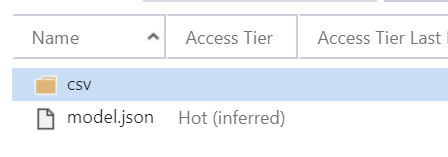
    Does the blob storage container have the file "model.json"? You can check that with storage explorer. If this file is not in the storage container, then this indicates that your marketing organization is not configured fully for Power BI reporting and is not pushing the interaction data to this storage container. Please verify the Marketing Analytics Configuration in the Settings of the marketing application.
    pastedimage1570459725001v1.png

    You may also place the modelStatic.json file (here on GitHub) in that storage container like I have described in this post.
    But you should apply that only in addition to the files placed there by the Dynamics 365 Marketing.

    Thank you for the reporting ur observation! It helps to work on a better experience for our customer that may points out certain common configuration problems that users may run into.

  • reanm Profile Picture
    222 on at

    Hi Christian

    Thanks so much for your help.

    I had the model.json file in the container. I just needed to add the modelStatic.json file to the container and BOOM - it worked!!

    Thanks again

    Rean

  • Christian Abeln Profile Picture
    Microsoft Employee on at

    Hello,

    great to read that this has solved the issue with the loading of the interaction data files. But I am still surprised. The special file "staticModel.json" is not required but can be used optionally.

    Please use the latest version from the GitHub project, which are in the latest release

    As learning from your experience I am working on an improvement of the Power BI report templates which will include a version of the interaction data model such that those issues and workarounds will not be required.

Under review

Thank you for your reply! To ensure a great experience for everyone, your content is awaiting approval by our Community Managers. Please check back later.

Helpful resources

Quick Links

Introducing the 2026 Season 1 community Super Users

Congratulations to our 2026 Super Stars!

Congratulations to our 2025 Community Spotlights

Thanks to all of our 2025 Community Spotlight stars!

Leaderboard > Customer experience | Sales, Customer Insights, CRM

#1
ManoVerse Profile Picture

ManoVerse 180 Super User 2026 Season 1

#2
11manish Profile Picture

11manish 123

#3
CU11031447-0 Profile Picture

CU11031447-0 100

Last 30 days Overall leaderboard

Product updates

Dynamics 365 release plans
