web
You’re offline. This is a read only version of the page.
close
Skip to main content

Announcements

No record found.

News and Announcements icon
Community site session details

Community site session details

Session Id :
Finance | Project Operations, Human Resources, ...
Suggested Answer

Close the period, all the transactions post to that period should post to the 1st of the following month

(0) ShareShare
ReportReport
Posted on by 2,442

Hi All, 

I'm in the process of closing the book for the month. So I put the period on hold or the module on hold.  

pastedimage1658466599493v3.png

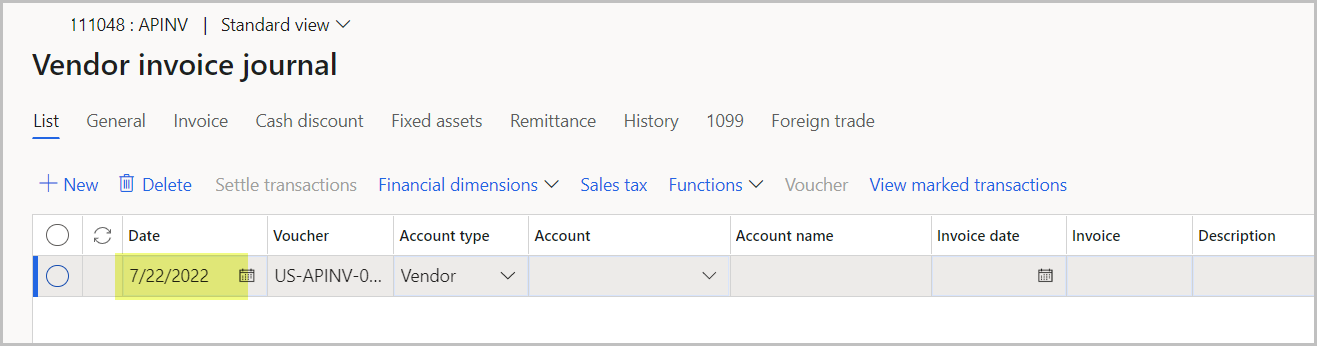
When the user creates an invoice, the system defaults the date.  In this case, 7/21/2022.  When the user posts this invoice, instead of rejecting it due to "...the period is on hold...", I want the system to post it on the 1st of the following month and not on the default date, 7/21/2022.  Is there a feature in D365 that allow me to do that?  Can I tell D365 that, any transaction posted to this date range, post it on 8/1/2022? . Thanks so much!
pastedimage1658466710793v6.png

\

I have the same question (0)
  • Suggested answer
    BillurSamdancioglu Profile Picture
    20,713 Most Valuable Professional on at

    Please check this article

    docs.microsoft.com/.../vendor-invoice-dates

    Especially part under;

    Parameter for automatically adjusting the vendor invoice posting date

  • lmai Profile Picture
    2,442 on at

    Thanks, Billur, for your response.  I don't see it in the D365 AP parameter>Ledger and sales tax tab.  Could it be somewhere else?

    pastedimage1658514706407v2.png

  • Alexio Pfumai Profile Picture
    346 on at

    Hi Kim,

    You need to enable the feature Adjust posting date automatically during invoice posting under Feature management for the setup to appear on the accounts payable parameters.pastedimage1658596893568v1.png

    For more information check this link :https://exploredynamics365.home.blog/2022/01/31/new-feature-adjust-posting-date-automatically-during-invoice-posting-in-microsoft-dynamics-365-finance-and-operations/

    Kind Regards,

    Alexio Pfumai

  • Suggested answer
    Alireza Eshaghzadeh Profile Picture
    14,839 Super User 2026 Season 1 on at

    Hi Kim,

    As it already mentioned, for vendor invoices you can activate "Adjust posting date automatically during invoice posting." feature, then you have additional parametere on Account payable parameteres > Ledger and sales tax > 'Adjust posting date automatically' and 'Adjust invoice posting date to next year’s open period'

    pastedimage1658660992032v1.png

    More info from Microsoft docs:

    docs.microsoft.com/.../vendor-invoice-dates

Under review

Thank you for your reply! To ensure a great experience for everyone, your content is awaiting approval by our Community Managers. Please check back later.

Helpful resources

Quick Links

Introducing the 2026 Season 1 community Super Users

Congratulations to our 2026 Super Stars!

Meet the Microsoft Dynamics 365 Contact Center Champions

We are thrilled to have these Champions in our Community!

Congratulations to the March Top 10 Community Leaders

These are the community rock stars!

Leaderboard > Finance | Project Operations, Human Resources, AX, GP, SL

#1
Giorgio Bonacorsi Profile Picture

Giorgio Bonacorsi 658

#2
André Arnaud de Calavon Profile Picture

André Arnaud de Cal... 468 Super User 2026 Season 1

#3
Syed Haris Shah Profile Picture

Syed Haris Shah 333 Super User 2026 Season 1

Last 30 days Overall leaderboard

Product updates

Dynamics 365 release plans
