web
You’re offline. This is a read only version of the page.
close
Skip to main content

Notifications

Announcements

No record found.

Community site session details

Community site session details

Session Id :
Microsoft Dynamics CRM (Archived)

A SQL Server error occurred.

(0) ShareShare
ReportReport
Posted on by

2017_2D00_11_2D00_16_5F00_15_2D00_47_2D00_20.png

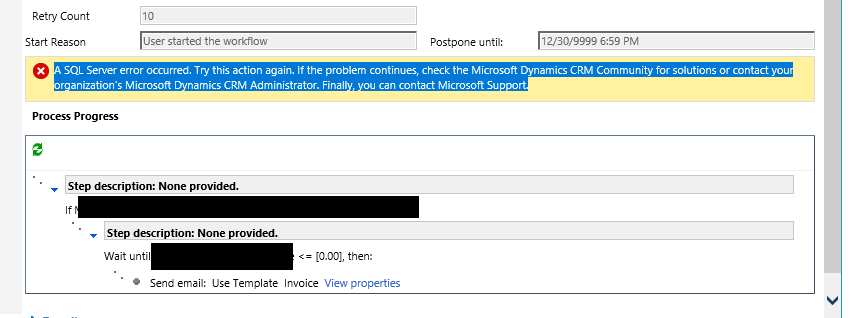
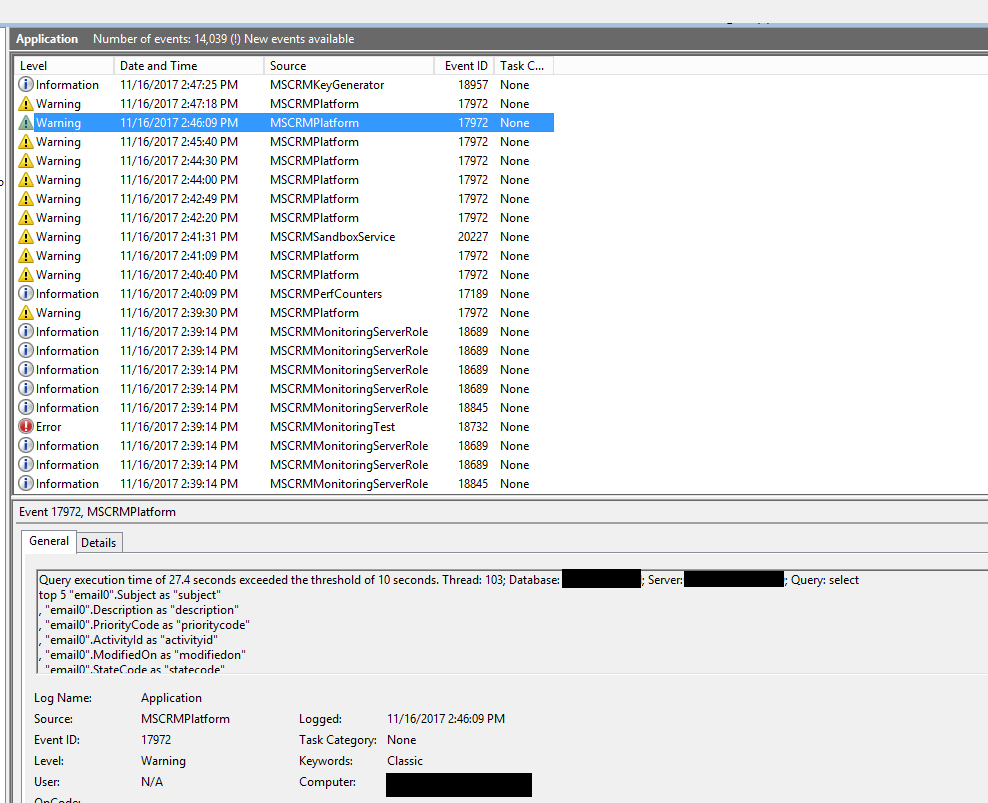
This week we started to get this exception when we Workflow tries to send email. When I looked at the Event Log on CRM Server I found this type of errors
2017_2D00_11_2D00_16_5F00_15_2D00_52_2D00_25.png

However, I am not sure what might be the problem and how I can resolve it. I am new to CRM troubleshooting.

*This post is locked for comments

I have the same question (0)
  • Aric Levin - MVP Profile Picture
    30,190 Moderator on at

    Can you check what happens if you run the query inside of SQL Server Management Studio?

    Does it still take that long?

  • Suggested answer
    Mahendar Pal Profile Picture
    45,095 on at

    Hi,

    You can troubleshoot sql error using sql profiler, that should help you fine what causing this, check this for detailed steps: blogs.msdn.microsoft.com/.../create-a-crm-profiler-template-and-trace-for-crm-issues

    Thanks

  • Community Member Profile Picture
    on at

    For some reason, I cannot run this query as is. The problem is that there is where condition that had constant variables instead of the real value. For instance, Closed instead 3 and so on.

  • Community Member Profile Picture
    on at

    I have narrowed down the problem. Here what I have found out:

    We have workflow that run 4 child workflows depend on the condition.

    Each child workflow is the same

    At the end of the process workflow sends email using template. Although the email templates for each workflow are different but main structure is the same.

    One of the field is used to present the data is Invoice.Desctription which is multiline text.

    This field's result is 2 tables and it works for 3 child templates. It doesn't work only for one of them. Once I removed this field from the email template, workflow started to work without problem.

    Logically it looks like this field is filled up on the fly when value is used by email template.  I am not sure how and why it works for other emails.

  • Community Member Profile Picture
    on at

    I found the issue. It is not related to the database or workflow.

    So, the ticket can be closed.

    Thanks everyone who helped me.

  • Aric Levin - MVP Profile Picture
    30,190 Moderator on at

    Hi Pavel,

    Can you share the resolution so that it can help other community members in the future?

    Thank you.

Under review

Thank you for your reply! To ensure a great experience for everyone, your content is awaiting approval by our Community Managers. Please check back later.

Helpful resources

Quick Links

Responsible AI policies

As AI tools become more common, we’re introducing a Responsible AI Use…

Neeraj Kumar – Community Spotlight

We are honored to recognize Neeraj Kumar as our Community Spotlight honoree for…

Leaderboard > 🔒一 Microsoft Dynamics CRM (Archived)

#1
SA-08121319-0 Profile Picture

SA-08121319-0 4

#1
Calum MacFarlane Profile Picture

Calum MacFarlane 4

#3
Alex Fun Wei Jie Profile Picture

Alex Fun Wei Jie 2

Last 30 days Overall leaderboard

Featured topics

Product updates

Dynamics 365 release plans



