web
You’re offline. This is a read only version of the page.
close
Skip to main content

Notifications

Announcements

No record found.

Community site session details

Community site session details

Session Id :
Microsoft Dynamics CRM (Archived)

Importing Data from .xml/.csv Error

(0) ShareShare
ReportReport
Posted on by

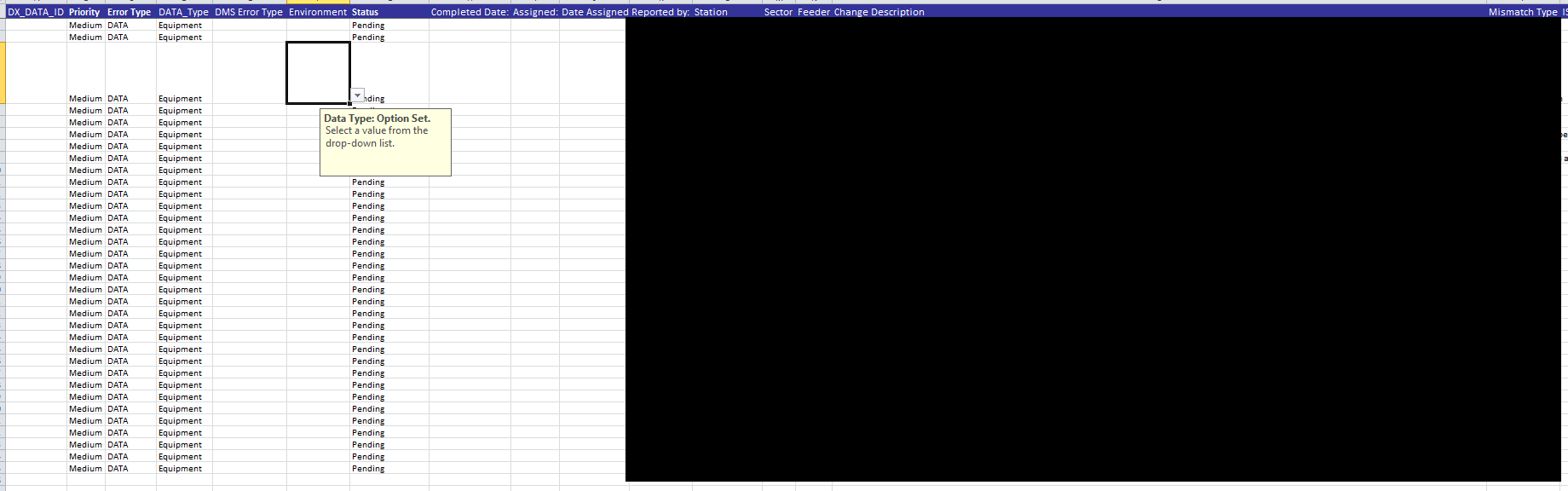
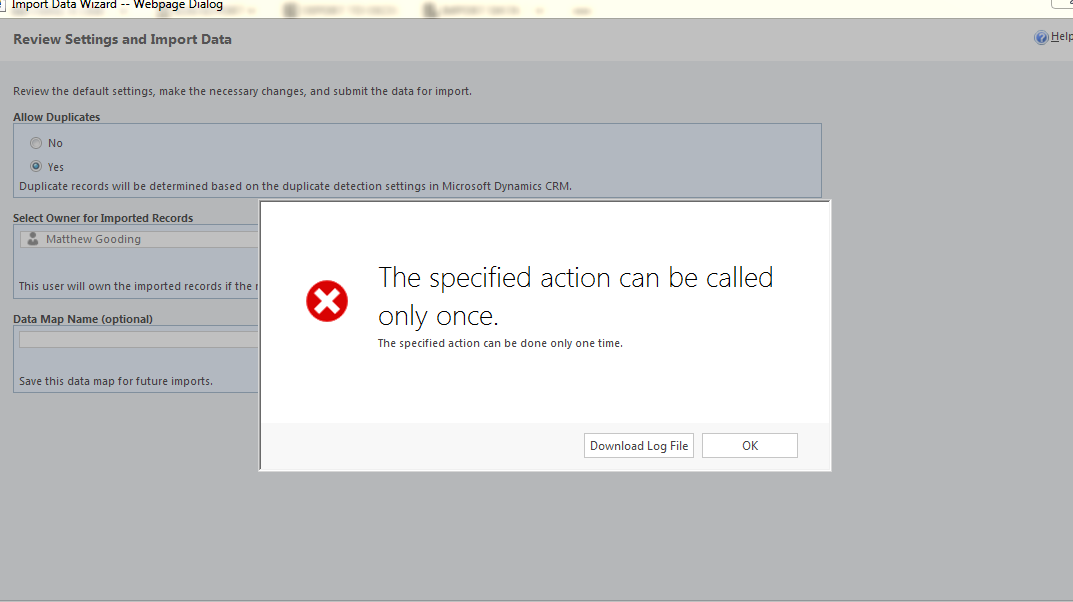
I am trying to import data from an excel sheet.  I downloaded the template and entered the required values.  However when I got to import, I get "The specified action can be called only once." and "The specified action can be done only one time."

Can someone explain what I need to do here?

Thanks
6204.Error.PNG4276.Excel.png

*This post is locked for comments

I have the same question (0)
  • Suggested answer
    Community Member Profile Picture
    on at

    Please confirm you are not repeating any column in your excel sheet with same name

  • Suggested answer
    Community Member Profile Picture
    on at

    Hi,

    Can you please download the log file and post the detailed error here?

    Thanks

  • Suggested answer
    Kishor Kumar Profile Picture
    3,710 on at

    Share the error details here, that will help us to guide you more

  • Community Member Profile Picture
    on at

    Unhandled Exception: System.ServiceModel.FaultException`1[[Microsoft.Xrm.Sdk.OrganizationServiceFault, Microsoft.Xrm.Sdk, Version=6.0.0.0, Culture=neutral, PublicKeyToken=31bf3856ad364e35]]: Cannot call transform before parse.Detail:
    <OrganizationServiceFault xmlns:i="www.w3.org/.../XMLSchema-instance" xmlns="schemas.microsoft.com/.../Contracts">
    <ErrorCode>-2147220623</ErrorCode>
    <ErrorDetails xmlns:d2p1="schemas.datacontract.org/.../System.Collections.Generic" />
    <Message>Cannot call transform before parse.</Message>
    <Timestamp>2018-03-26T17:32:03.3201034Z</Timestamp>
    <InnerFault i:nil="true" />
    <TraceText i:nil="true" />
    </OrganizationServiceFault>

  • Community Member Profile Picture
    on at

    Did you find a solution to this? I'm facing the same issue.

  • Community Member Profile Picture
    on at

    Just Disable and Enable the user. This worked for me.  Mark as the answer if the solution worked.

  • Suggested answer
    bb5 Profile Picture
    5 on at

    I ran into the same problem. I found that the user trying to execute the data import didn't have the correct permissions. In my case, the user didn't have any roles but was inheriting a role through an assigned team.

    Giving the user the same role directly worked. There are some security permissions that can't be inherited through a team.

    I wanted the role at the team level so get around this we have a base security role that includes some of the permissions that can't be given through a team. Below are the base permissions we have.

    pastedimage1595967349064v1.png

    pastedimage1595967392788v2.png

    pastedimage1595967418286v3.png

    pastedimage1595967434147v4.png

Under review

Thank you for your reply! To ensure a great experience for everyone, your content is awaiting approval by our Community Managers. Please check back later.

Helpful resources

Quick Links

Responsible AI policies

As AI tools become more common, we’re introducing a Responsible AI Use…

Neeraj Kumar – Community Spotlight

We are honored to recognize Neeraj Kumar as our Community Spotlight honoree for…

Leaderboard > 🔒一 Microsoft Dynamics CRM (Archived)

#1
SA-08121319-0 Profile Picture

SA-08121319-0 4

#1
Calum MacFarlane Profile Picture

Calum MacFarlane 4

#3
Alex Fun Wei Jie Profile Picture

Alex Fun Wei Jie 2

Last 30 days Overall leaderboard

Featured topics

Product updates

Dynamics 365 release plans