web
You’re offline. This is a read only version of the page.
close
Skip to main content

Announcements

News and Announcements icon
Community site session details

Community site session details

Session Id :
Small and medium business | Business Central, N...
Suggested Answer

Calculate FA depreciation

(0) ShareShare
ReportReport
Posted on by

Hi All

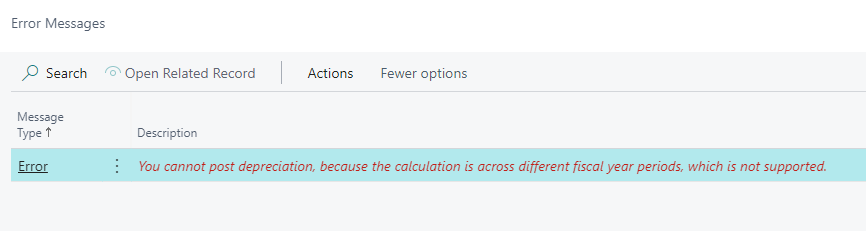
When I calculated and posted the FA Deprecation for the period 01.01.2022 in  below Fixed asset G/L Journal, getting an posting error as "You cannot post depreciation, because the calculation is across different fiscal year periods, which is not supported".

"pastedimage1654596425158v1.png
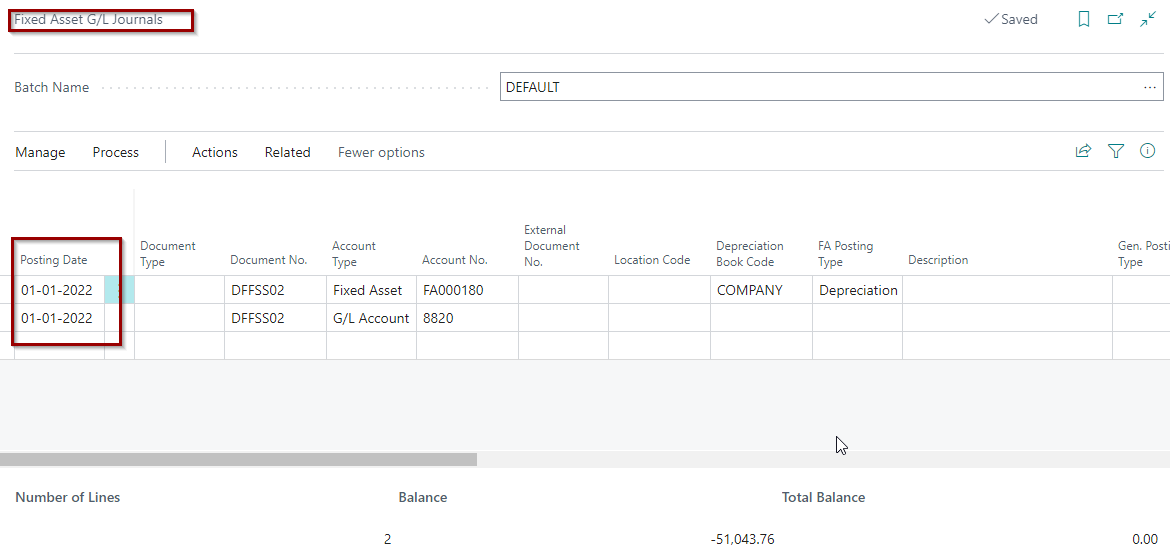
pastedimage1654596586469v2.png

Checked on the accounting period page, but seems its ok. pls advise on this issue.
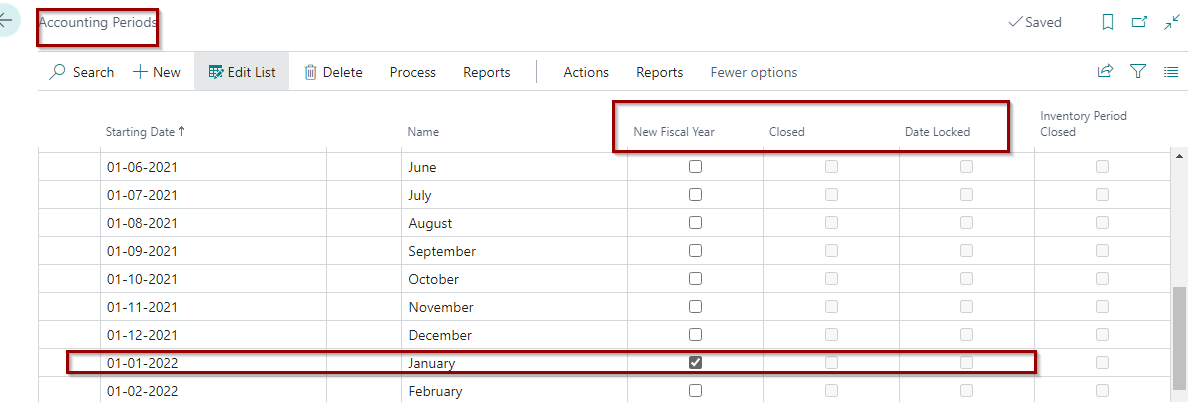
 pastedimage1654596653816v3.png

I have the same question (0)
  • Suggested answer
    Vaishnavi J Profile Picture
    3,096 on at

    Hi,

    Have you posted any depreciation entries before the year end?

    If my answer was helpful to you, please verify it so that other users know it worked. Thank you very much

  • Dallefeld Profile Picture
    235 User Group Leader on at

    What country version are you running? I assume your starting dates are DD-MM-YYYY format? If not, your accounting periods are not correct that this could be causing your issue.

  • Chandra Moulee Profile Picture
    on at

    HI ,

    I posted one previous Depreciation entry in the date 01-01-2020 (DD-MM-YYYY), for your reference as below pic.

    pastedimage1654652879516v1.png,

    Want to add the Account period status of above entry date (01-01-2020) for support,

    pastedimage1654653172622v2.png

  • Chandra Moulee Profile Picture
    on at

    HI

    I am using Indian Version 

    pastedimage1654653760877v2.png

    And date format is DD-MM-YYYY

    ,pastedimage1654653864719v3.png

  • Suggested answer
    Dallefeld Profile Picture
    235 User Group Leader on at

    You posted depreciations for 1/1/20 and are now trying to post for 1/1/22. What happened to posting for 1/1/21?

    I think this might be the issue. Could you calculate and post for 1/1/21?

  • Chandra Moulee Profile Picture
    on at

    Already tried with 01/01/2021, but still getting same error

    pastedimage1654738837336v1.png              

    pastedimage1654738875843v2.png

Under review

Thank you for your reply! To ensure a great experience for everyone, your content is awaiting approval by our Community Managers. Please check back later.

Helpful resources

Quick Links

Season of Sharing Community Challenge Winners!

Congratulations to our community stars!

Women in Power Builds Momentum

Expanding mentorship, skilling, and AI innovation

Congratulations to the July Top 10 Community Leaders

These are the community rock stars!

Leaderboard > Small and medium business | Business Central, NAV, RMS

#1
OussamaSabbouh Profile Picture

OussamaSabbouh 524 Super User 2026 Season 2

#2
YUN ZHU Profile Picture

YUN ZHU 399 Super User 2026 Season 2

#3
Grigorios Mavrogeorgis Profile Picture

Grigorios Mavrogeorgis 354 Super User 2026 Season 2

Last 30 days Overall leaderboard

Featured topics

Microsoft Training Manuals

Product updates

Dynamics 365 release plans