I'm applying customizations to D365FO environment (On-prem) and LCS preparation has failed. But the problem now is it's not showing the failure page. I've tried to restart all Orchs and Adfs but there is no difference. It remain stuck. Any help??

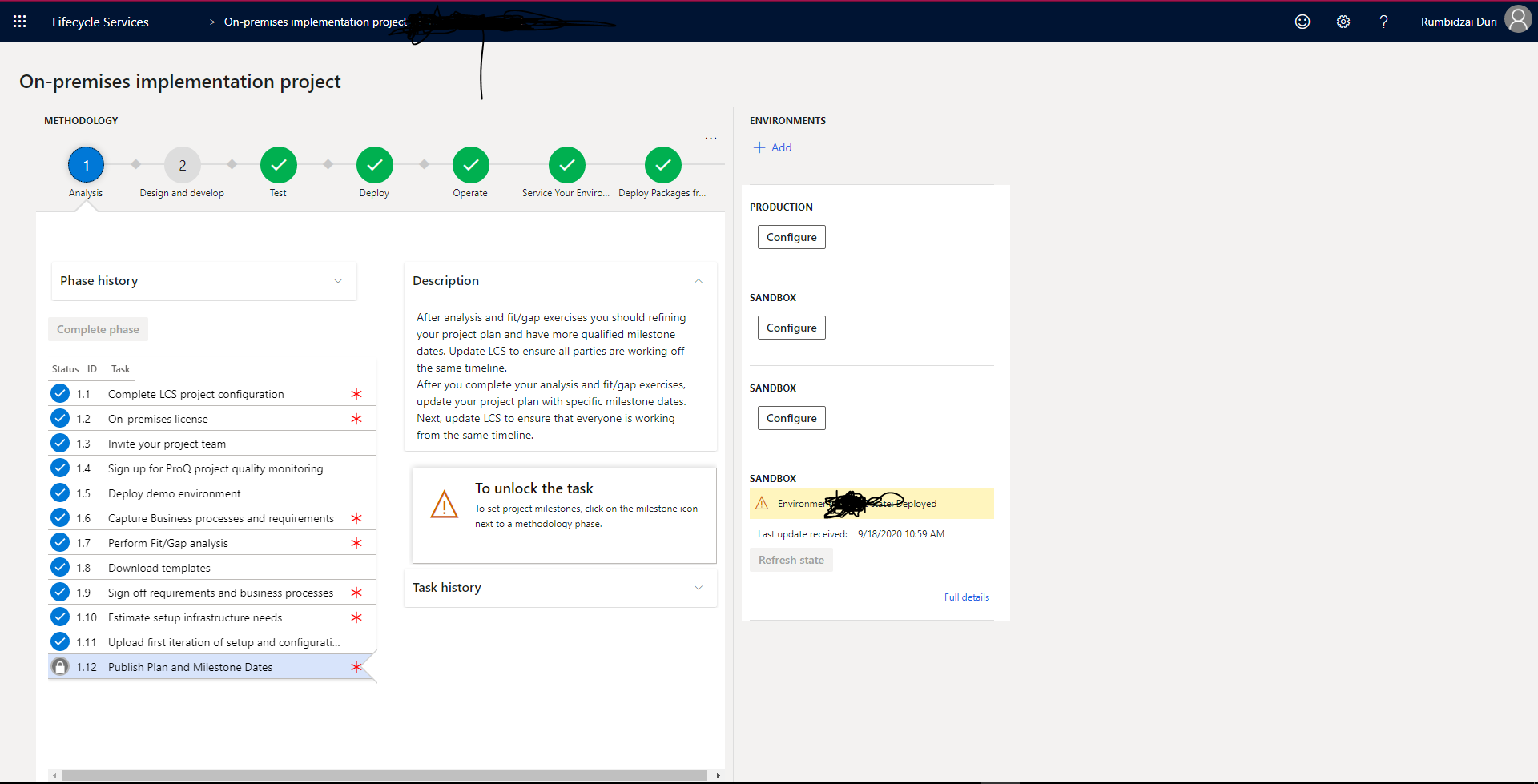
I've checked the event viewer from one of the Orchs and the following is what I'm getting but still I'm not sure what's going on
Event 1
Task OrchestrationService.ArtifactProcessorTask,OrchestrationService failed for command id daae574d-9e50-4745-8bb6-b1bb55160288
Detail System.AggregateException: One or more errors occurred. ---> LocalAgentCommon.LocalAgentInvalidOperationException: Unable to get standalone file for command daae574d-9e50-4745-8bb6-b1bb55160288 at OrchestrationService.LcsArtifactsDownloadProvider.<ResolveArtifactLocations>d__1.MoveNext() --- End of inner exception stack trace --- at System.Threading.Tasks.Task.ThrowIfExceptional(Boolean includeTaskCanceledExceptions) at System.Threading.Tasks.Task.Wait(Int32 millisecondsTimeout, CancellationToken cancellationToken) at OrchestrationService.ArtifactProcessorTask.Run(OrchestratorRunbookResource runbookResource, String commandId, String jobId, String runbookTaskId) at OrchestrationService.OrchestrationJobManager.<>c__DisplayClass23_0.<CreateNewTaskThread>b__4() ---> (Inner Exception #0) LocalAgentCommon.LocalAgentInvalidOperationException: Unable to get standalone file for command daae574d-9e50-4745-8bb6-b1bb55160288 at OrchestrationService.LcsArtifactsDownloadProvider.<ResolveArtifactLocations>d__1.MoveNext()<---
Event 2
Unable to get standalone file for command daae574d-9e50-4745-8bb6-b1bb55160288
Detail at System.Environment.GetStackTrace(Exception e, Boolean needFileInfo) at System.Environment.get_StackTrace() at Microsoft.Dynamics.Operations.Local.LocalAgentEvents.LocalAgentEventHelpers.ErrorPrettify(LocalAgentEventSource source, Exception ex, Int32 errorCode, String format, Object[] values) at OrchestrationService.LcsArtifactsDownloadProvider.<ResolveArtifactLocations>d__1.MoveNext() at System.Runtime.CompilerServices.AsyncMethodBuilderCore.MoveNextRunner.Run() at System.Threading.Tasks.AwaitTaskContinuation.RunOrScheduleAction(Action action, Boolean allowInlining, Task& currentTask) at System.Threading.Tasks.Task.FinishContinuations() at System.Threading.Tasks.Task.Finish(Boolean bUserDelegateExecuted) at System.Threading.Tasks.Task.ExecuteWithThreadLocal(Task& currentTaskSlot) at System.Threading.Tasks.Task.ExecuteEntry(Boolean bPreventDoubleExecution) at System.Threading.ThreadPoolWorkQueue.Dispatch()
Event 3
Unable to download asset c7fcc01f-f8d6-4667-ab68-cbfc20350e5a
Detail at System.Environment.GetStackTrace(Exception e, Boolean needFileInfo) at System.Environment.get_StackTrace() at Microsoft.Dynamics.Operations.Local.LocalAgentEvents.LocalAgentEventHelpers.ErrorPrettify(LocalAgentEventSource source, Exception ex, Int32 errorCode, String format, Object[] values) at OrchestrationService.BaseLcsArtifactsProvider.<GetDownloadedAssetLocation>d__24.MoveNext() at System.Runtime.CompilerServices.AsyncMethodBuilderCore.MoveNextRunner.Run() at System.Threading.Tasks.AwaitTaskContinuation.RunOrScheduleAction(Action action, Boolean allowInlining, Task& currentTask) at System.Threading.Tasks.Task.FinishContinuations() at System.Threading.Tasks.Task.Finish(Boolean bUserDelegateExecuted) at System.Threading.Tasks.Task.ExecuteWithThreadLocal(Task& currentTaskSlot) at System.Threading.Tasks.Task.ExecuteEntry(Boolean bPreventDoubleExecution) at System.Threading.ThreadPoolWorkQueue.Dispatch()


