web
You’re offline. This is a read only version of the page.
close
Skip to main content

Announcements

No record found.

News and Announcements icon
Community site session details

Community site session details

Session Id :
Microsoft Dynamics NAV (Archived)

Error - You have insufficient quantity of Item %1 on inventory

(0) ShareShare
ReportReport
Posted on by

Hi All,

 When I try to post the transfer order, (i.e ;) at the time of receiving the transfer order it is throwing an error : "You have insufficient quantity of Item %1 on inventory ".

When we checked the inventory ,the enough amount of inventory is available for the item . Even though it is not allowing to receive the transfer order.

The Nav Version is : Dynamics NAV 2013 R2

The build  is : Version (7.10.37732)

Kindly find the error attachment below:
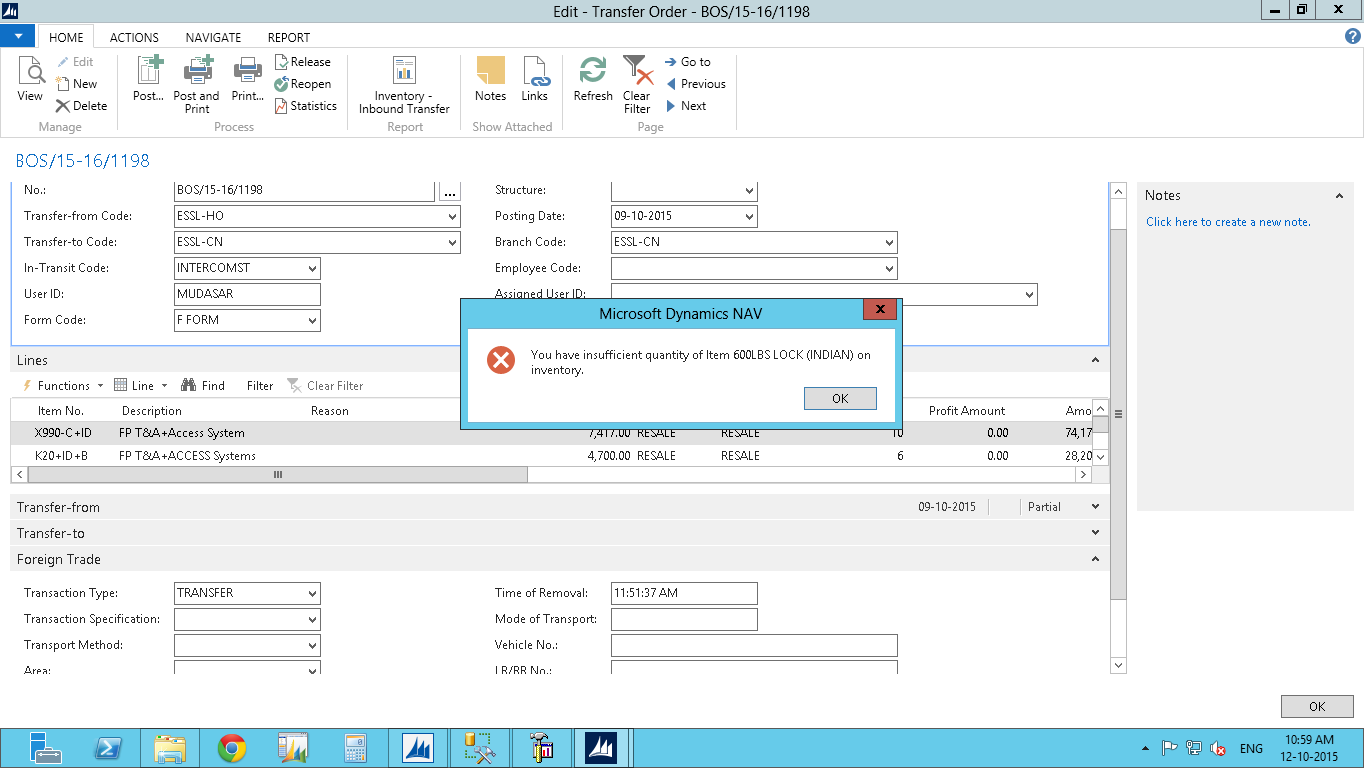
Qty-In.Suff-Error.png

Kindly give me suggestions to solve this issue. Thanks in advance

Regards,

Chetan

*This post is locked for comments

I have the same question (0)
  • mmv Profile Picture
    11,471 on at

    Hi,

    If you are using Variant for this item, please check whether the variant is selected.

  • Community Member Profile Picture
    on at

    Hi,

    We are not using Variant.

  • Suggested answer
    keoma Profile Picture
    32,729 on at

    check how many of those items are reservered for other orders.

  • Suggested answer
    Tharanga Chandrasekara Profile Picture
    23,118 on at

    This might be because you have several orders or location transfers which have reserved this particular item. Please do check any item reservation or location transfers yet to be posted.

  • Community Member Profile Picture
    on at

    Hi ,

     I checked , that item is not reserved in any of the sales order.

  • Suggested answer
    Suresh Kulla Profile Picture
    50,269 Super User 2026 Season 1 on at

    By looking at the screenshot it does not look like that item is on the order ?

    Does that item exists on that order ?

  • keoma Profile Picture
    32,729 on at

    please open reservation entry table and filter by item no. check if there are reservations for other types of order.

    is that a lot or serial controlled item ?

    also follow

    http://mohana-dynamicsnav.blogspot.co.at/2013/11/how-to-stopprevent-negative-inventory.html

    https://www.navug.com/communities/community-home/digestviewer/viewthread?GroupId=49&MID=4075&tab=digestviewer

  • Mang Seyha Profile Picture
    5 on at

    You can check on table reservation entry. can you filter item or lot.

Under review

Thank you for your reply! To ensure a great experience for everyone, your content is awaiting approval by our Community Managers. Please check back later.

Helpful resources

Quick Links

Introducing the 2026 Season 1 community Super Users

Congratulations to our 2026 Super Stars!

Congratulations to our 2025 Community Spotlights

Thanks to all of our 2025 Community Spotlight stars!

Leaderboard > 🔒一 Microsoft Dynamics NAV (Archived)

Last 30 days Overall leaderboard

Featured topics

Product updates

Dynamics 365 release plans
