web
You’re offline. This is a read only version of the page.
close
Skip to main content

Notifications

Announcements

No record found.

Community site session details

Community site session details

Session Id :
Customer experience | Sales, Customer Insights,...
Suggested Answer

Images don't fit in SSRS Reports

(0) ShareShare
ReportReport
Posted on by 27

Hi,

I am working on SSRS reports and I am facing issue with the Images as they don't fit on the page perfectly. I don't want margins on the Page so i have removed the margins  and used Sizing as "Fit To Size". But still I can see margin on the Right side of the image. Can someone help me on this?

I have the same question (0)
  • Suggested answer
    Inogic Profile Picture
    682 on at
    Hi,
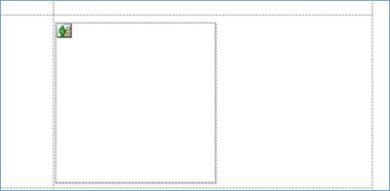
    If you are using Textbox in row and trying to bind the Image there, you can add square in that Textbox and set the padding properties to 0pt for all sides for Textbox and Image.
    For e.g.:
    1. Added the Square in Textbox and added Image inside it.
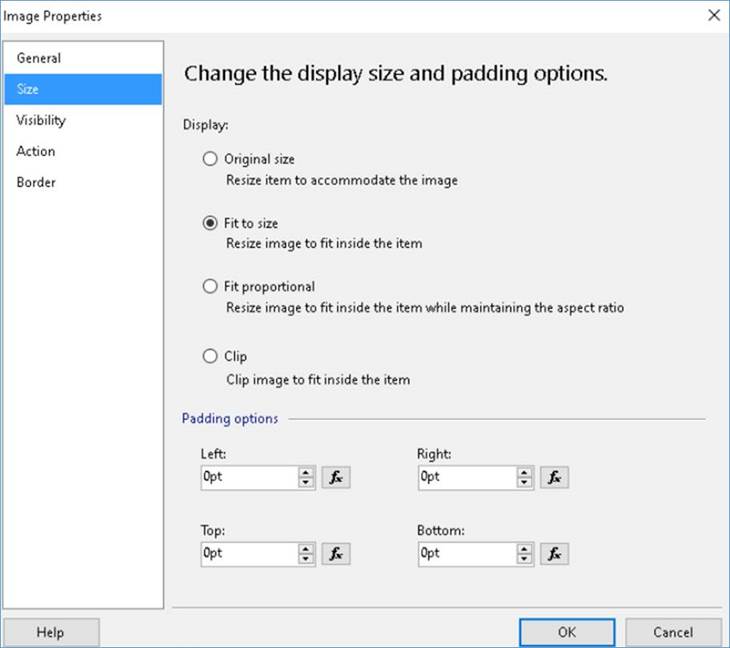
    2. Image Properties:
    In Size,
    Set Display: Fit to size
    Padding Options: 0pt for All
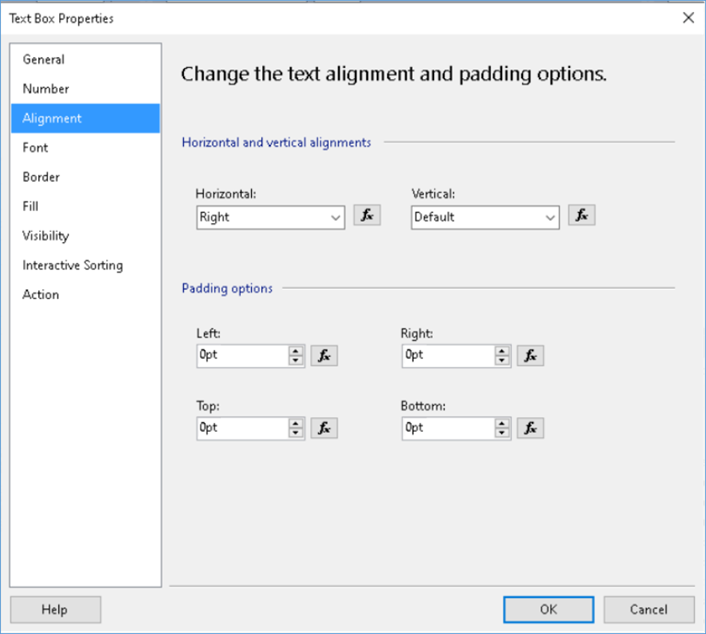
    3. Text box Properties:
    In Alignment,
    Padding Options: 0pt for All
    Hope this helps!

Under review

Thank you for your reply! To ensure a great experience for everyone, your content is awaiting approval by our Community Managers. Please check back later.

Helpful resources

Quick Links

Responsible AI policies

As AI tools become more common, we’re introducing a Responsible AI Use…

Neeraj Kumar – Community Spotlight

We are honored to recognize Neeraj Kumar as our Community Spotlight honoree for…

Leaderboard > Customer experience | Sales, Customer Insights, CRM

#1
Tom_Gioielli Profile Picture

Tom_Gioielli 171 Super User 2025 Season 2

#2
#ManoVerse Profile Picture

#ManoVerse 83

#3
Jimmy Passeti Profile Picture

Jimmy Passeti 50 Most Valuable Professional

Last 30 days Overall leaderboard

Product updates

Dynamics 365 release plans