Hi,
I am working on an interesting task were I have to setup customized Dual Write mapping for Project Quotations – to some extent I am trying to replicate the functionality that is in Project Operations, however, I am trying to make Project Quotation data flow from D365 FO to Power Platform Sales Hub.
My approach so far has been to replicate the Dual Write Out of the Box mapping for Sales Quotation, just for Project Quotation, like this:
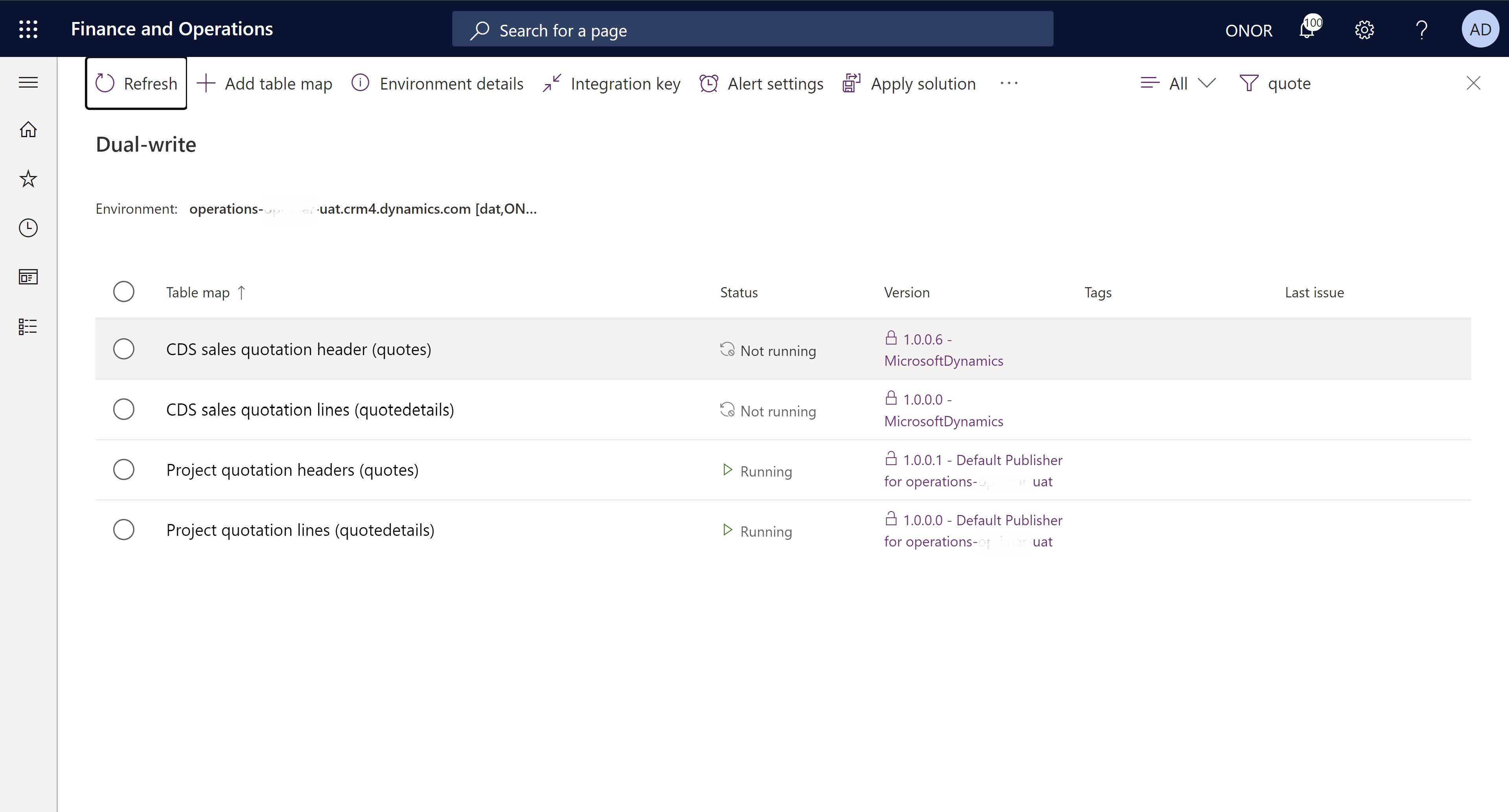
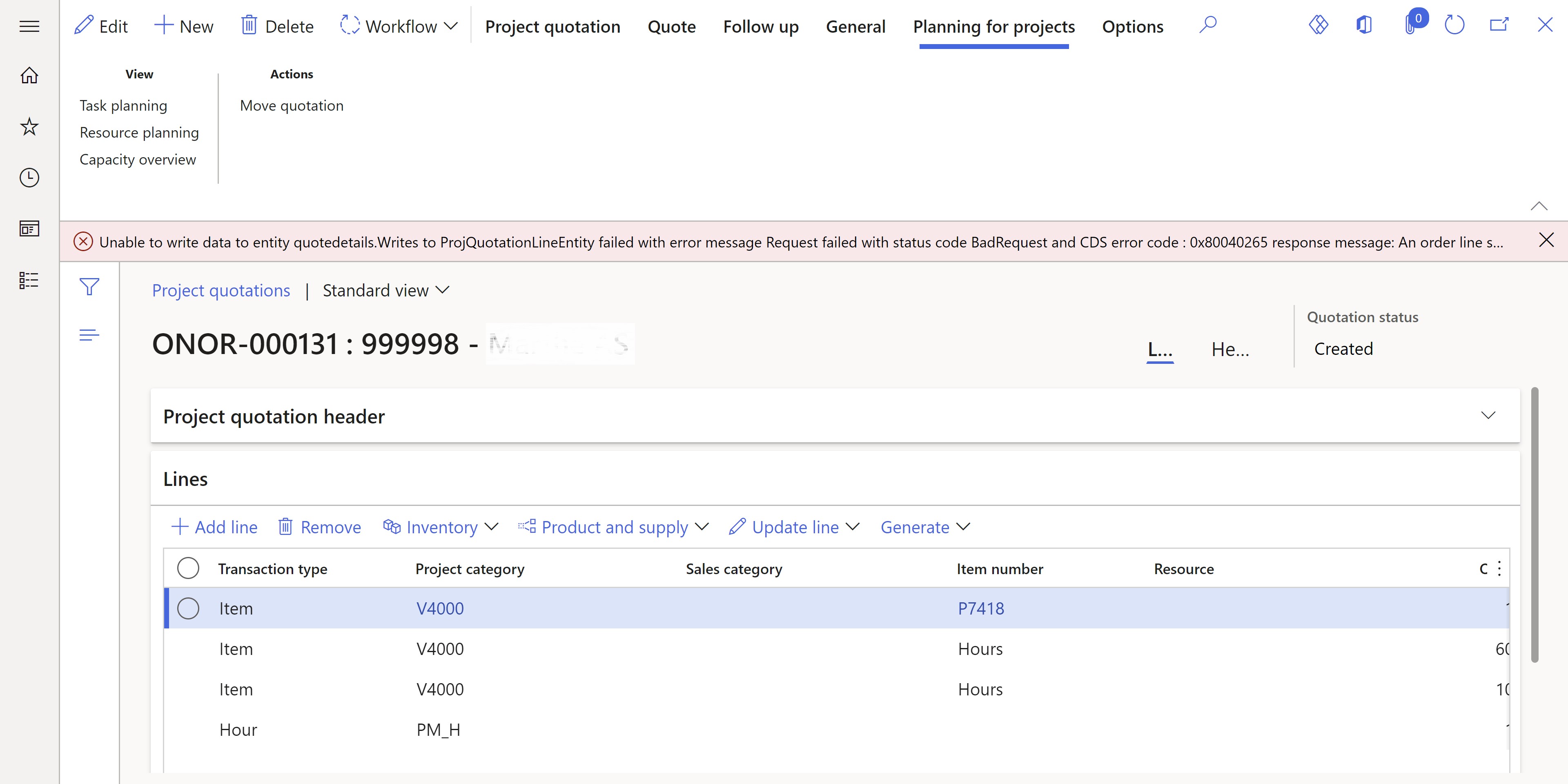
The issue I face with this mapping is that I can only write over Items/Products to the Quotedetails table in Dataverse, which is not sufficient since I also need to write Project Operations data such as hours, fees, and expenses. As one can see on the below picture the error message that pops up when I try to create a Project Quotation containing both items and hours states that “an order line should be assigned at least an existing product or sales product category..”. This is interesting because Product and Sales Category are optional fields in the Dataverse table “Quotedetails“.
Error message when creating the Project Quotation with Items and Hours:
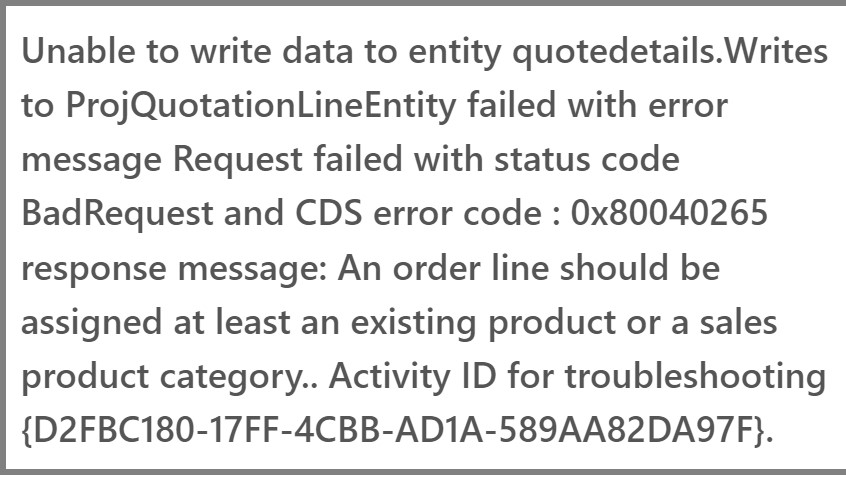
The full error message:
What I am thinking is that there might be some underlying Microsoft setup for the Dataverse table Quotedetails that prevents me from adding anything other than Products - which in turn would make this approach impossible unless anybody has a workaround?
All I am trying to do is to get FO Project Quotation data (which means Product-based Lines and Project-based Lines) to Sales Hub such that a Quotation can be created in Sales Hub and then sent to the customer from there. Anyone has any recommendations on how to do this or get around the error message that I am facing? (I am aware that a quotation can be sent to a customer directly from FO, however, we would prefer to make the quotation in FO and then sent through Sales Hub).


