web
You’re offline. This is a read only version of the page.
close
Skip to main content

Notifications

Announcements

No record found.

Community site session details

Community site session details

Session Id :
Small and medium business | Business Central, N...
Answered

Difference between custom api and standard api

(0) ShareShare
ReportReport
Posted on by 86

I've played around with the standard api's available out of the box and I can get all available methods to work ok (get,post,patch and delete), I tested on the customer table. I've now created a custom web service via the Business central web portal exposing the exact same table (customer table). The get method works fine, however the column names returned are different. For some reason using the custom end point the address field as well as the id field are not returned. When trying to do a patch using the custom web service I get the following error: "BadRequest_MethodNotAllowed","message":"Entity does not support modifying data.

My question is two-fold: why are the fields returned different between the two api calls and is this the cause of the patch method not working?

I have the same question (0)
  • Suggested answer
    JAngle Profile Picture
    133 on at

    I assume you have used web services page in BC to do this? This is not really part of the api in the same way as the standard api pages. You can create custom ones if you can code.

    If I am right about it being web services you need to pick pages that play out correctly in the regular UI. So for customers pick page 21 as you can do all the CRUD commands. I assume you chose page 22 which is read only. All fields will be captioned as they are in the UI albeit with no spaces

  • Verified answer
    YUN ZHU Profile Picture
    95,331 Super User 2025 Season 2 on at

    Hi, For the first question, in fact, the page you use in the Standard API and the page you use in the Web Service are not the same page. So the fields are not the same.

    Tables cannot be published directly in BC, this has to go through page. (In addition, when you access Web Service, it is not actually API access, but Odata or Soap.)

    I believe you have selected a standard page in the Web Service.

    For example:

    Customers: page ID 22.

    pastedimage1644459739997v1.png

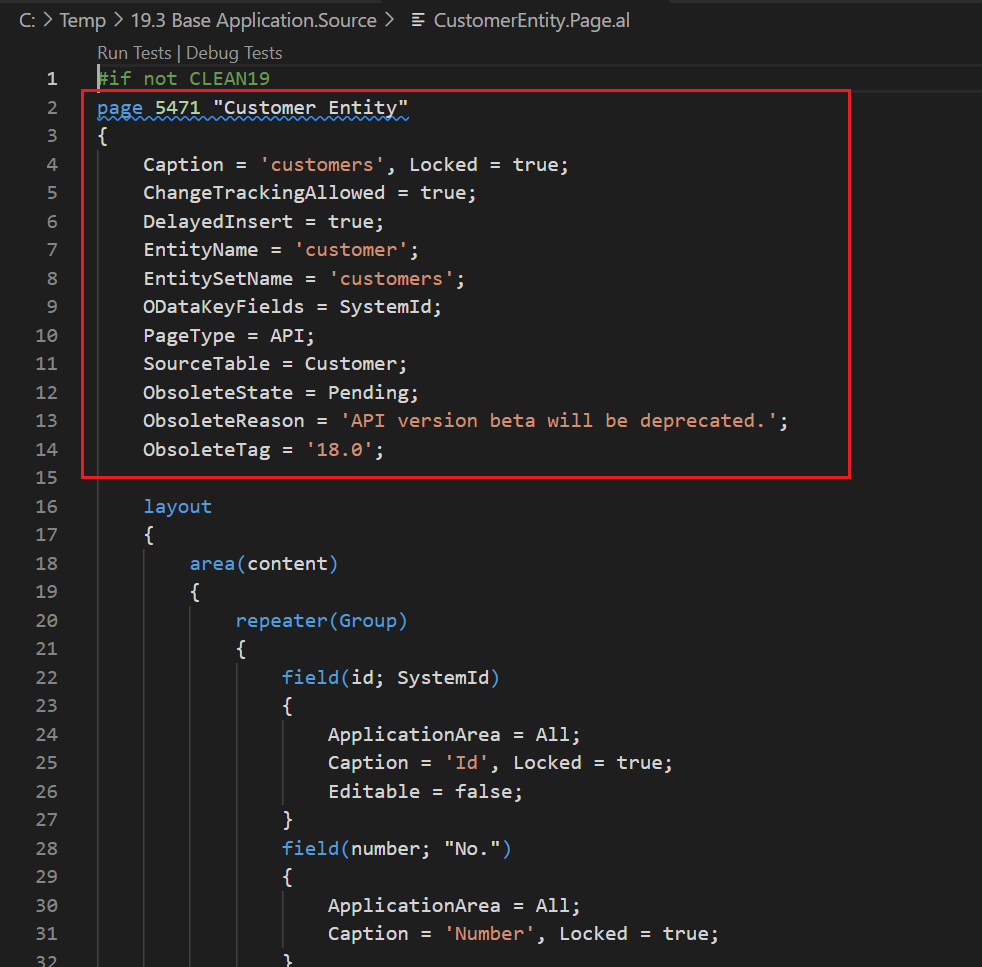
    But in api, page id 5471

    pastedimage1644459855037v2.png

    For the second question, I agree with Josh.

    So if the fields do not meet your needs, you should consider creating a new page yourself, publishing to a Web Service, or creating a new API page.

    Hope this will help.

    Thanks.

    ZHU

  • garydee Profile Picture
    86 on at

    That is really helpful thanks ZHU.

Under review

Thank you for your reply! To ensure a great experience for everyone, your content is awaiting approval by our Community Managers. Please check back later.

Helpful resources

Quick Links

Responsible AI policies

As AI tools become more common, we’re introducing a Responsible AI Use…

Neeraj Kumar – Community Spotlight

We are honored to recognize Neeraj Kumar as our Community Spotlight honoree for…

Leaderboard > Small and medium business | Business Central, NAV, RMS

#1
OussamaSabbouh Profile Picture

OussamaSabbouh 3,143

#2
Jainam M. Kothari Profile Picture

Jainam M. Kothari 1,694 Super User 2025 Season 2

#3
YUN ZHU Profile Picture

YUN ZHU 1,067 Super User 2025 Season 2

Last 30 days Overall leaderboard

Featured topics

Product updates

Dynamics 365 release plans