web
You’re offline. This is a read only version of the page.
close
Skip to main content

Notifications

Announcements

No record found.

Community site session details

Community site session details

Session Id :
Supply chain | Supply Chain Management, Commerce
Suggested Answer

Put location directive to report as finished is not working

(0) ShareShare
ReportReport
Posted on by 10

Hello all,

I have created a menu for report as finished and automotized the work for the putaway 

the pick work is executed and it takes into consideration the pick location but the put work is not executed and it does not take into consideration the location directive setup

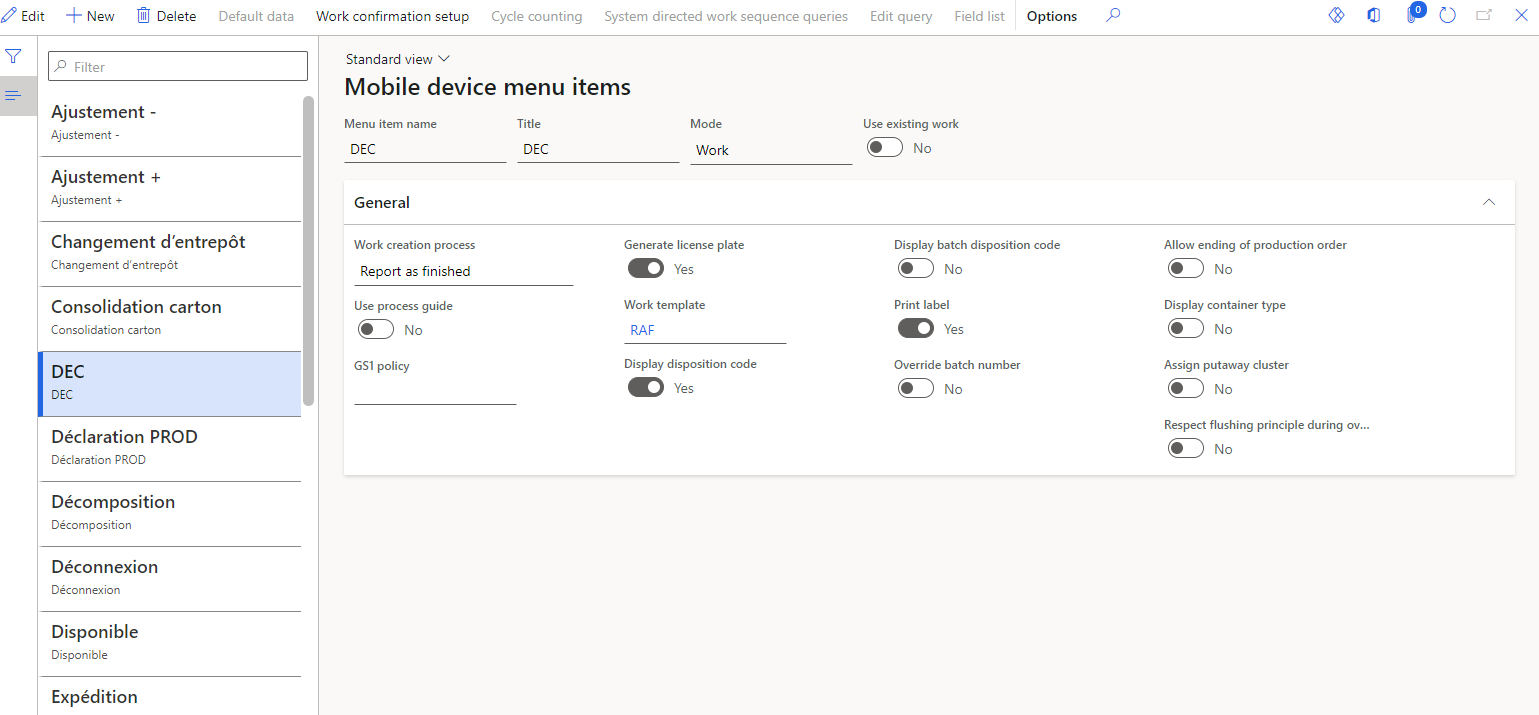
This is the mobile menu setup : 
pastedimage1659006818138v1.png

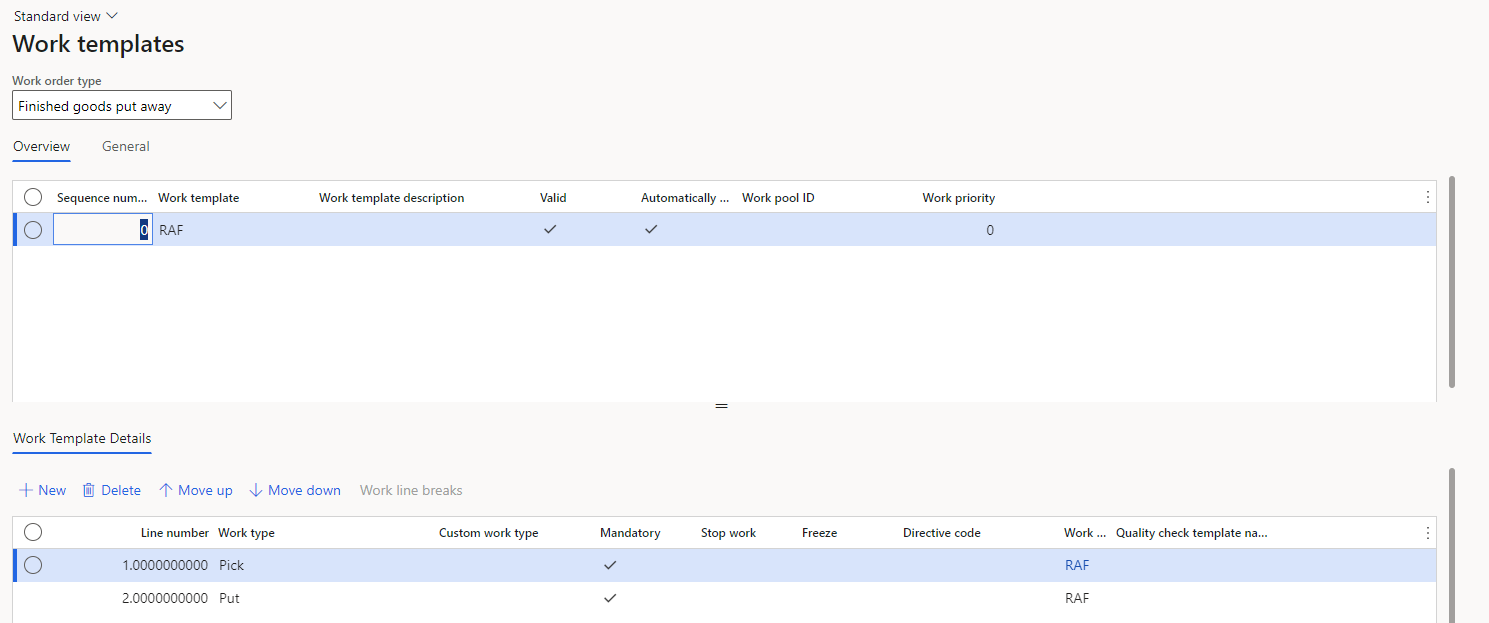
This is the work template : 

pastedimage1659006884683v2.png

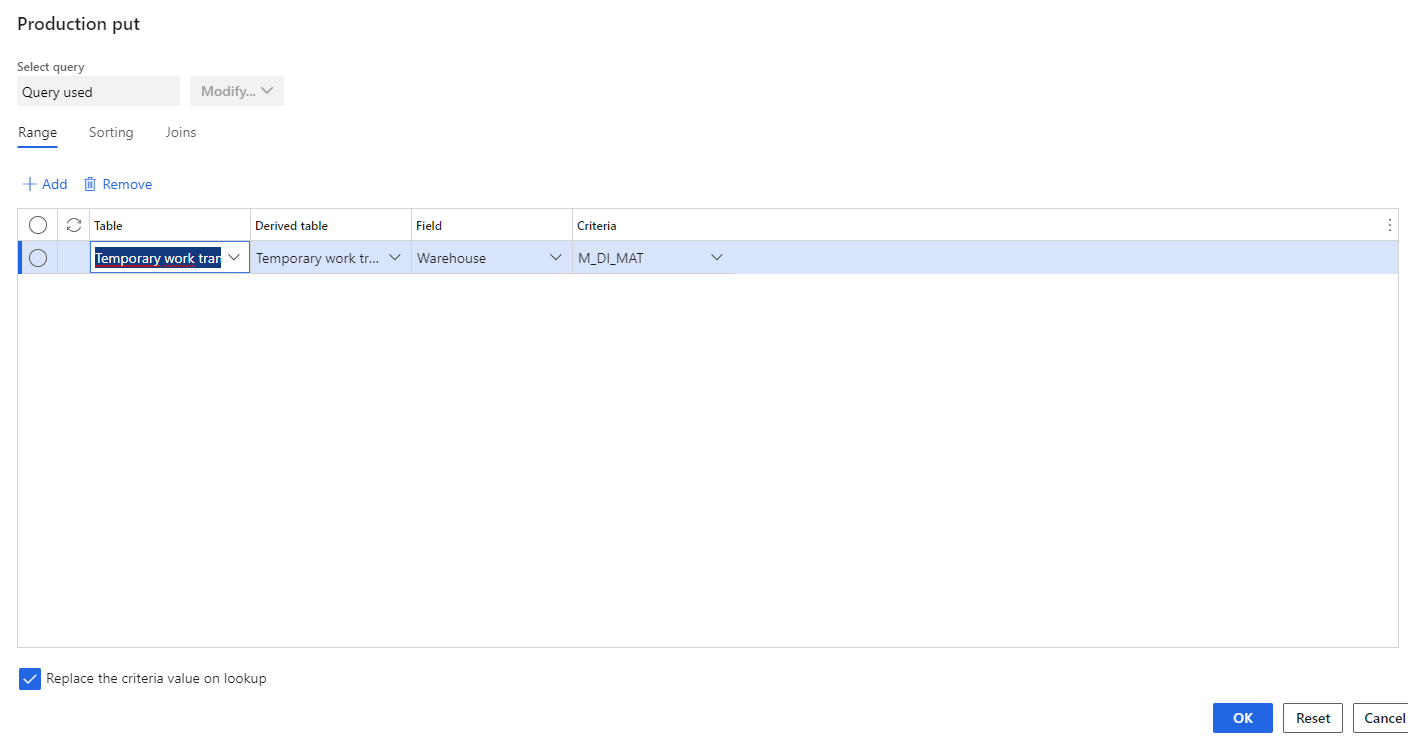
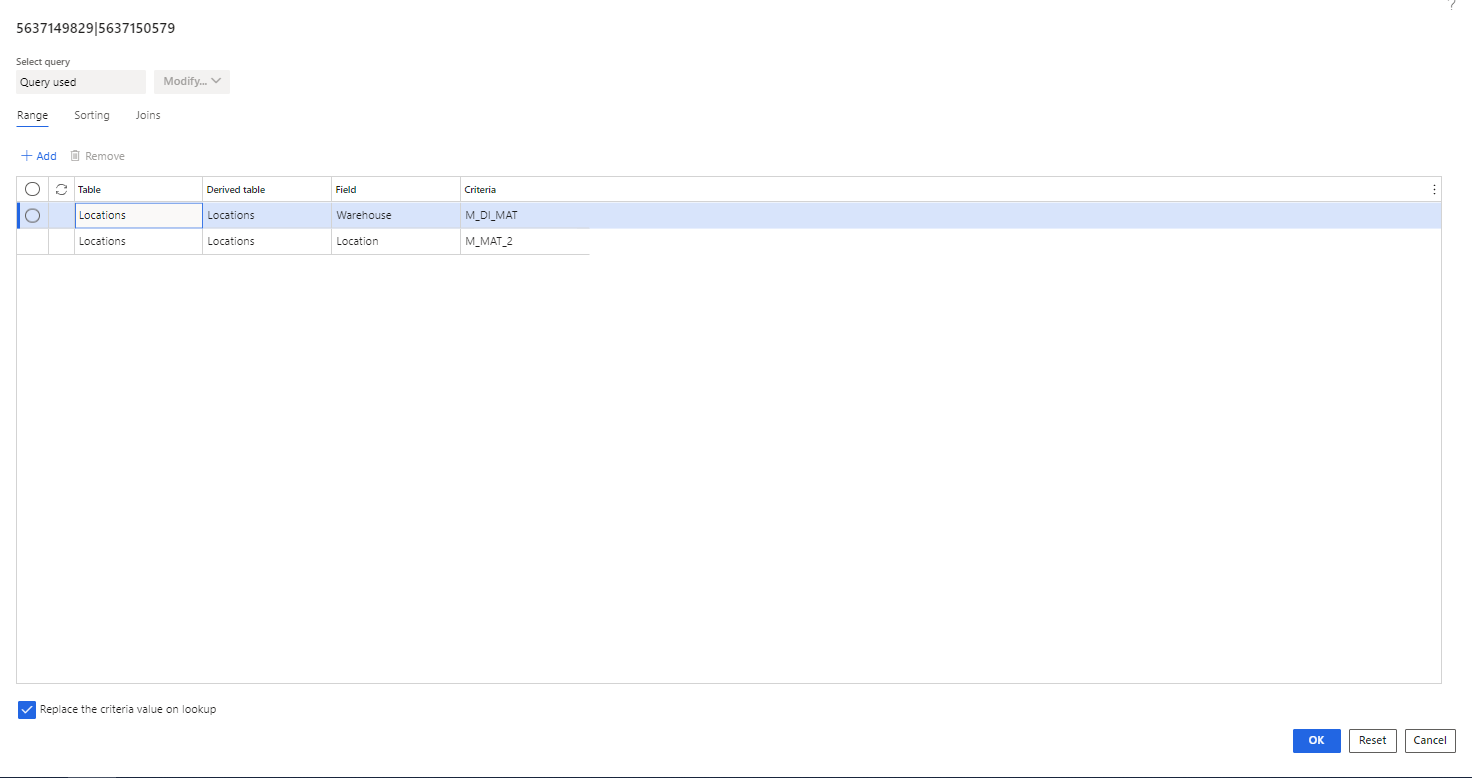
The query is put on the warehouse : 

pastedimage1659006932765v3.png

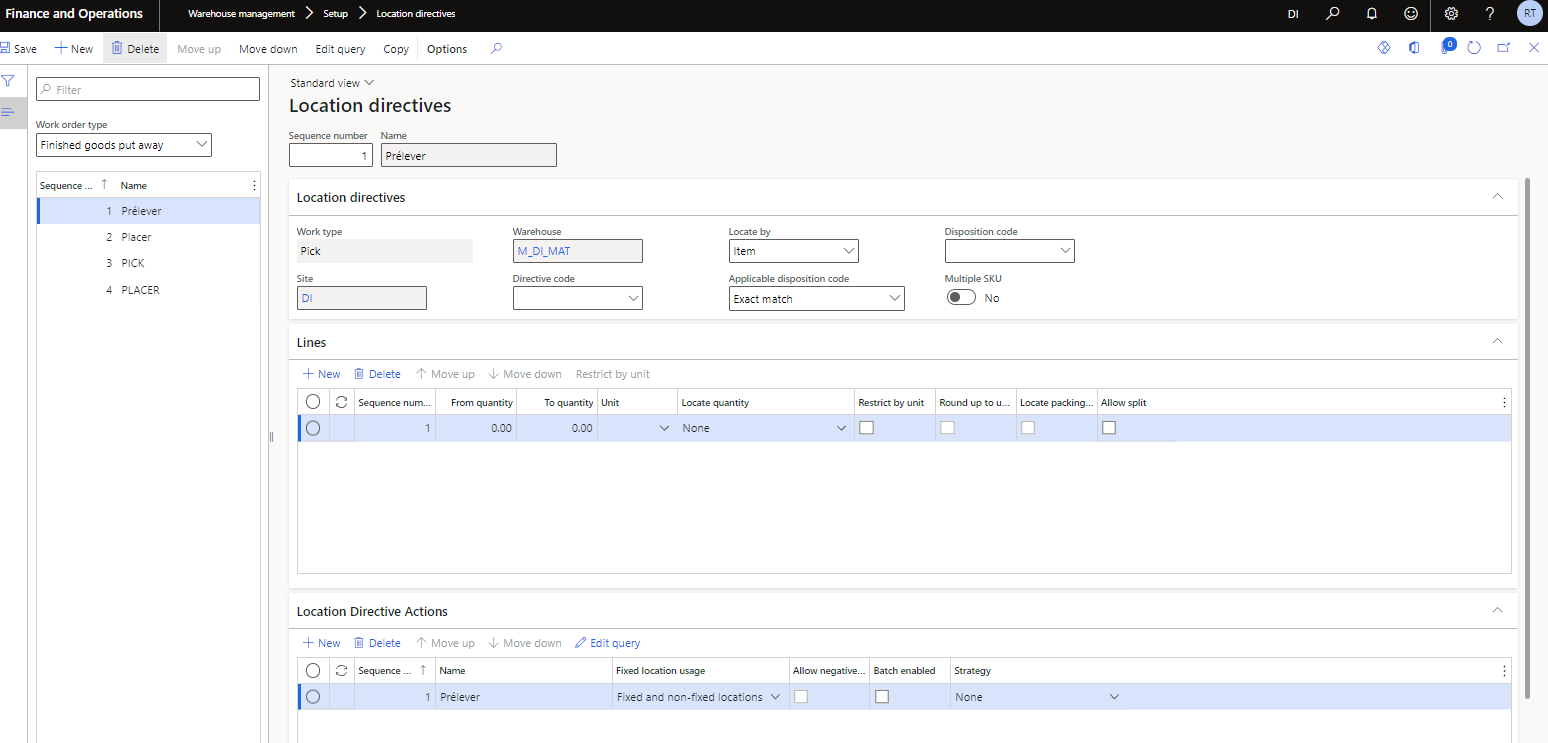
These are the location directives for pick : 
pastedimage1659007016622v4.png

This is the query for pick : 

pastedimage1659007057758v5.png

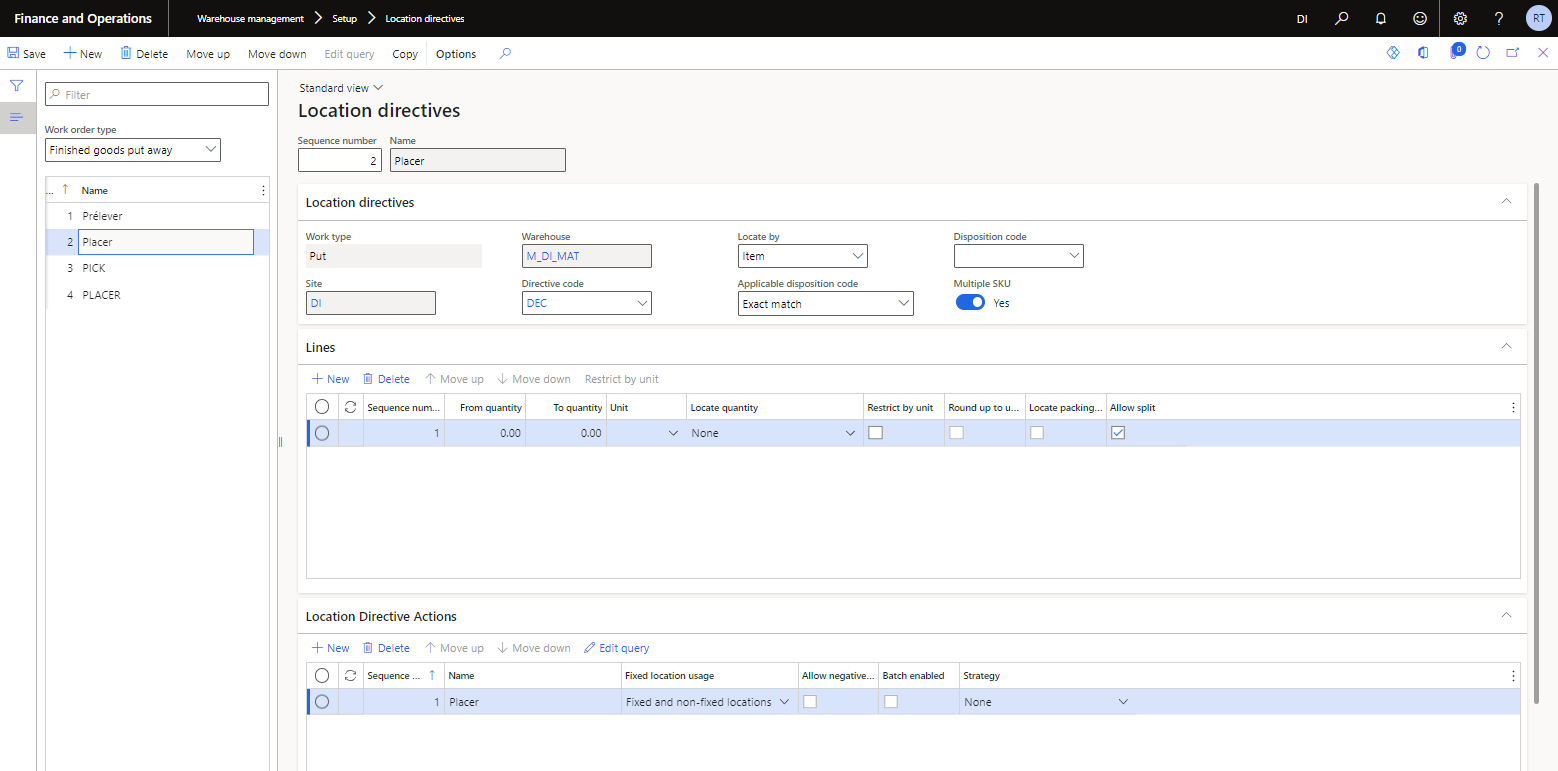
- Location directive for the put : 

pastedimage1659007097840v6.png

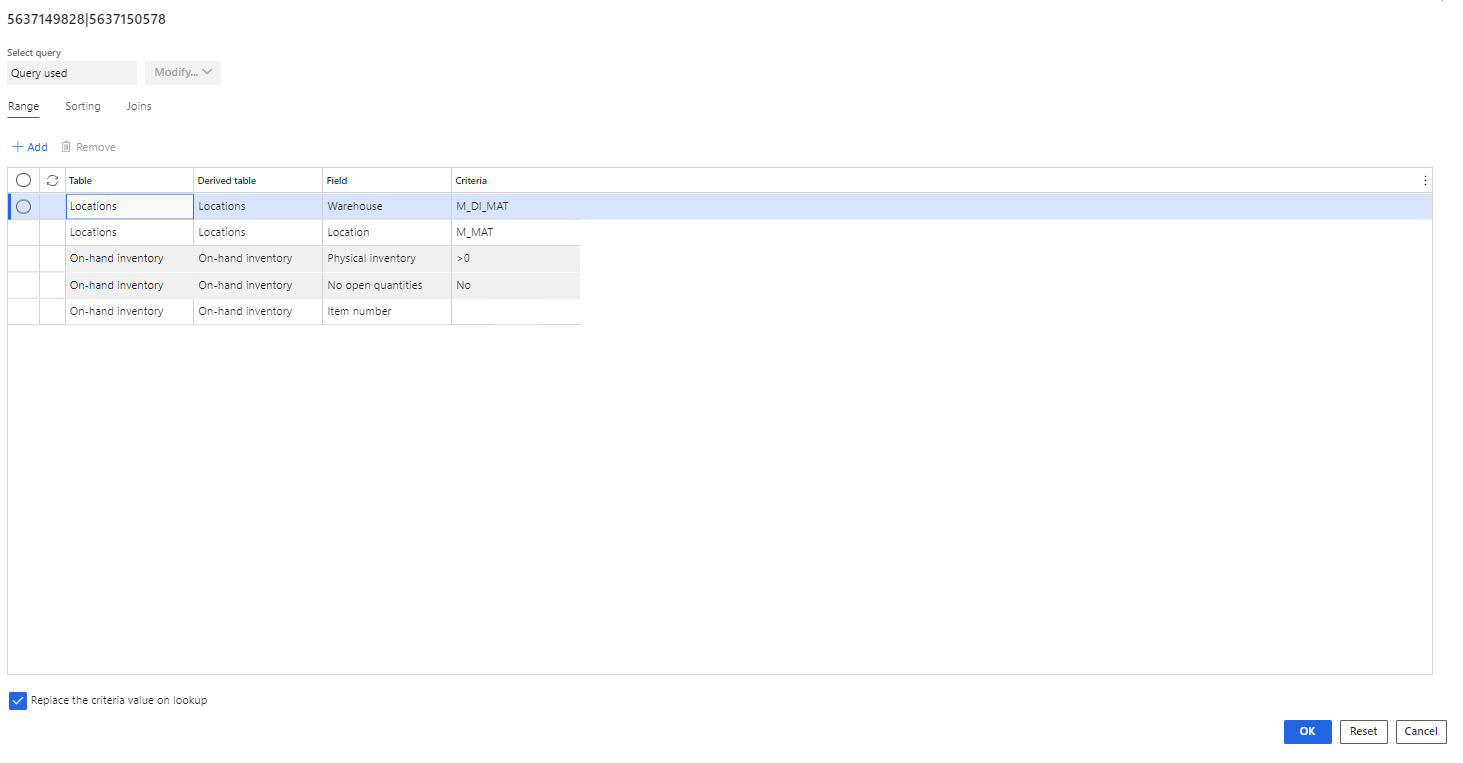
and the query for the put : 

pastedimage1659007135967v7.png

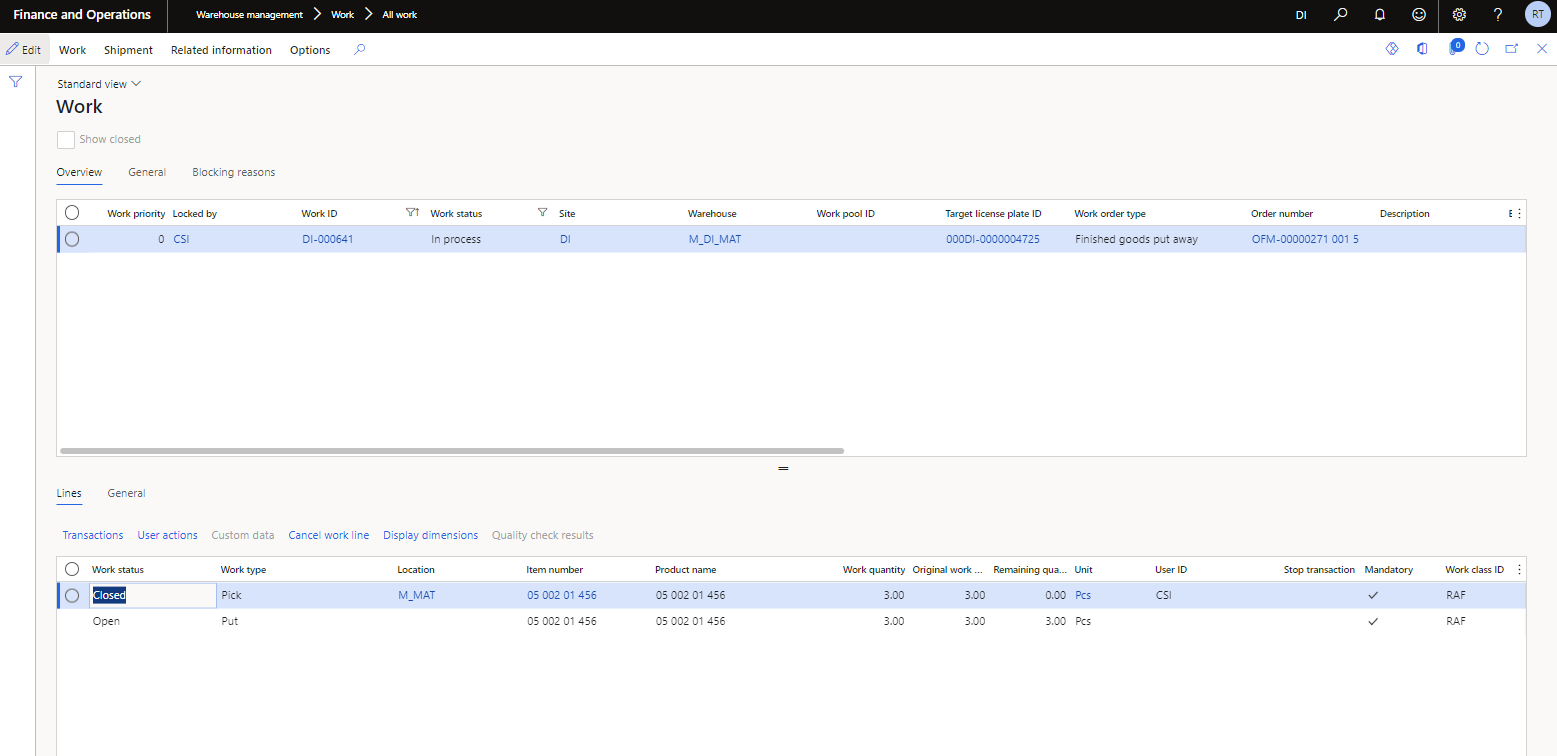
When I excute the work this is what I get : 
pastedimage1659007188618v8.png

The put work is still open and it is not taking in consideration the location what should I do so it takes into consideration the location and excutes the work.

Thanks in advance for your help.

I have the same question (1)
  • Suggested answer
    Charlotte X Profile Picture
    on at

    Hi Rania,

    Please see the following documentation to use the location directive:

    Work with location directives - Supply Chain Management | Dynamics 365 | Microsoft Docs

    Best Regards,

    Charlotte

  • Rania_Tebourbi Profile Picture
    10 on at

    Hi Charlotte,

    Thank you for your response but I rechecked my setup and it is as it shoud be I still can't figure out why it's not working.

    Best Regards,

    Rania

  • Suggested answer
    ColbyGallagher Profile Picture
    3,666 on at

    Your work template does not call out a directive code, but the location directive for the PUT you are expecting to be used has a directive code assigned.  Either: 1.) Assign a directive code of DEC to the PUT line in the work template OR 2.) Remove the directive code DEC from the PUT location directive.  

  • Rania_Tebourbi Profile Picture
    10 on at

    Hello Colby,

    Thank you for responding, I have removed  the directive code DEC from the PUT location directive and it's sill not working

  • Suggested answer
    ColbyGallagher Profile Picture
    3,666 on at

    Ahh, your "To Quantity" on the PUT location directive line is 0, make that 9999999 or some big number.

  • Rania_Tebourbi Profile Picture
    10 on at

    I have done that as well same results

  • Suggested answer
    ColbyGallagher Profile Picture
    3,666 on at

    Your PUT location directive is flagged for "Multi", which means multiple items, but your RAF is only for one item.  So make a copy of the location directive but untick the "Multi" flag.  Also your "Disposition code" on the location directive is set to exact match, try setting that to "Any".

    Also, if you haven't yet, enabling the Work Creation History log and retain temporary work table are useful tools for this type of problem. 

    pastedimage1659354620717v1.png

Under review

Thank you for your reply! To ensure a great experience for everyone, your content is awaiting approval by our Community Managers. Please check back later.

Helpful resources

Quick Links

Responsible AI policies

As AI tools become more common, we’re introducing a Responsible AI Use…

Neeraj Kumar – Community Spotlight

We are honored to recognize Neeraj Kumar as our Community Spotlight honoree for…

Leaderboard > Supply chain | Supply Chain Management, Commerce

#1
Siv Sagar Profile Picture

Siv Sagar 266 Super User 2025 Season 2

#2
Laurens vd Tang Profile Picture

Laurens vd Tang 213 Super User 2025 Season 2

#3
André Arnaud de Calavon Profile Picture

André Arnaud de Cal... 140 Super User 2025 Season 2

Last 30 days Overall leaderboard

Featured topics

Product updates

Dynamics 365 release plans