web
You’re offline. This is a read only version of the page.
close
Skip to main content

Notifications

Announcements

No record found.

Community site session details

Community site session details

Session Id :
Supply chain | Supply Chain Management, Commerce
Answered

Replenish work with same item gets put to same picking location. On the original work its correct with the different put locations as intended.

(0) ShareShare
ReportReport
Posted on by 15

We have a setup with wave replenishment from bulk locations to picking locations.

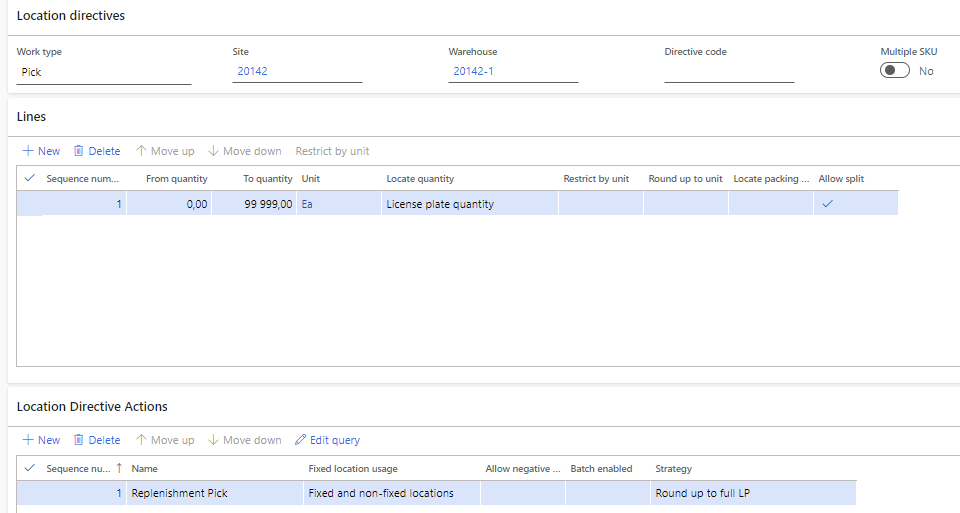
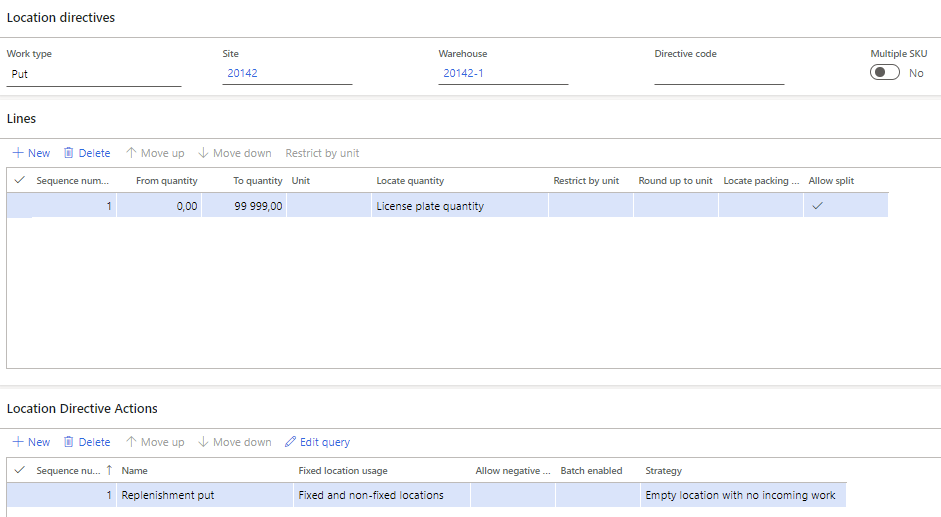
On the pick we have strategy "round up to full LP", and on put we have the strategy "emtpy location with no incoming work". Allow split on both places.

On both pick and bulk locations there is only room for one pallet. (This only concerns items which has no sticking limits yet)
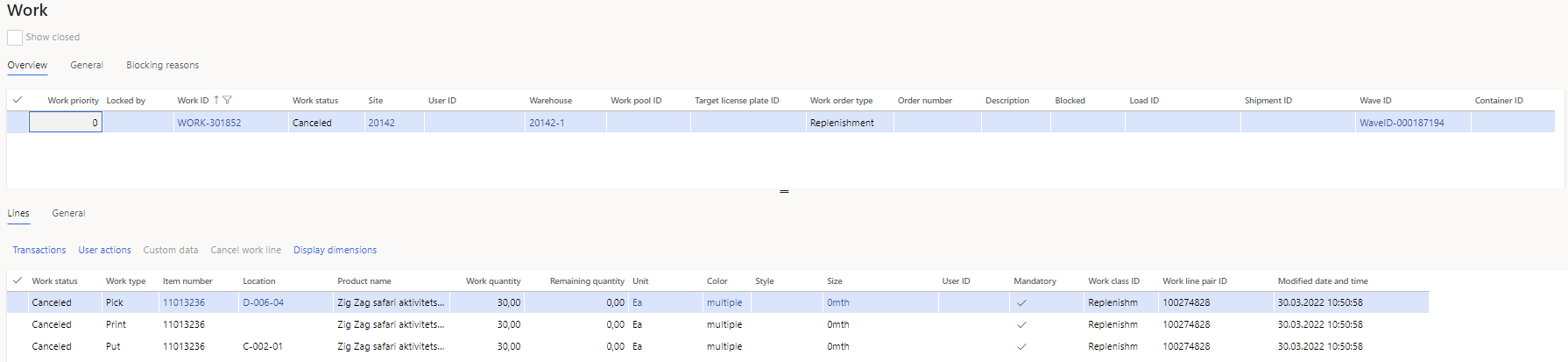
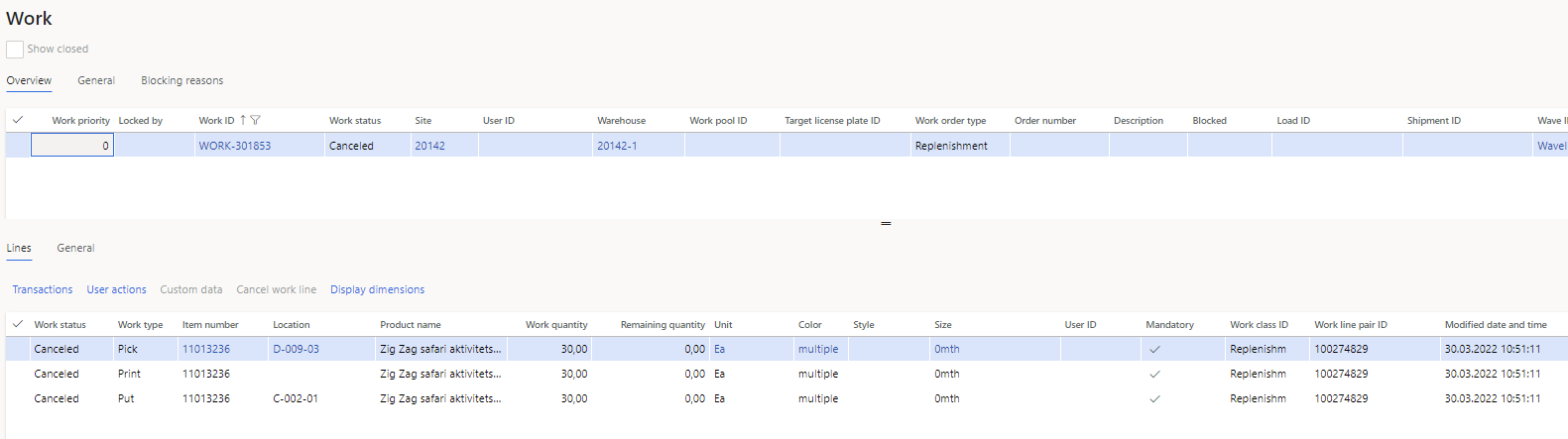
pastedimage1648637539785v1.png

pastedimage1648637592830v2.png

When the problem first started out, it genereted several picks and one put in the same replenish work. I adjusted the work template on replenishment so max picking line is set to 1.

It helped in the way that is now generates new work for every line as intended, but all the replenish work with the same item gets the same put location on the replenish work.

The problem occurs when we release orders and the system has to replenish from more than one location from bulk with the same item. On this example, the "original" work gives three locations for the item, but the replenish with three different works gives the same put destination. It looks like dynamics doesnt take into consideration the work than seconds before already has" taken" that empty location.

In this example all three replenish work gets c-002-01 as put location. But on the transfer order work,  it shows that they are supposed to go to different (empty) locations. Just the way we want it to be.
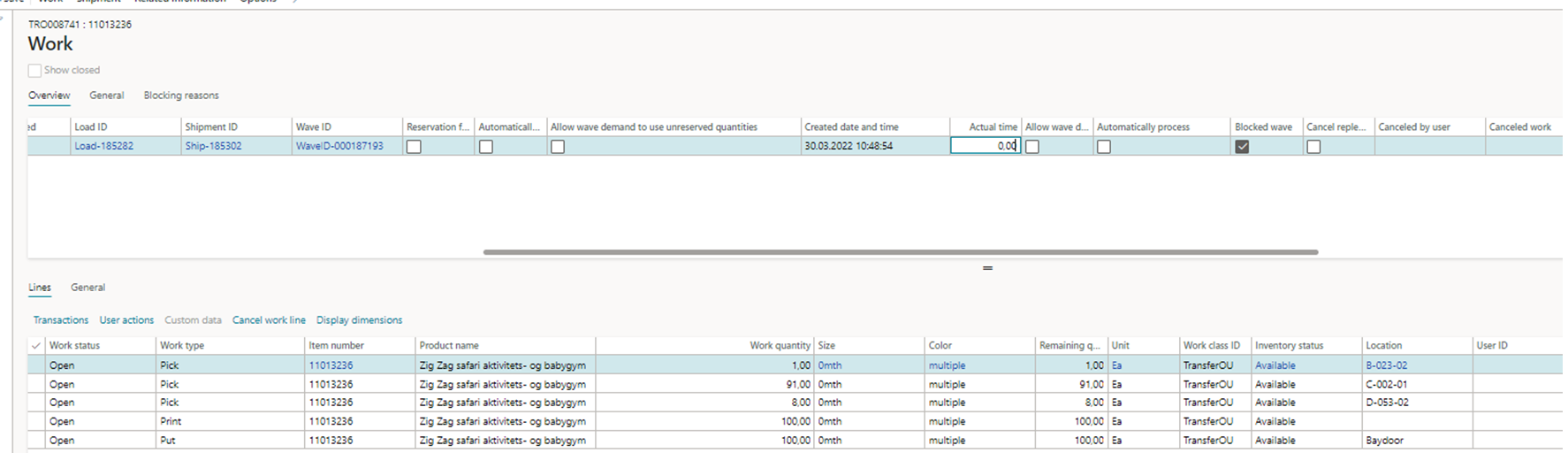
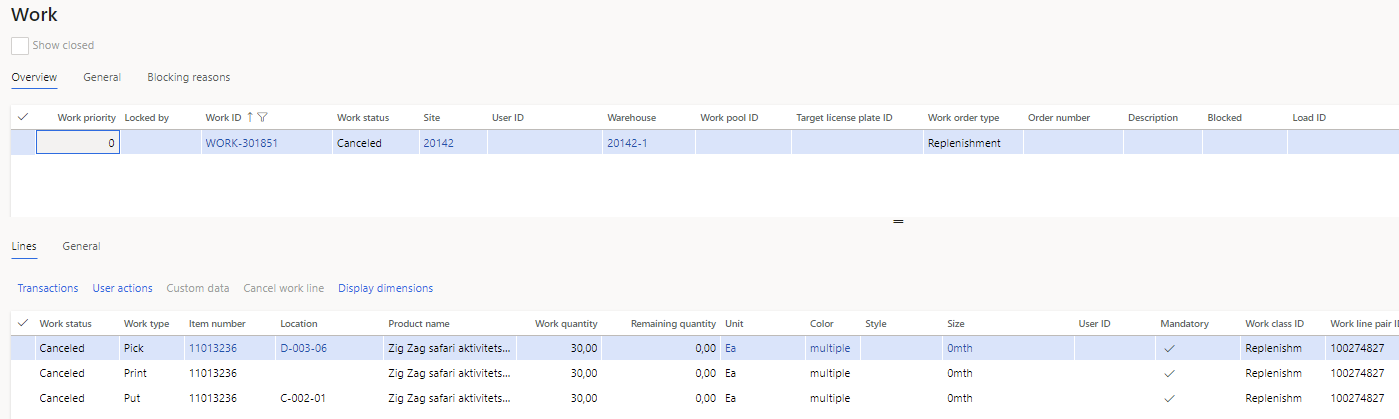
location-org.work.png

pastedimage1648645512921v5.png

pastedimage1648645425500v3.png

pastedimage1648645460478v4.png

Would appreciate any thoughts or insights 

I have the same question (0)
  • BenHart18 Profile Picture
    10 on at

    Have you reviewed the work creation history log to see which step in the location directives are failing or not providing the correct result.  Do you have multiple valid locations (i.e. empty locations with no work)?

  • Kennethbr Profile Picture
    15 on at

    Hi, thanks for your reply, it has taken some time for me to understand the log. It seems like the system is taking the descision for where to put the items in the beginning of the process and splitting the work based on work line limitation at the end of the process. I don't know if it is possible for the system to replenish to a empty location based on the strategy on the same orderline unless stocking limits is set up. 

    I was kind of hoping I didnt have to set up stocking limits based on the "empty location with no incoming work" strategy.  But now I am not sure that is possible without.  Cant have multiple pallets going to the same location. Any suggestions?

    pastedimage1649535505132v1.png

    pastedimage1649535563662v2.png

    pastedimage1649535604429v3.png

  • Suggested answer
    ColbyGallagher Profile Picture
    3,666 on at

    Yes, work header maximums are evaluated after location directives fire.  So your location directive is finding one location that has no stocking limit, see's it will hold 3 pallets, then work templates are splitting that to 3 WORK.  

    You will also find the temporary work history table is useful in troubleshooting this type of issue, and after a while is easier to go there to see what's going on vs. work creation history log, at least that's my experience.

    Have you tried to set a location stocking limit of 1 pallet unit (not item specific) for the picking locates you are trying to replenish?

  • Kennethbr Profile Picture
    15 on at

    Hi, thank you for taking the time to answer. I will definitely take a closer look at temporary work history.

    We have all our items defined in eaches. Would I first have to define how many eaches that goes on one pallet for every item, or is is something i dont get?  The "not Item specific" stocking limit am I not familiar with. What menu do I go to for checking that out?

  • Verified answer
    ColbyGallagher Profile Picture
    3,666 on at

    For the "Not item specific" record, yes, create unit conversions for all items from EA to PL, then at Warehouse Mgmt -> SEtup -> Warehouse -> Location Stocking LImits, create a record like this for your locations / location profile.  The example below says you can stock 2 PL in any location in the FLOOR or FLOOR-05 location profiles. 

    pastedimage1649858564492v1.png

  • Kennethbr Profile Picture
    15 on at

    Thank you for your answer. I will try this out.

Under review

Thank you for your reply! To ensure a great experience for everyone, your content is awaiting approval by our Community Managers. Please check back later.

Helpful resources

Quick Links

Responsible AI policies

As AI tools become more common, we’re introducing a Responsible AI Use…

Neeraj Kumar – Community Spotlight

We are honored to recognize Neeraj Kumar as our Community Spotlight honoree for…

Leaderboard > Supply chain | Supply Chain Management, Commerce

#1
Laurens vd Tang Profile Picture

Laurens vd Tang 307 Super User 2025 Season 2

#2
André Arnaud de Calavon Profile Picture

André Arnaud de Cal... 123 Super User 2025 Season 2

#3
Gerardo Rentería García Profile Picture

Gerardo Rentería Ga... 67 Most Valuable Professional

Last 30 days Overall leaderboard

Product updates

Dynamics 365 release plans