web
You’re offline. This is a read only version of the page.
close
Skip to main content

Announcements

No record found.

News and Announcements icon
Community site session details

Community site session details

Session Id :
Finance | Project Operations, Human Resources, ...
Unanswered

Tax Calculation setup

(0) ShareShare
ReportReport
Posted on by 307

Hi,

I am working on a basic setup of Tax Calculation to learn how to use it. To make my test easier I only use customer free text invoice process.

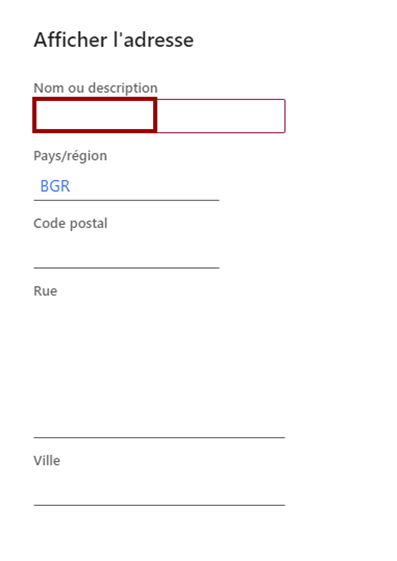
My goal is to root VAT Number, Tax item group and tax group according to the delivery address country code which we can find in the free text header field:
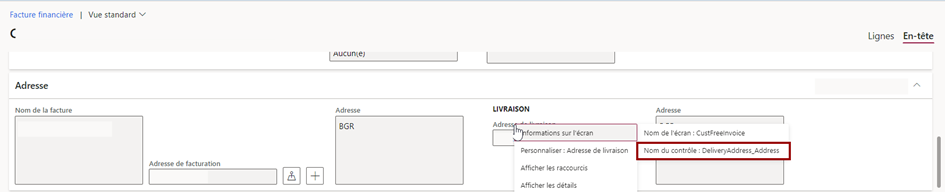
pastedimage1647857785579v1.png

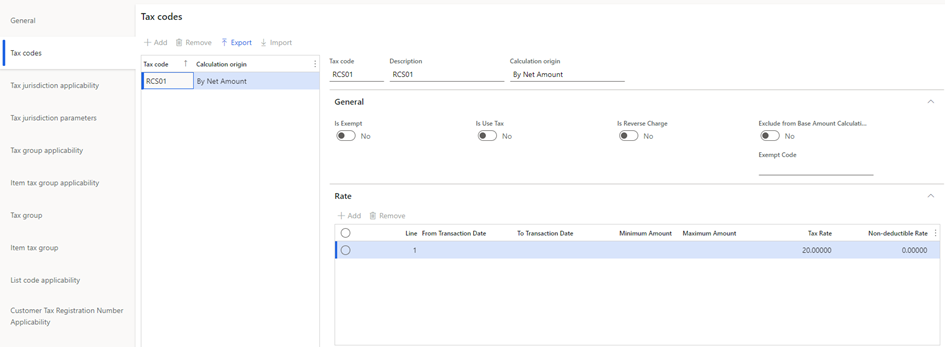
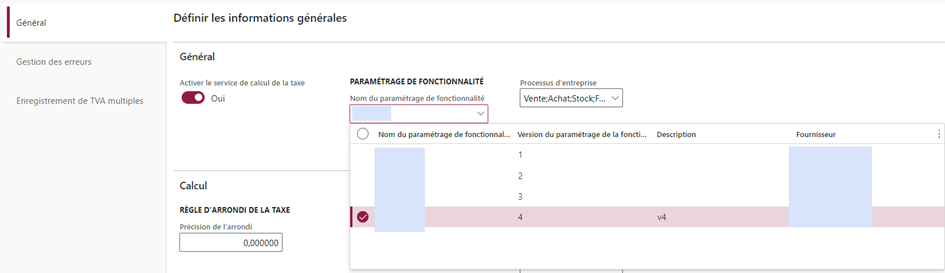
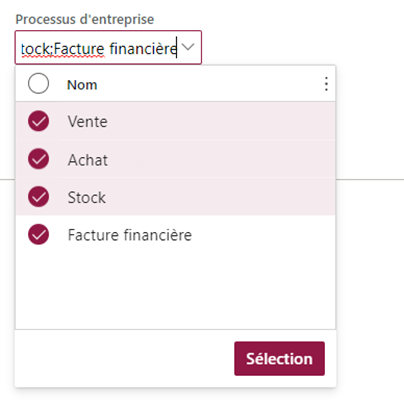
To perform this, I setup the RCS configuration as follow:

pastedimage1647857799692v2.png

pastedimage1647857804022v3.png

pastedimage1647857809275v4.png

pastedimage1647857814842v5.png

pastedimage1647857820526v6.png

pastedimage1647857824906v7.png

pastedimage1647857829121v8.png

pastedimage1647857834088v9.png

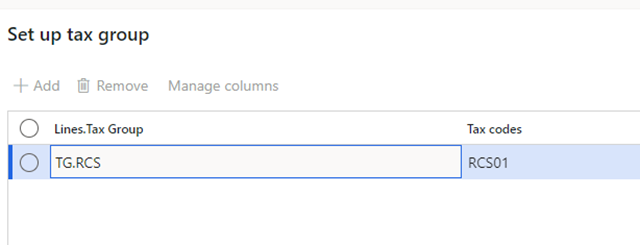
In Finance:

pastedimage1647857844922v10.png

pastedimage1647857853738v11.png

RCS and Finance are synchronized, I get tax code, tax group and tax item group in Finance. But now when I try to create a customer free text invoice nothing happens:

The only thing new is the “override sales tax” button I used to put TG.RCS and ITG.RCS tax group :  

pastedimage1647857870649v12.png

The delivery address is set to BGR :

pastedimage1647857881680v13.png

Which must trigger the rules I set in RCS.


If I look to the tax button I must have another VAT ID than those display in this screen :

RCS Rules:

pastedimage1647857894754v14.png

Results in Finance:

pastedimage1647857903820v15.png

I’m probably missing something here, but I cannot figure out what.

I have the same question (0)
  • WillWU Profile Picture
    22,363 on at

    Please wait for the help from functional consultants.

  • A.Prasanna Profile Picture
    8,223 on at

    Which Country /Localization you are using? Tax Setups options are different from localization to localization (may also Country to Country ) .

    Regards,

    AP

  • Apix Profile Picture
    307 on at

    Hi, 

    I am located in France, 

    Regards, 

Under review

Thank you for your reply! To ensure a great experience for everyone, your content is awaiting approval by our Community Managers. Please check back later.

Helpful resources

Quick Links

Introducing the 2026 Season 1 community Super Users

Congratulations to our 2026 Super Stars!

Meet the Microsoft Dynamics 365 Contact Center Champions

We are thrilled to have these Champions in our Community!

Congratulations to the March Top 10 Community Leaders

These are the community rock stars!

Leaderboard > Finance | Project Operations, Human Resources, AX, GP, SL

#1
Giorgio Bonacorsi Profile Picture

Giorgio Bonacorsi 616

#2
André Arnaud de Calavon Profile Picture

André Arnaud de Cal... 460 Super User 2026 Season 1

#3
Syed Haris Shah Profile Picture

Syed Haris Shah 331 Super User 2026 Season 1

Last 30 days Overall leaderboard

Product updates

Dynamics 365 release plans