web
You’re offline. This is a read only version of the page.
close
Skip to main content

Notifications

Announcements

No record found.

Community site session details

Community site session details

Session Id :
Microsoft Dynamics 365 | Integration, Dataverse...
Unanswered

Search on classic solution explorer

(0) ShareShare
ReportReport
Posted on by 10

How come there's no search option on the classic solution explorer when add subcomponents? I'd like to add a subcomponent, which isn't available on the maker portal, only add required components.

And what about filter on the add subcomponents? Filter by type? 

4300.pastedimage1582445159390v2.png

I have the same question (0)
  • LuHao Profile Picture
    40,892 on at

    Hi Renu,

    In the classic solution interface, D365 really has no filter to quickly find the required components.

    Browser search can also implement filtering.

    5428.pastedimage1582510157511v1.png

    In the Power Apps solution interface, it has filter by default.

    3326.pastedimage1582510833444v5.png

    Go to https://make.powerapps.com/, click on 'Solutions' on the left, and you could edit solutions.

    After selecting the entity, click 'Select components' to display all components. Then you could select fields through filtering.

    5228.pastedimage1582510696864v4.png

    Moreover, Microsoft is gradually guiding users to move to the new customization and solution interface (Power Apps) instead of using the classic interface.

  • Classic solution explorer Profile Picture
    10 on at

    Thanks for the response Lu. very helpful information when adding a "new" entity on the maker portal.

    It doesn't however solve my issue, mines with an existing entity already added on maker portal.

    What if I already have added an existing entity and want to add components (fields) to that entity? Supposing I'm worked on a minimal solution and want to add fields as requirements change, the requirements keep changing (agile).

    I don't have the functionality to filter and search on fields on already added entities on the maker portal.

    Also when adding a new entity there is no filter and the view for fields is different -

    Custom solution explorer has the type and that is really useful for field information, however there is no filter (e.g. filter all "Option Set")-
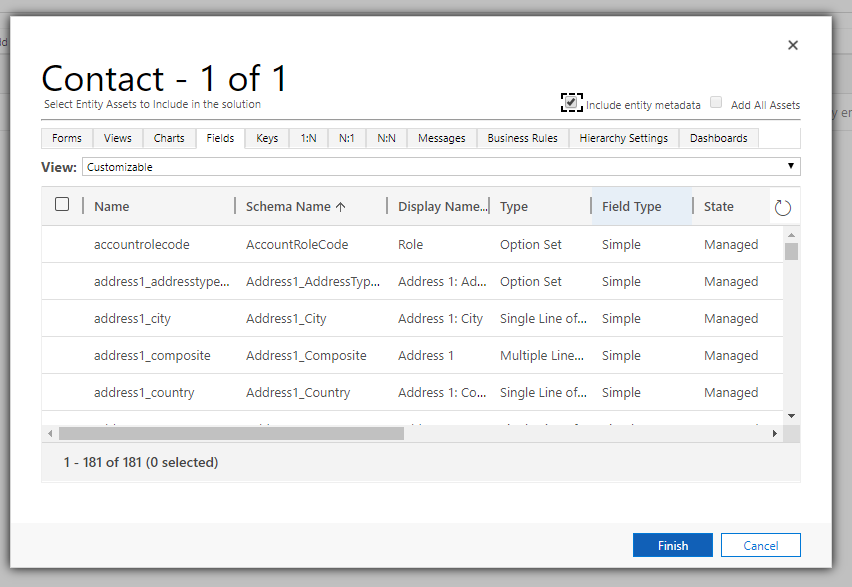
    pastedimage1582523913363v1.png

    New solution explorer has only Field Type no "Type" and there is no filter (i.e. I can't filter on "Field Type" or "Managed externally") -
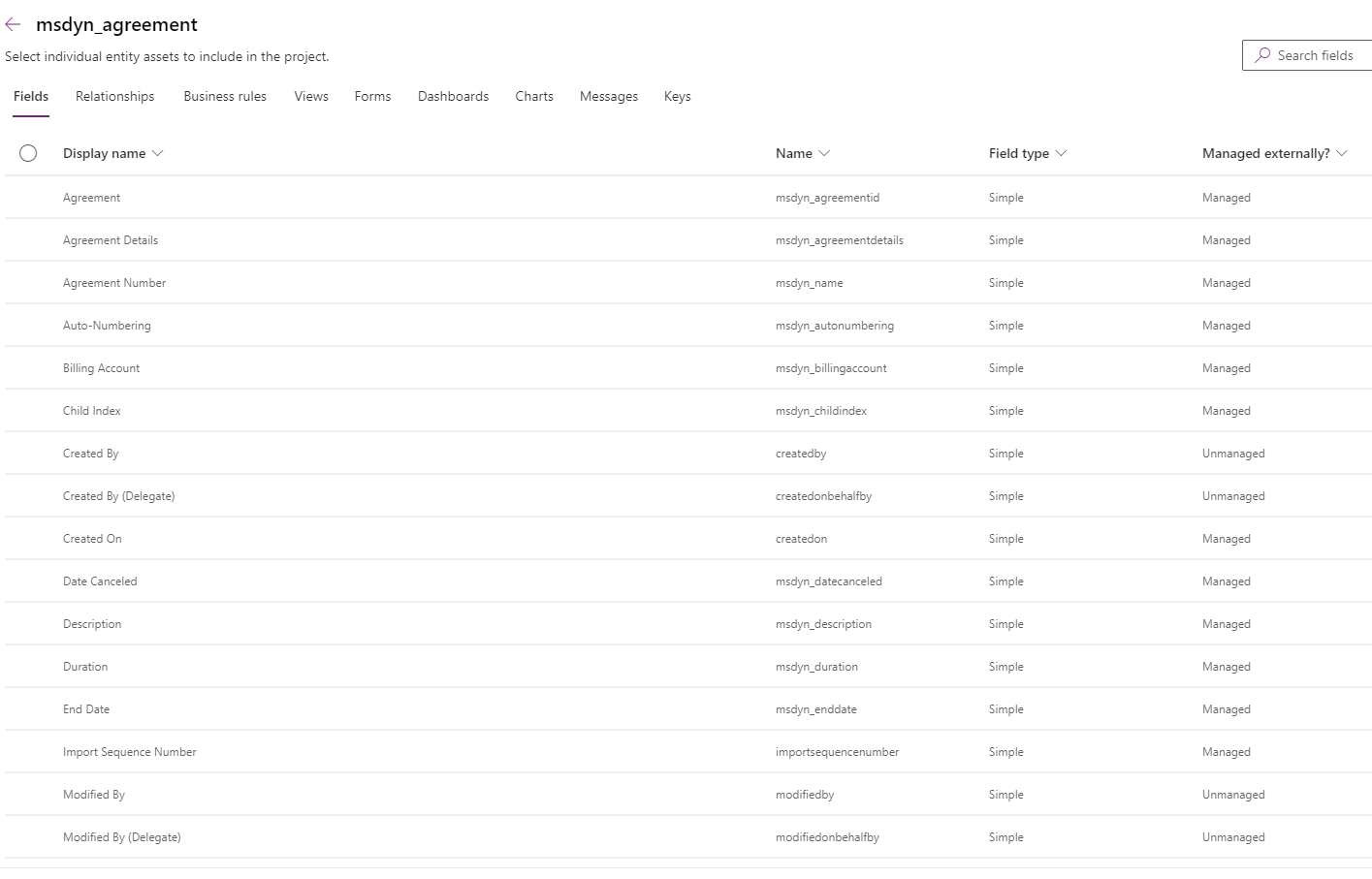
    pastedimage1582524029298v2.png

Under review

Thank you for your reply! To ensure a great experience for everyone, your content is awaiting approval by our Community Managers. Please check back later.

Helpful resources

Quick Links

Responsible AI policies

As AI tools become more common, we’re introducing a Responsible AI Use…

Neeraj Kumar – Community Spotlight

We are honored to recognize Neeraj Kumar as our Community Spotlight honoree for…

Leaderboard > Microsoft Dynamics 365 | Integration, Dataverse, and general topics

#1
iampranjal Profile Picture

iampranjal 41

#2
Martin Dráb Profile Picture

Martin Dráb 36 Most Valuable Professional

#3
Satyam Prakash Profile Picture

Satyam Prakash 35

Last 30 days Overall leaderboard

Product updates

Dynamics 365 release plans



