web
You’re offline. This is a read only version of the page.
close
Skip to main content

Notifications

Announcements

No record found.

Community site session details

Community site session details

Session Id :
Microsoft Dynamics AX (Archived)

Finite Capacity allows me to use more than available resources

(0) ShareShare
ReportReport
Posted on by

Hi All,

I am running a master scheduling with finite resources but it still allows me to use more than the available resources. Parameters include:

  • Master Plan is defined as finite (see pic)
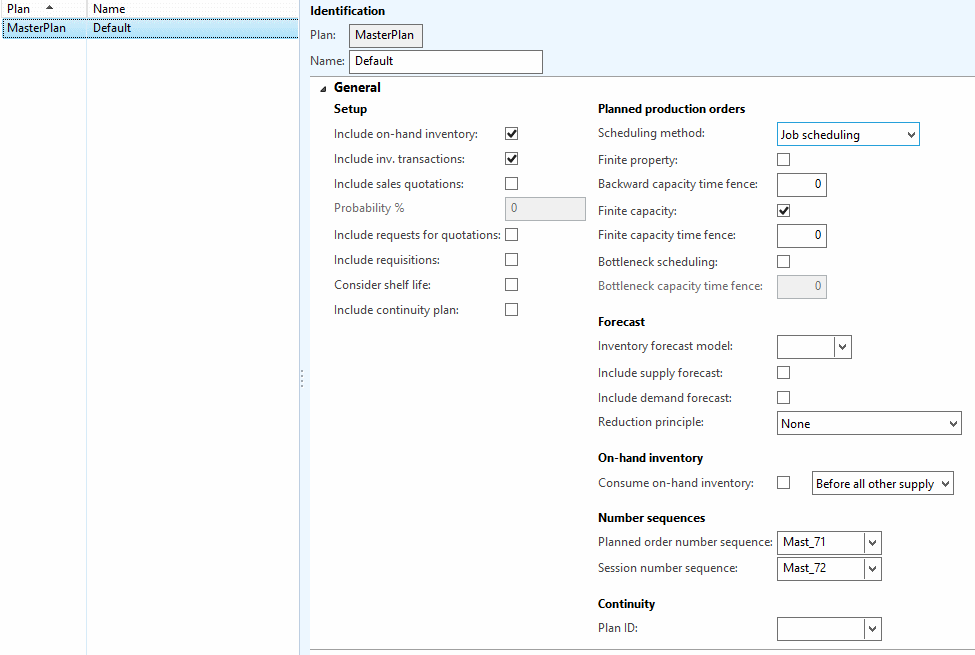
finite1.png

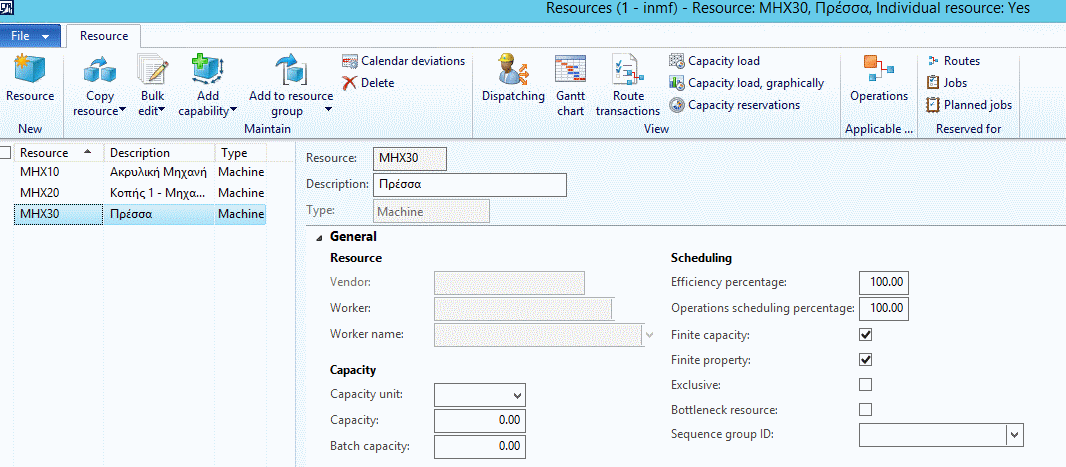
  • Resource is defined as finite

finite2.png

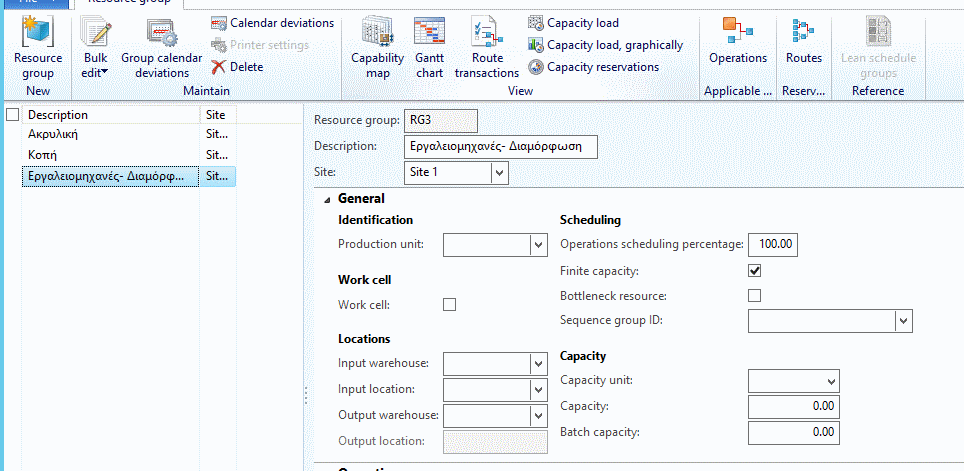
  • Resource Group is defined as finite

finite3.png

And as you see in the following chart I am able to receive more that available capacity.
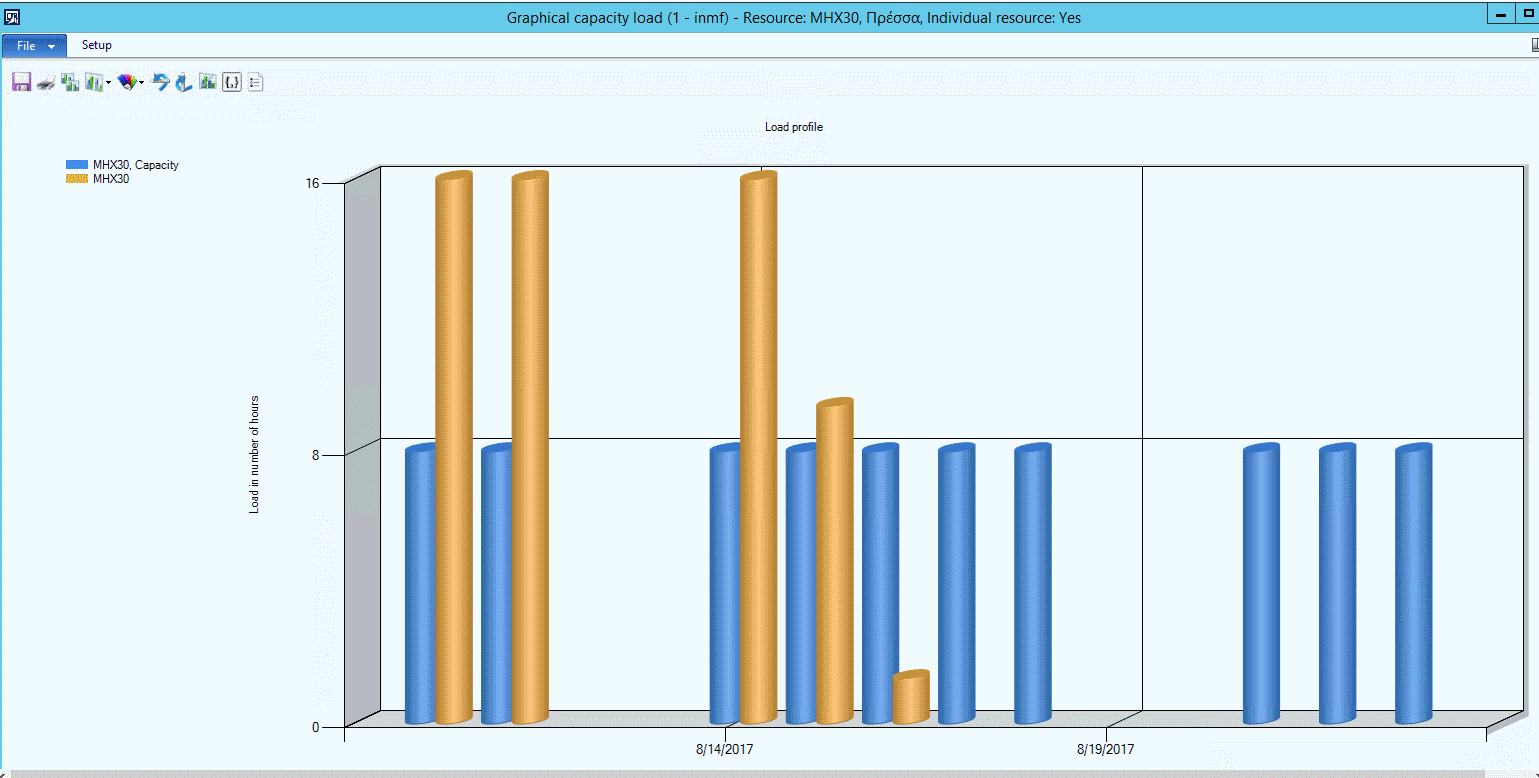
finite4.png

Any Idea?

BR,

Michalis

*This post is locked for comments

I have the same question (0)
  • Weaveriski Profile Picture
    23,618 Moderator on at

    In the periodic Production menu under Job Scheduling or Operation Scheduling what are your defaults (button) on the limitations for finite scheduling?

  • Community Member Profile Picture
    on at

    Hi Steven,

    do you mean Production Control-> Periodic-->Job Scheduling?

    BR,

    Michalis

  • Weaveriski Profile Picture
    23,618 Moderator on at

    Yes but it depends whether you are configured for Job or Operation scheduling.

  • Suggested answer
    Community Member Profile Picture
    on at

    Have you checked your calendars to make sure they are allowing 8hrs. worth of work to be scheduled and not 16?

    BR,

    Hans

  • Community Member Profile Picture
    on at

    Hi Hans,

    it is set to 8 hours

    finite5.png.

    BR,

    Michalis

  • Community Member Profile Picture
    on at

    Hi Steaven,

    Job scheduling is empty  (also operations)

    finite7.png

    Although are planned jobs

    finite7.png

    BR,

    Michalis

  • Weaveriski Profile Picture
    23,618 Moderator on at

    Hi Michalis

    Press the "Default Values" button and check the setting set there regarding capacity - the system uses it when scheduling jobs.

  • Community Member Profile Picture
    on at

    Hi Steaven,

    I start to understand the point but I am not sure that we solve the initial point, which means:

    - Run Master Scheduling (I assume here finite capacity control but I think it doesn't happen)

    - Create Planned Order

    I would assume that at this stage finite capacity will not allow me to plan as I run with limited capacity.  Is there a way to become this possible?

    @If I correctly understand (?) in your case planned orders have been created (without finite control) in Master Scheduling. Planned orders change (manually) to 'estimated' status. Then finite capacity is running in job scheduling?

    BR,

    Michalis

  • Weaveriski Profile Picture
    23,618 Moderator on at

    My suggestion is to set that for the scheduling - the system has to plan and how it schedules impacts on the plan, and this setting tells the system how to schedule along with many others. Set the default values, re-run the same plan and then see if you get over capacity in a finite capacity resource.

    The original issue is you have a finite capacity resource of say 8 hours, so you only want AX to schedule 8 hours in, and currently it is scheduling in more.

Under review

Thank you for your reply! To ensure a great experience for everyone, your content is awaiting approval by our Community Managers. Please check back later.

Helpful resources

Quick Links

Responsible AI policies

As AI tools become more common, we’re introducing a Responsible AI Use…

Neeraj Kumar – Community Spotlight

We are honored to recognize Neeraj Kumar as our Community Spotlight honoree for…

Leaderboard > 🔒一 Microsoft Dynamics AX (Archived)

#1
Martin Dráb Profile Picture

Martin Dráb 4 Most Valuable Professional

#1
Priya_K Profile Picture

Priya_K 4

#3
MyDynamicsNAV Profile Picture

MyDynamicsNAV 2

Last 30 days Overall leaderboard

Featured topics

Product updates

Dynamics 365 release plans