web
You’re offline. This is a read only version of the page.
close
Skip to main content

Notifications

Announcements

No record found.

Community site session details

Community site session details

Session Id :
Microsoft Dynamics CRM (Archived)

Problem with Dating

(0) ShareShare
ReportReport
Posted on by

Hello,

We were running into an issue on Date fields that they were back dating to the day before based on the time difference if someone in a different time zone had entered it or was looking at it.

We thought we had resolved these by changing the fields to *Date Only* Behaviour instead of Date and Time.

However, they aren't populating in reporting based on that criteria. When we view them in a "View" they show the wrong date, when we try to filter by the right date. However if we open the Opportunity into it's own window it then shows the correct date.

Any ideas on how to fix it in the views and how it filters for reports?
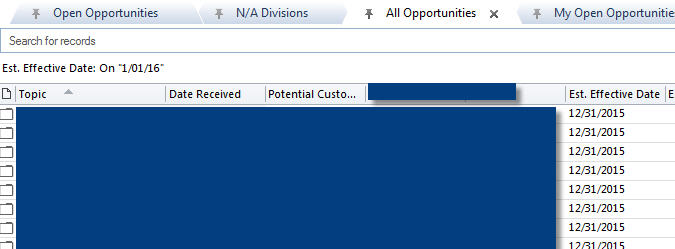
Est.-Effective-Date.jpg

*This post is locked for comments

I have the same question (0)
  • Community Member Profile Picture
    on at

    Any suggestions?

  • Suggested answer
    ChrisC Profile Picture
    630 on at

    You don't say what version but there was a 'fix' introduced in CRM 2016 for birthdays etc. that you don't want to move depending on timezone differences. The principle you can use, in any case, is to set the UTC date (stored in the database) to noon of the required date - then you 'should' be OK for all but the most obscure timezone differences!

  • Community Member Profile Picture
    on at

    We're still at 2015. I have already set these fields to "Date Only" Behaviour. I believe once this has been set you can't change back. Do you know if this will be different in 2016?

  • Suggested answer
    ChrisC Profile Picture
    630 on at

    You need to distinguish between how the field is displayed (date or date & time) and its behaviour (timezone dependent or not).technet.microsoft.com/.../dn946904.aspx

  • Jason M. Cosman Profile Picture
    5,234 Moderator on at

    Hello Brianna222;

    Oh the struggles with SSRS are real. I love SSRS but date handling is a bit of a pain in the butt when working with time zones. Essentially all dates are stored in UTC timezone in the database and then user has there own time zone set which is why your seeing everything perfectly inside of the user interface. From the SSRS side of things this is where things get messy. I've seen a few articles out there in terms of how to make this work the one that I've gone back to a few times is: inogic.com/.../converting-datetime-based-on-user-timezone-in-ssrs-reports-for-dynamics-crm-online .

  • Community Member Profile Picture
    on at

    Hi Jason,

    Here are a few articles that describe my issue and talk about changing the timezone for each user. Would that be an option?

    stackoverflow.com/.../date-showing-up-different-in-ms-dynamics-crm-than-that-of-sql-server

    social.microsoft.com/.../crm-displays-different-date-than-stored-in-db

    It's not just reporting, it's dashboards and views in general that are being affected.

    Thanks,

    Brianna

  • Community Member Profile Picture
    on at

    Also, I don't have the option to change my Time Zone in my CRM Personal Settings.

    crm-timezone.jpg

Under review

Thank you for your reply! To ensure a great experience for everyone, your content is awaiting approval by our Community Managers. Please check back later.

Helpful resources

Quick Links

Responsible AI policies

As AI tools become more common, we’re introducing a Responsible AI Use…

Neeraj Kumar – Community Spotlight

We are honored to recognize Neeraj Kumar as our Community Spotlight honoree for…

Leaderboard > 🔒一 Microsoft Dynamics CRM (Archived)

#1
SA-08121319-0 Profile Picture

SA-08121319-0 4

#1
Calum MacFarlane Profile Picture

Calum MacFarlane 4

#3
Alex Fun Wei Jie Profile Picture

Alex Fun Wei Jie 2

Last 30 days Overall leaderboard

Featured topics

Product updates

Dynamics 365 release plans



