web
You’re offline. This is a read only version of the page.
close
Skip to main content

Notifications

Announcements

No record found.

Community site session details

Community site session details

Session Id :
Small and medium business | Business Central, N...
Answered

Cannot enable email logging

(0) ShareShare
ReportReport
Posted on by 5

Hello,

I am trying to enable Email logging on a Business Central 17 on-prem installation.

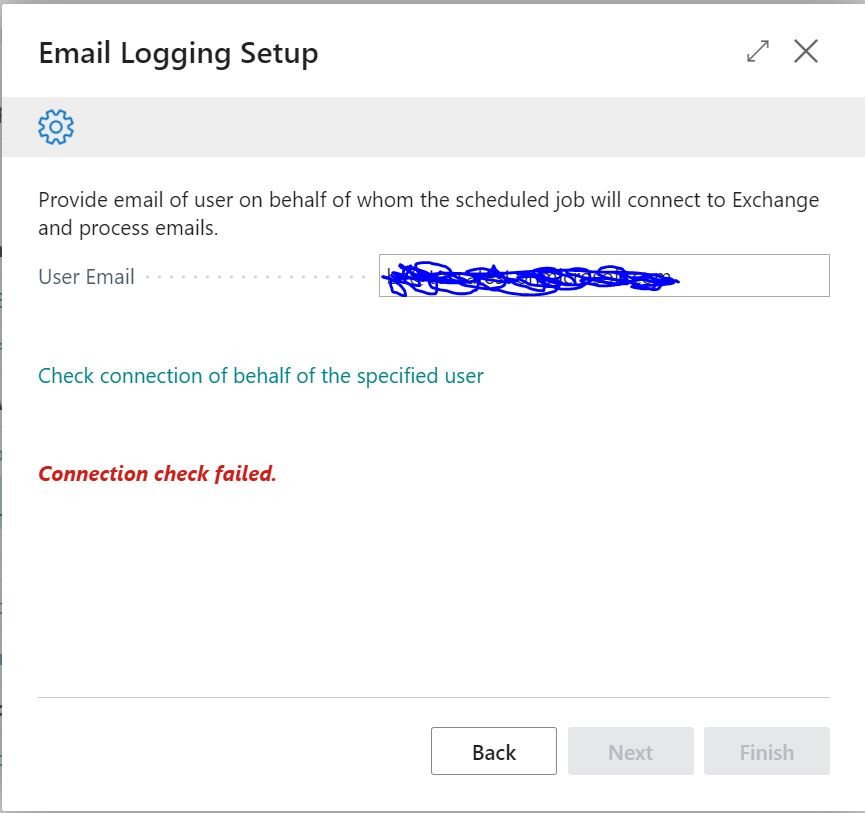
Followed the setup guide, however the Email Logging Wizard cannot finish since connection to Exchange Online cannot be established:
email-logging1.JPG

In the Application log the following message is logged:

Server instance: BC170
Category: ExchangeAuthentication
ClientSessionId: 26e24a99-1c5f-403f-8ccc-d77bbd8e396c
ClientActivityId: ea08e4df-1205-48e9-830d-ca64f11a3ff2
ServerSessionUniqueId: 00000000-0000-0000-0000-000000000000
ServerActivityId: 4e11ce41-f37b-4b2f-a491-4f532552e0b7
EventTime: 11/24/2020 09:01:01
Message (AutodiscoverLocalException): RootException: AutodiscoverLocalException
The Autodiscover service couldn't be located.
ExceptionStackTrace:
   at Microsoft.Exchange.WebServices.Autodiscover.AutodiscoverService.InternalGetLegacyUserSettings[TSettings](String emailAddress, List`1 redirectionEmailAddresses, Int32& currentHop)
   at Microsoft.Exchange.WebServices.Autodiscover.AutodiscoverService.GetLegacyUserSettings[TSettings](String emailAddress)

Any ideas?

Thanks,

I have the same question (0)
  • Suggested answer
    Marco Mels Profile Picture
    on at

    Hello,

    In this release we are using modern authentication. The error message mentions legacyusersettings which may indicate username / password to retrieve these settings. This is no longer supported in BC170.

    Within marketing setup you can enter client secret, etc. Is this a technically upgraded release from earlier. I do have BC170 as well and Assisted Setup points me to:

    docs.microsoft.com/.../marketing-set-up-email-logging

    It states for OnPrem release, you need to go to Marketing Setup, etc.

    Thanks.

  • Suggested answer
    Csaba Toth Profile Picture
    5 on at

    Hi Marco,

    Thanks for advise. I used the same documentation.

    Unfortunately in "To register an application in Azure AD for connecting from Business Central to Exchange Online" section Step 3 (Select Add a permission. On the Request API Permissions page, choose Exchange under Supported legacy APIs.) is not valid any more - no such option and initially I found only the delegated permission in Step5 (EWS.AccessAsUser.All) in Microsoft Graph only and could not find the app permission in Step6 (full_access_as_app) therefore I did not add it.

    In the meantime I was able to find both permissions under "APIs my organization uses"/"Office 365 Exhange Online" and since they are both set the Assisted Setup completed successfully and the Email Logging Job started working properly.

    Regards,

    Csaba

  • Verified answer
    Marco Mels Profile Picture
    on at

    Hello,

    Thank you so much.

    That part got deprecated in Azure portal Based on your very valuable input, we updated the docs:

    docs.microsoft.com/.../marketing-set-up-email-logging

    Meanwhile I ran the scenario and this does work fine now for me as well.

    Thanks.

Under review

Thank you for your reply! To ensure a great experience for everyone, your content is awaiting approval by our Community Managers. Please check back later.

Helpful resources

Quick Links

Responsible AI policies

As AI tools become more common, we’re introducing a Responsible AI Use…

Neeraj Kumar – Community Spotlight

We are honored to recognize Neeraj Kumar as our Community Spotlight honoree for…

Leaderboard > Small and medium business | Business Central, NAV, RMS

#1
OussamaSabbouh Profile Picture

OussamaSabbouh 2,132

#2
Khushbu Rajvi. Profile Picture

Khushbu Rajvi. 675 Super User 2025 Season 2

#3
YUN ZHU Profile Picture

YUN ZHU 665 Super User 2025 Season 2

Last 30 days Overall leaderboard

Featured topics

Product updates

Dynamics 365 release plans



