web
You’re offline. This is a read only version of the page.
close
Skip to main content

Notifications

Announcements

No record found.

Community site session details

Community site session details

Session Id :
Microsoft Dynamics CRM (Archived)

Removing PreImage Sdk Message Processing Step Image dependent component

(0) ShareShare
ReportReport
Posted on by

I want to rebuild the credit rating field from a single line of text to an option set, when I try to delete it I get the message that is dependent of PreImage and to other component types.
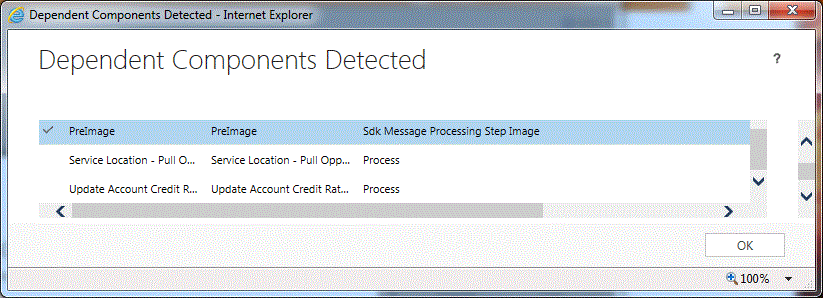
8713.Capture.GIF

I am not able to see 'PreImage' on the Sdk Message Processing Step, I saw another Sdk Message Processing Step that was a dependent component but it seems that disabling it doesn't help me to accomplish the task to remove the field.
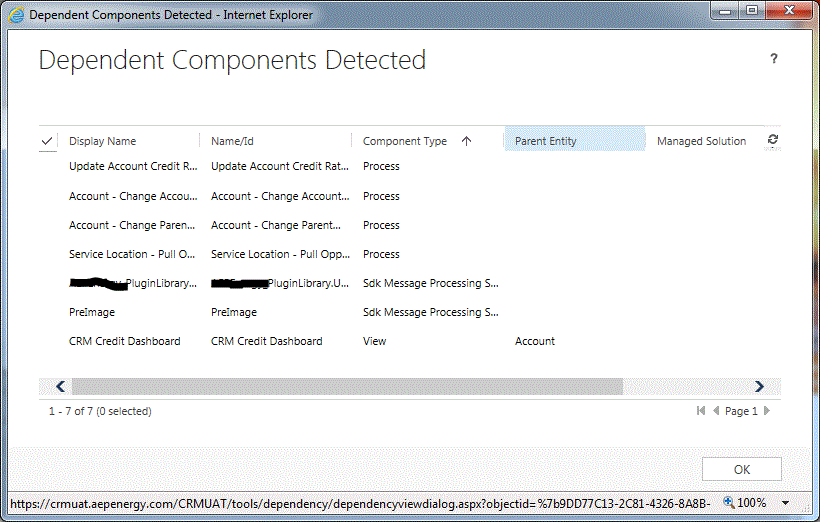
Capture2.GIF

Do I need to delete the Sdk Message Processing step associated with the credit rating field?
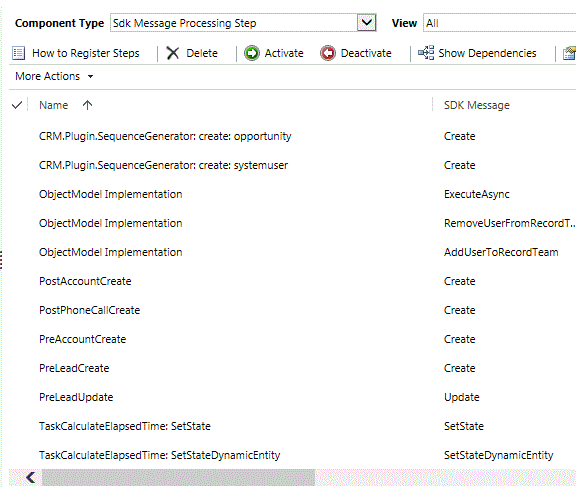
1778.Capture1.GIF

PreImage is not listed as a Sdk Message Processing Step

For some reason after I removed the credit rating field of the CRM Credit Dashboard view and published all the Customizations, the view still shows up as a dependent component. 

Any hints, ideas or suggestions are appreciated... thanks!

*This post is locked for comments

I have the same question (0)
  • Verified answer
    Mahendar Pal Profile Picture
    45,095 on at

    It seems this field is used in Plugin preimage (it won't be listed specifically, so disable sdk messages steps directly), that way you are getting this messages, if you are going to change this field you plugin will also not work.

    you need to make sure you have code for your plugin, recreate this field and also change plugin to update field name, after that you can re register your plugin.

    Thanks

  • Verified answer
    Community Member Profile Picture
    on at

    The field is involved in several plugins, workflows, web resources, console apps, scribe jobs, etc the change will impact more functionality that previously expected. The workaround I am considering is to create a new field with the option set then set the credit rating to the value of the new field after onChange event.

Under review

Thank you for your reply! To ensure a great experience for everyone, your content is awaiting approval by our Community Managers. Please check back later.

Helpful resources

Quick Links

Responsible AI policies

As AI tools become more common, we’re introducing a Responsible AI Use…

Neeraj Kumar – Community Spotlight

We are honored to recognize Neeraj Kumar as our Community Spotlight honoree for…

Leaderboard > 🔒一 Microsoft Dynamics CRM (Archived)

#1
SA-08121319-0 Profile Picture

SA-08121319-0 4

#1
Calum MacFarlane Profile Picture

Calum MacFarlane 4

#3
Alex Fun Wei Jie Profile Picture

Alex Fun Wei Jie 2

Last 30 days Overall leaderboard

Featured topics

Product updates

Dynamics 365 release plans



