web
You’re offline. This is a read only version of the page.
close
Skip to main content

Announcements

No record found.

News and Announcements icon
Community site session details

Community site session details

Session Id :
Small and medium business | Business Central, N...
Suggested Answer

How does one reserve an item for sales orders?

(4) ShareShare
ReportReport
Posted on by 113
Hello,
 
I have a test environment with a test item TRAINING-01. This is a non tracked item, with reserve set to 'Always' in the card. I have 21 in stock at the moment from test production orders. These are shown in my single BIN with a Available Qty. to Take of 21. When I go to a test sales order, and hit reserve on this line to reserve this qty of 21, I get the below:
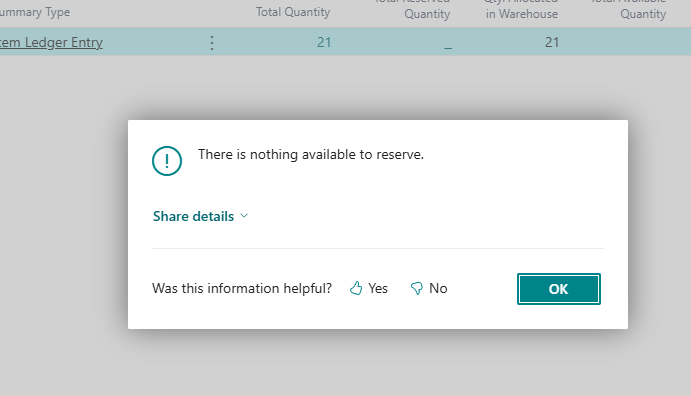
 
I assume this is because of the Qty. Allocated in the Warehouse being 21? Is this why? If so, what could they be allocated to in the warehouse, as I have no picks or ships made.
 
The production order for this item is finished and posted so it isn't stuck there.
 
Hopefully I'm just not understanding the workflow of the reservations but any help would be great, thank you.
 
I have the same question (0)
  • Suggested answer
    Saif Ali Sabri Profile Picture
    2,360 Moderator on at
    Yes, you're correct — the issue is due to the Qty. Allocated in Warehouse = 21, which means the inventory is allocated to a warehouse activity (e.g., put-away or pick), making it unavailable for reservation on the sales order.
    Root Cause:
    In Advanced Warehouse Management locations (where directed put-away and pick is enabled), once items are received or produced, they must go through warehouse activities (e.g., put-away) to become available for reservation or picking.
    Solution Steps:
    1. Check for Pending Put-aways:
      • Go to Warehouse → Put-aways.
      • Search for pending put-away documents for item TRAINING-01.
      • Complete the put-away to update inventory as "available".
    2. Recheck Availability:
      • After completing the put-away, Qty. Allocated in Warehouse should drop to 0.
      • Total Available Quantity should then be truly available for reservation.
    3. Reserve the Item:
      • Go back to the sales order.
      • Use Reserve → Reserve from Current Line.
      • You should now be able to reserve the quantity.

    Tip: In environments with warehouse management, reservation is only allowed on items that are fully available in inventory (not allocated to warehouse activities).
    Let me know if you're using basic vs advanced warehousing — the behavior differs slightly.
  • Suggested answer
    Jainam M. Kothari Profile Picture
    15,960 Super User 2026 Season 1 on at
  • Suggested answer
    Khushbu Rajvi. Profile Picture
    22,342 Super User 2026 Season 1 on at
    You can't reserve items on a sales order if the full quantity is already allocated in the warehouse—often due to open warehouse picks, put-aways, or movements. Even if stock is available, allocations block reservation. To resolve this, check and clear any pending warehouse activities that may be tying up the quantity.
     

Under review

Thank you for your reply! To ensure a great experience for everyone, your content is awaiting approval by our Community Managers. Please check back later.

Helpful resources

Quick Links

Introducing the 2026 Season 1 community Super Users

Congratulations to our 2026 Super Stars!

Meet the Microsoft Dynamics 365 Contact Center Champions

We are thrilled to have these Champions in our Community!

Congratulations to the April Top 10 Community Leaders

These are the community rock stars!

Leaderboard > Small and medium business | Business Central, NAV, RMS

#1
OussamaSabbouh Profile Picture

OussamaSabbouh 2,012 Super User 2026 Season 1

#2
YUN ZHU Profile Picture

YUN ZHU 986 Super User 2026 Season 1

#3
Teagen Boll Profile Picture

Teagen Boll 659 Super User 2026 Season 1

Last 30 days Overall leaderboard

Featured topics

Product updates

Dynamics 365 release plans
