web
You’re offline. This is a read only version of the page.
close
Skip to main content

Notifications

Announcements

No record found.

Community site session details

Community site session details

Session Id :
Finance | Project Operations, Human Resources, ...
Suggested Answer

No bank transactions under reconciliation but there are bank transactions when drilled into the bank account.

(0) ShareShare
ReportReport
Posted on by 2,438

Hi All, 

When I navigated to bank accounts, picked the account, I see these transactions (2nd screenshot):

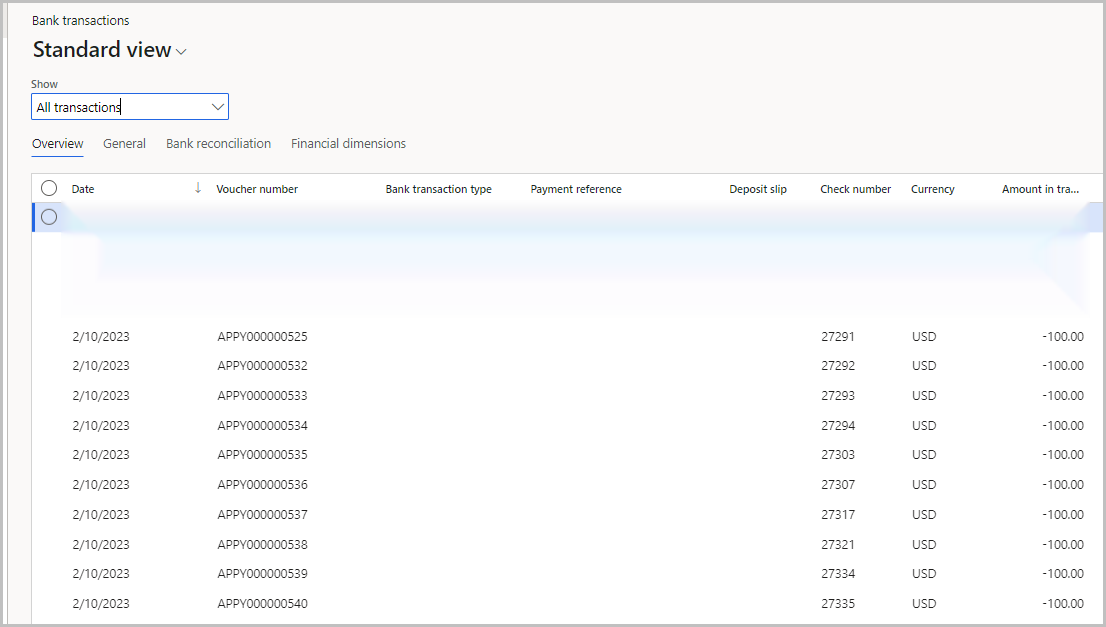
pastedimage1676566919861v5.png

pastedimage1676566712933v1.png

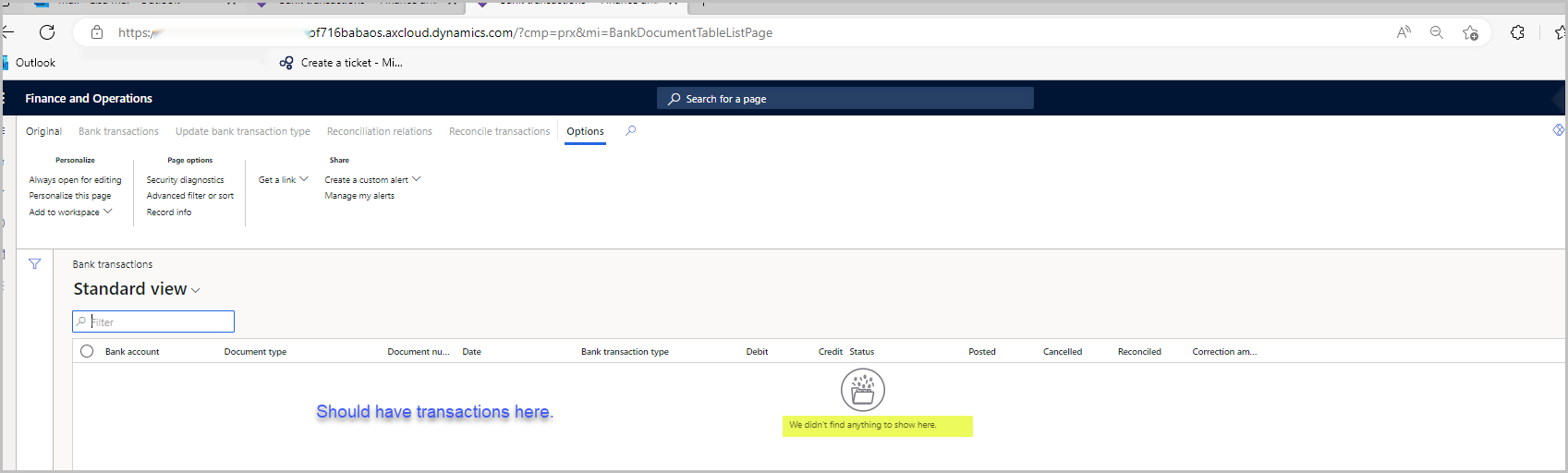
But when I navigated to Bank statement reconciliations>Bank transactions, pick that same account, it's empty.  No transactions there (4th screenshot).  

pastedimage1676566852807v2.png

pastedimage1676566904762v4.png

Could someone share your thoughts of what may have caused this empty transaction in the transaction list page?  Thanks so much!

I have the same question (0)
  • Suggested answer
    Morgan Bazin Profile Picture
    95 on at

    Hi there - my assumption is that you don't have advanced bank reconciliations activated.

    The forms under Bank statement reconciliation require this feature to be configured to work.

    More details: Advanced bank reconciliation setup process - Finance | Dynamics 365 | Microsoft Learn

  • Suggested answer
    BillurSamdancioglu Profile Picture
    19,703 Most Valuable Professional on at

    Hi,

    Please check if these transaction have already been reconciled or not. YOu can check from bank transactions. If you do not see the field on the form you can add fields.

  • lmai Profile Picture
    2,438 on at

    Thanks, Biullur, for your response.  

    No, this transaction has not been reconciled for sure. This is not a field.  I should have a full list of transactions under Bank statement reconciliations>Bank transactions,

  • lmai Profile Picture
    2,438 on at

    Thanks, Morgan, for your response.  No Advance banking is used.  In the past, I didn't have the Advance banking turned on and still able to see the list of bank transactions under Bank statement reconciliations>Bank transactions.

  • Suggested answer
    BillurSamdancioglu Profile Picture
    19,703 Most Valuable Professional on at

    Screenshot-2023_2D00_02_2D00_16-at-22.53.00.png

    Please check this field if set to yes

  • lmai Profile Picture
    2,438 on at

    Thanks, Billur.  I cleared all filters.  It's still having no transactions.

Under review

Thank you for your reply! To ensure a great experience for everyone, your content is awaiting approval by our Community Managers. Please check back later.

Helpful resources

Quick Links

Responsible AI policies

As AI tools become more common, we’re introducing a Responsible AI Use…

Neeraj Kumar – Community Spotlight

We are honored to recognize Neeraj Kumar as our Community Spotlight honoree for…

Leaderboard > Finance | Project Operations, Human Resources, AX, GP, SL

#1
Martin Dráb Profile Picture

Martin Dráb 559 Most Valuable Professional

#2
André Arnaud de Calavon Profile Picture

André Arnaud de Cal... 464 Super User 2025 Season 2

#3
Sohaib Cheema Profile Picture

Sohaib Cheema 250 User Group Leader

Last 30 days Overall leaderboard

Product updates

Dynamics 365 release plans