web
You’re offline. This is a read only version of the page.
close
Skip to main content

Notifications

Announcements

No record found.

Community site session details

Community site session details

Session Id :
Microsoft Dynamics 365 | Integration, Dataverse...
Suggested Answer

How to Integrate WhatsApp With D365 Using Twilio?

(1) ShareShare
ReportReport
Posted on by 9

Hi Everyone,

I am trying to implement, WhatsApp Integration with D365 By using Twilio for that i have followed all below steps in my Trial D365.

  • Assigned Global rights for User.
  • Assigned all required Licenses.
  • Provided Data consent.
  • Created Twilio account.

Once done all my above process, i have started to create WhatsApp Account in Omnichannel Administrator.

pastedimage1643035210196v1.png

Assigned Account SID and Account token which details get from Twilio account and then tried to save ,While saving this record throwing error as below.
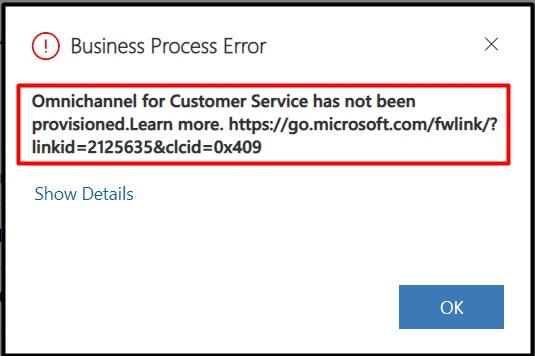
pastedimage1643035330806v2.png

To solve, above error searched for resolution on many forum and etc. In many solutions i have observed  that in D365 App there should be one application as Omnichannel for Customer Service through which we can set up environment for Channels. but this option is missing in my  admin.powerplatform.microsoft.com environment.

pastedimage1643035701431v3.png

But, when i searched more on this, i observed this option is installed in inside the trial environment.
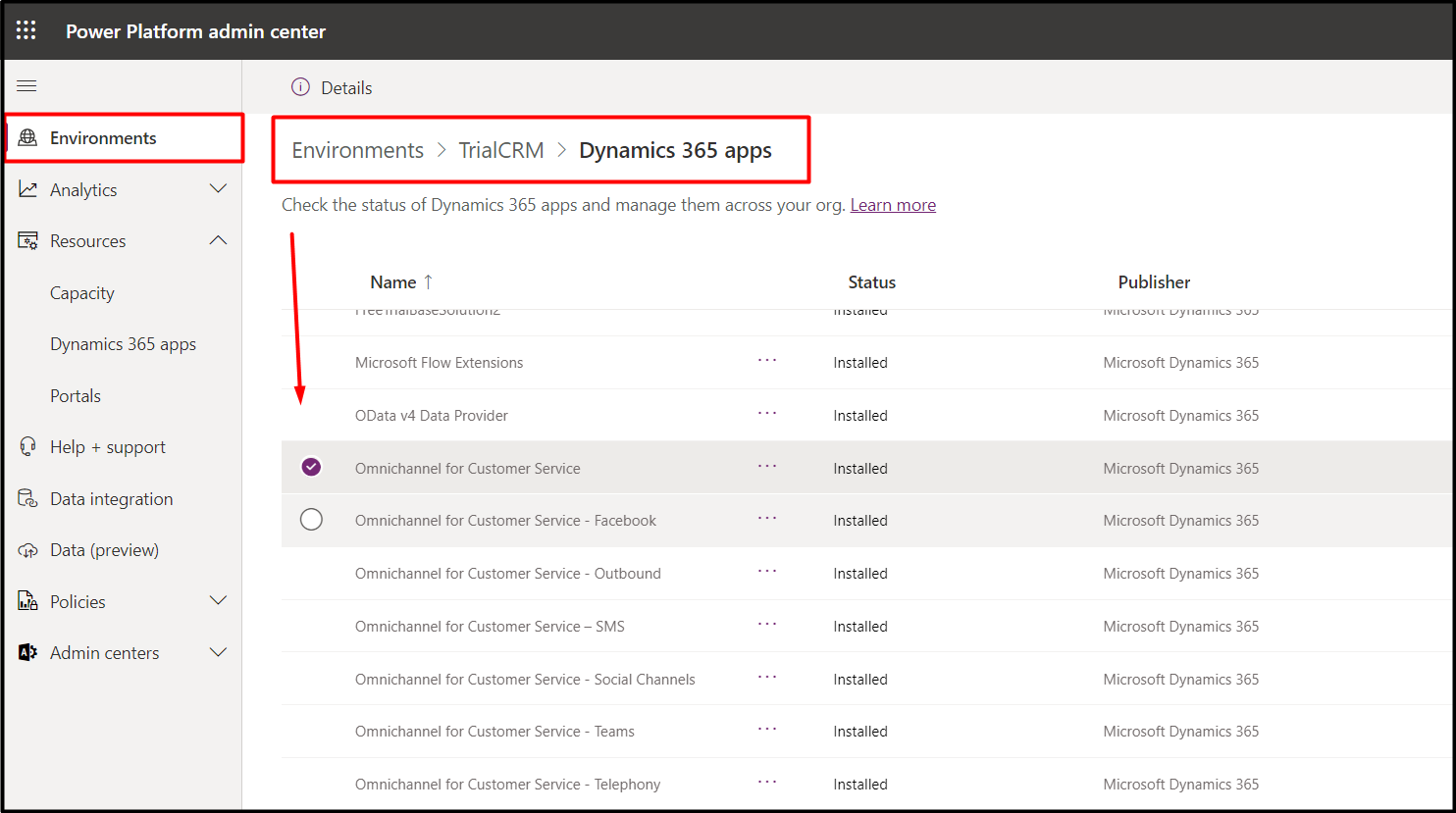
pastedimage1643035884290v4.png

if, it is already been setup then what was the reason for the issue, what steps i am missing unable to find out.

Any suggestion would be grateful.

Thanks in advance.

Regards,

Sangeeta M.


I have the same question (0)
  • Suggested answer
    Community Member Profile Picture
    on at

    Hi Sangeeta.Masapatri,

    You need refer following document to set up Omnichannel for Customer Service:

    Provision Omnichannel for Customer Service | Microsoft Docs

    pastedimage1643098415748v1.png

  • Sangeeta.Masapatri Profile Picture
    9 on at

    Hi Leah Ju,

    Thank you for your reply.

    But I have also followed the same link which you have provided to me, but still that issue has been not resolved, not understanding what is missing. 

    Would be grateful on any suggestions. 

    Thanks in Advance

    Regards,

    Sangeeta M.

  • Inogic Profile Picture
    703 on at
    Hi Sangeeta,
    The error you're encountering with the Twilio integration in Dynamics 365 might be due to missing configurations or an incomplete setup of the Omnichannel for Customer Service application. Here are some points to check:
    • Permissions: Confirm the user has roles like Omnichannel Administrator.
    • Twilio Configuration: Check that the Account SID, Auth Token, and WhatsApp-enabled Twilio number are correctly configured.
    • Trial Limitations: Some features may differ in a trial environment. Verify all dependencies and licenses are active.
    If you continue to face challenges with the native integration or find the setup process complex, I recommend exploring WhatsApp4Dynamics as an alternative.
    What is WhatsApp4Dynamics?
    WhatsApp4Dynamics is a seamless WhatsApp Business and Dynamics 365 CRM integration solution designed specifically for Dynamics 365 users. It allows you to:
    • Manage and initiate WhatsApp conversations within CRM, including creating CRM records from chats.
    • Communicate with customers on WhatsApp directly from CRM without switching platforms.
    • Receive instant notifications for new WhatsApp messages via a chat bubble displaying unread message counts.
    • Store and review complete WhatsApp chat histories linked to CRM records.
    • Automate WhatsApp messages for events like order confirmations or reminders.
    • Easily set up the integration by following the well written comprehensive documentation.
    To learn more about the app and how it can help with your business needs feel free to mail us at crm@inogic.com.

    If you are interested in testing the solution for your needs, then you should consider checking out our app for a 15-day free trial from our website or Microsoft AppSource.

    Hope this helps.
    Thanks!
    Sam
    Website: www.inogic.com

Under review

Thank you for your reply! To ensure a great experience for everyone, your content is awaiting approval by our Community Managers. Please check back later.

Helpful resources

Quick Links

Responsible AI policies

As AI tools become more common, we’re introducing a Responsible AI Use…

Neeraj Kumar – Community Spotlight

We are honored to recognize Neeraj Kumar as our Community Spotlight honoree for…

Leaderboard > Microsoft Dynamics 365 | Integration, Dataverse, and general topics

#1
Martin Dráb Profile Picture

Martin Dráb 51 Most Valuable Professional

#2
André Arnaud de Calavon Profile Picture

André Arnaud de Cal... 38 Super User 2025 Season 2

#3
#ManoVerse Profile Picture

#ManoVerse 31

Last 30 days Overall leaderboard

Product updates

Dynamics 365 release plans



