web
You’re offline. This is a read only version of the page.
close
Skip to main content

Announcements

No record found.

News and Announcements icon
Community site session details

Community site session details

Session Id :
Finance | Project Operations, Human Resources, ...
Suggested Answer

Expense Management - Distribution amount

(0) ShareShare
ReportReport
Posted on by 22

Hello,

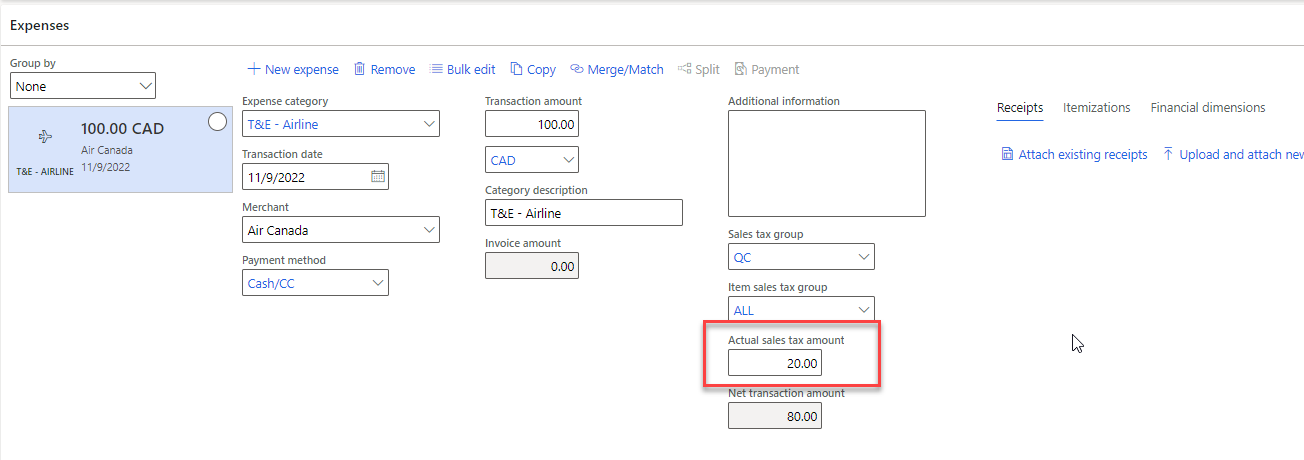
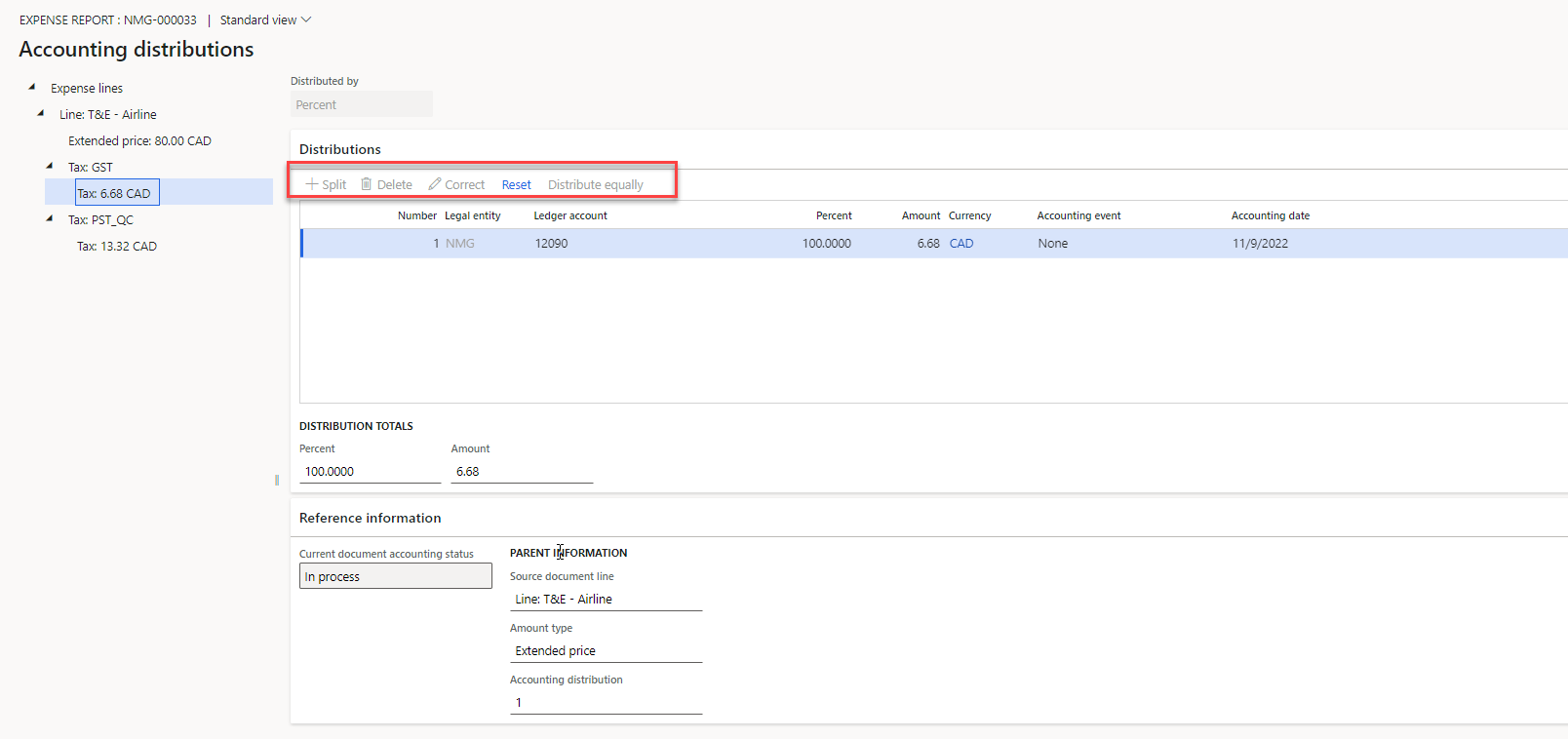
My parameters "Allows editing of distribution before posting" is activate, but I'm not able to change my disbution on the tax.

pastedimage1668016712828v1.png

Exemple : Tax on a flight in Canada is quite complicated and I want the user to be able to change manually the amount for PST/GST, but the correct button is greyed out.
pastedimage1668016817332v2.png

pastedimage1668016873358v3.png

Is there a way to change that and allow the user to put 5 $ in GST and 15 $ in PST instead of the calculated amount.

Thanks

I have the same question (0)
  • Charlotte X Profile Picture
    Microsoft Employee on at

    Hi Marc-Antoine P,

    Please wait for someone more experienced in this area to answer this question.

    Best Regards,

    Charlotte

  • GirishS Profile Picture
    27,843 Moderator on at

    I guess its something related to security role. Does your role has "System administrator".

    Refer to the below thread for more details about security role needed.

    https://community.dynamics.com/365/financeandoperations/f/dynamics-365-for-finance-and-operations-forum/392153/reset-all-distribution-button-disabled

    Thanks,

    Girish S.

  • Marc-Antoine P Profile Picture
    22 on at

    Yes I have System Admin and I also verified with the privileges mentionned in the thread you suggested.

  • Suggested answer
    GirishS Profile Picture
    27,843 Moderator on at

    Is this working earlier?

    But as per Microsoft documentations "Correct" button will be enabled only for certain documents that supports correction.

    pastedimage1668406250001v1.png

    Refer to the below link for detailed explanation.

    https://learn.microsoft.com/en-us/dynamics365/finance/accounts-payable/accounting-distributions

    Thanks,

    Girish S.

Under review

Thank you for your reply! To ensure a great experience for everyone, your content is awaiting approval by our Community Managers. Please check back later.

Helpful resources

Quick Links

Introducing the 2026 Season 1 community Super Users

Congratulations to our 2026 Super Stars!

Meet the Microsoft Dynamics 365 Contact Center Champions

We are thrilled to have these Champions in our Community!

Congratulations to the March Top 10 Community Leaders

These are the community rock stars!

Leaderboard > Finance | Project Operations, Human Resources, AX, GP, SL

#1
Giorgio Bonacorsi Profile Picture

Giorgio Bonacorsi 689

#2
André Arnaud de Calavon Profile Picture

André Arnaud de Cal... 455 Super User 2026 Season 1

#3
Syed Haris Shah Profile Picture

Syed Haris Shah 308 Super User 2026 Season 1

Last 30 days Overall leaderboard

Product updates

Dynamics 365 release plans
