web
You’re offline. This is a read only version of the page.
close
Skip to main content

Notifications

Announcements

No record found.

Community site session details

Community site session details

Session Id :
Small and medium business | Business Central, N...
Suggested Answer

Questions regarding "Remove Reference to Record" in Navision 2018?

(0) ShareShare
ReportReport
Posted on by 4,971

Hi,

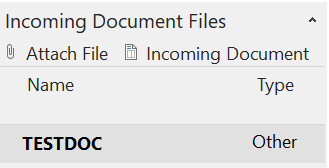
I notice that when I create Purchase Oder, while the status is "Open", I attached documents at the "Incoming Documents"
pastedimage1635840285206v1.png

Scenario 1 : Let's say I attached a wrong file in the incoming Documents, while the PO status is "Open".

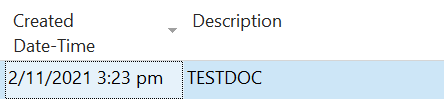
I will go to "My Incoming Document" >  Select the attached document and view.
pastedimage1635840744397v2.png

Then at the Ribbon >  I will select "Remove Reference to Record". Then system will prompt if I want to remove the reference. I will select yes

pastedimage1635840959601v3.png pastedimage1635841115391v4.png 

Then it ask me, Do you want to delete the record. I assume that it is asking me if I still wants to keep the attachment file, to which I do not need it.

So I also select "Yes" to delete record.

pastedimage1635841164925v5.png

To my surprise, however, my PO was also deleted.

I checked my PO but it was no longer there. I check change logs, and true enough it shows that my PO has been deleted.

Question: How come my PO gets deleted?

Scenario 2: Let's say I attached a wrong file in the incoming Documents, while the PO status is "Open". Then I "Post to Ship". Now when I go to "My Incoming Documents" I can't find my incoming documents in the "My Incoming Documents" page at all.

Question: How come when my status was open, I can see it, but when I post to Ship - I can't see it?

I have the same question (0)
  • Suggested answer
    Marco Mels Profile Picture
    on at

    Hello,

    I ran  the first scenario and it does not reproduce in latest Dynamics NAV 2018. Are you on latest CU build?

    For the second scenario, I would assume the incoming document is set to processed. There is a filter set to Processed is No.

    If you remove that filter, the document will show up again within Incoming Documents.

    Thanks.

  • joshtechsolutions Profile Picture
    4,971 on at

    Hi Marco,

    May I asked what will be the latest version number?

    Mine is as below.

    pastedimage1635926753420v1.png

    For the second scenario, may I asked where is this setting ? To set the incoming document to processed. Can you show me a screenshot?

    Thank you!

  • Suggested answer
    YUN ZHU Profile Picture
    95,381 Super User 2025 Season 2 on at

    Hi, I also tried the first scenario, it does not reproduce.

    More details:

    [View:/cfs-file/__key/communityserver-discussions-components-files/34/TestVideo01.mp4:997:748]

    My test version:

    pastedimage1635988503712v1.png

    For scenario 2, as Marco said, please check these filters.

    pastedimage1635988555119v2.png

    pastedimage1635988565205v3.png

    Hope this will help.

    Thanks.

    ZHU

Under review

Thank you for your reply! To ensure a great experience for everyone, your content is awaiting approval by our Community Managers. Please check back later.

Helpful resources

Quick Links

Responsible AI policies

As AI tools become more common, we’re introducing a Responsible AI Use…

Neeraj Kumar – Community Spotlight

We are honored to recognize Neeraj Kumar as our Community Spotlight honoree for…

Leaderboard > Small and medium business | Business Central, NAV, RMS

#1
OussamaSabbouh Profile Picture

OussamaSabbouh 2,990

#2
Jainam M. Kothari Profile Picture

Jainam M. Kothari 1,576 Super User 2025 Season 2

#3
YUN ZHU Profile Picture

YUN ZHU 1,028 Super User 2025 Season 2

Last 30 days Overall leaderboard

Featured topics

Product updates

Dynamics 365 release plans



