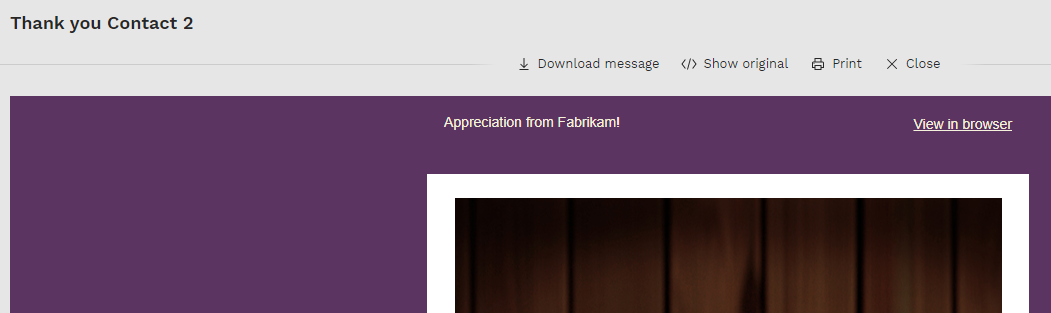
web
You’re offline. This is a read only version of the page.
close
Skip to main content

Notifications

Announcements

Community site session details

Community site session details

Session Id :
Customer Insights - Journeys forum

Building a segment of event registrants

(0) ShareShare
ReportReport
Posted on by

My goal is to set up a journey to send a confirmation email after someone registers for an event.  To do this, I believe I'll need to create a dynamic segment of all of the registrants for the event.  I'm new to segments and I'm struggling with the right way to build the query.

Any tips on how to create a segment with all of the contacts who registered for an event?

I have the same question (0)
  • Jonas Velling Profile Picture
    142 on at

    Hi emonggis,

    You'll be able to save your Segments as templates, so you only need to change the event in your segment.

    As Martin Kovac mentioned above, you'll also be able to do it directly from the customer journey (basically skipping the segment part), but you will have to tell the app which event you want registrants for.

  • emonggis Profile Picture
    5 on at

    Is it possible for the event to be non-specific? My intention is to make this segment re-usable for any event.

  • LuHao Profile Picture
    40,892 on at

    Hi partner,

    Don't forget to mark the verified answer by clicking Yes.

    pastedimage1569909156641v1.png

    This will help other users quickly navigate to this theme.

    Thanks.  :)

  • Suggested answer
    makova Profile Picture
    310 on at

    Hi Jason,

    There is a simpler way to do it. As you are creating a customer journey, you'll find a template for Event Marketing there which pre-populates your automation.

    pastedimage1567749055900v1.png

    There is a trigger which takes care of checking on registrants and following up which is a better way to achieve your scenario than relying on building a segment with registrants.

    pastedimage1567749112501v2.png

    Hope this helps

    Best Regards

    Martin Kovac

    Microsoft Dynamics 365 for Marketing

    Don't forget!: If you have gotten the answer to your question - mark your question as answered (even if the answer is not what you have hoped for). By doing so you show appreciation to the free-of-charge help that you have received from another forum member.

    Get started with Dynamics 365 for Marketing

  • Suggested answer
    LuHao Profile Picture
    40,892 on at

    Hi Jason,

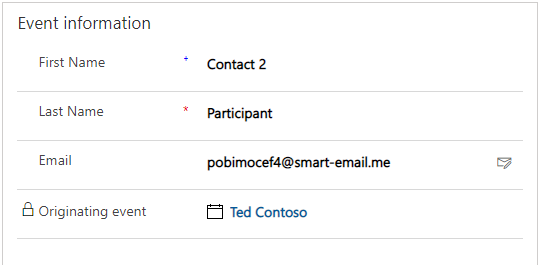
    Once a contact record is created from Event page, its Originating event field will be populated with the event.

    (This section is in Details tab)
    8764.png

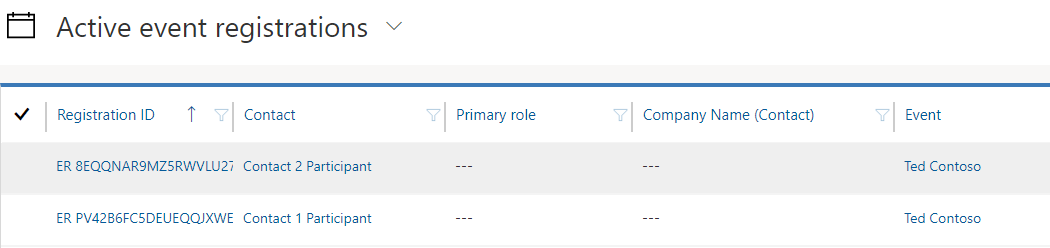
    Also, a Event Registration record will be created, which saves contact and contact's registered Event.
    1200.png

    In my example, I registered 2 contacts from event Ted Contoso.

    So we could build your required segment in 2 ways:

    1. Build a segment and set Contact as source entity, set contact's originating event field to the specific event we want:

    4745.png

    2. Build a segment and set Event Registration as source entity, set its Event field to the specific event we want, then find its related contacts.

    1018.png

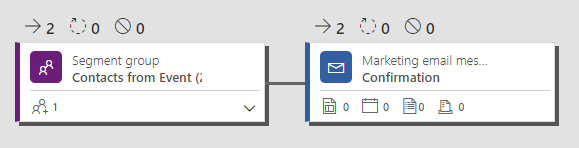
    Finally add any of segment into customer journey for test:
    3010.png

    Result:

    6.png

    Regards,

    Clofly

Under review

Thank you for your reply! To ensure a great experience for everyone, your content is awaiting approval by our Community Managers. Please check back later.

Helpful resources

News and Announcements

Season of Giving Solutions is Here!

Quick Links

November Spotlight Star - Khushbu Rajvi

Congratulations to a top community star!

Forum Structure Changes Coming on 11/8!

In our never-ending quest to help the Dynamics 365 Community members get answers faster …

Dynamics 365 Community Platform update – Oct 28

Welcome to the next edition of the Community Platform Update. This is a status …

Leaderboard > Customer Insights - Journeys

Last 30 days Overall leaderboard

Featured topics

Product updates

Dynamics 365 release plans