web
You’re offline. This is a read only version of the page.
close
Skip to main content

Notifications

Announcements

No record found.

Community site session details

Community site session details

Session Id :
Supply chain | Supply Chain Management, Commerce
Answered

OData for Stock On Hand

(0) ShareShare
ReportReport
Posted on by 65

Is there a way in OData to show the Stock On Hand List including Item Number, Dimensions (Style, Size, Batch Number, Site, Warehouse, Locations), and related quantity?

I understand a workaround is to join all the transactions such as Purchase, Deduction. However, I think there must be a smarter way to get this Stock On Hand.
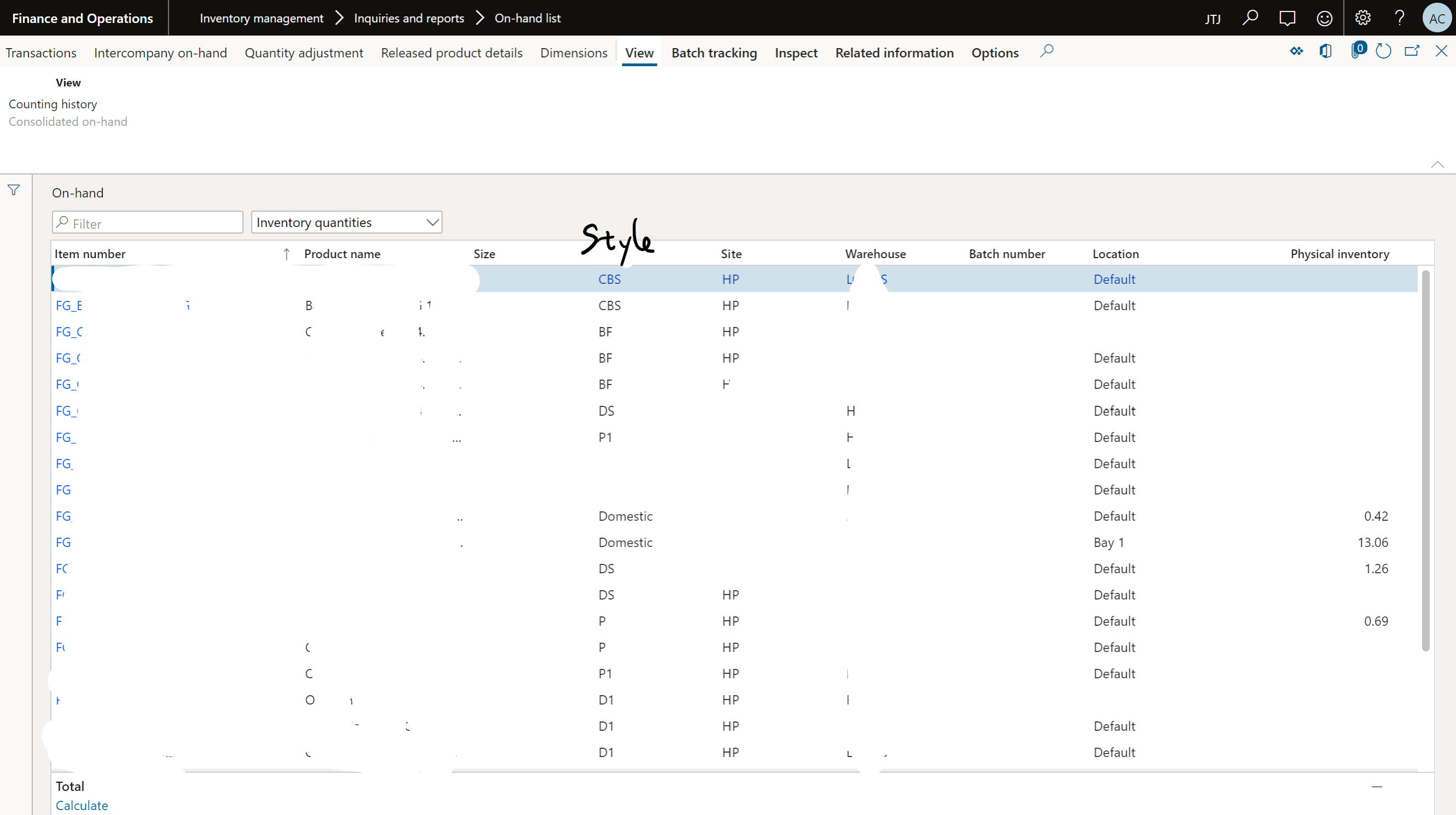
pastedimage1606428586111v1.png

Could any one help?

I have the same question (0)
  • HenryXie Profile Picture
    on at

    Hi Aaron,

    there is a standard entity [Inventory on-hand] but not published as OData service, you can duplicate it and set publics to Yes.

    pastedimage1606446251317v1.png

  • Suggested answer
    Sergei Minozhenko Profile Picture
    23,093 on at

    Hi Aaron,

    There are also OOB on-hand entities with a limited set of dimensions like InventWarehouseOnHandV2Entity, so you can take it as an example and create your own entity.

  • AaronChen Profile Picture
    65 on at

    Thanks Henry,

    I found the data entity, and there are some pre-configurations to be done before we can utilize this data entity.

    I guess this is also linked Inventory On Hand Report Storage.

    The problem is we use CW items, however for those CW items, it seems we can only see the CW QTY instead QTY.

  • Verified answer
    Anders Even Girke Profile Picture
    on at

    Hi Aaron

    I have a work around for solving this. The Inventory aging report allows user to get the inventory value calculated of any physical location. This is done by by calculating the average cost of Cost object and then multiple this to the quantity of the physical location.

    In your case you just dont care about the costing part 

    Inventory aging report and Inventory aging report storage are fundamentally the same report. The storage option allow export via data entity

    https://docs.microsoft.com/en-us/dynamics365/supply-chain/cost-management/inventory-aging-report

    https://docs.microsoft.com/en-us/dynamics365/supply-chain/cost-management/inventory-aging-report-storage

    BR 

    Ander Girke

Under review

Thank you for your reply! To ensure a great experience for everyone, your content is awaiting approval by our Community Managers. Please check back later.

Helpful resources

Quick Links

Responsible AI policies

As AI tools become more common, we’re introducing a Responsible AI Use…

Neeraj Kumar – Community Spotlight

We are honored to recognize Neeraj Kumar as our Community Spotlight honoree for…

Leaderboard > Supply chain | Supply Chain Management, Commerce

#1
Siv Sagar Profile Picture

Siv Sagar 283 Super User 2025 Season 2

#2
Laurens vd Tang Profile Picture

Laurens vd Tang 213 Super User 2025 Season 2

#3
André Arnaud de Calavon Profile Picture

André Arnaud de Cal... 152 Super User 2025 Season 2

Last 30 days Overall leaderboard

Featured topics

Product updates

Dynamics 365 release plans
