web
You’re offline. This is a read only version of the page.
close
Skip to main content

Announcements

No record found.

News and Announcements icon
Community site session details

Community site session details

Session Id :
Small and medium business | Business Central, N...
Suggested Answer

How can I add a field in table 336 , Tracking Specification in business central , when i add a field on closing the page it disappears, let me know what i need to ddo

(0) ShareShare
ReportReport
Posted on by 65

Need to add customized field in table 336, kindly please provide the steps , when i had added the field on closing the page the values are disappearing 

  • Mayank Jangid Profile Picture
    79 on at

    Hey,

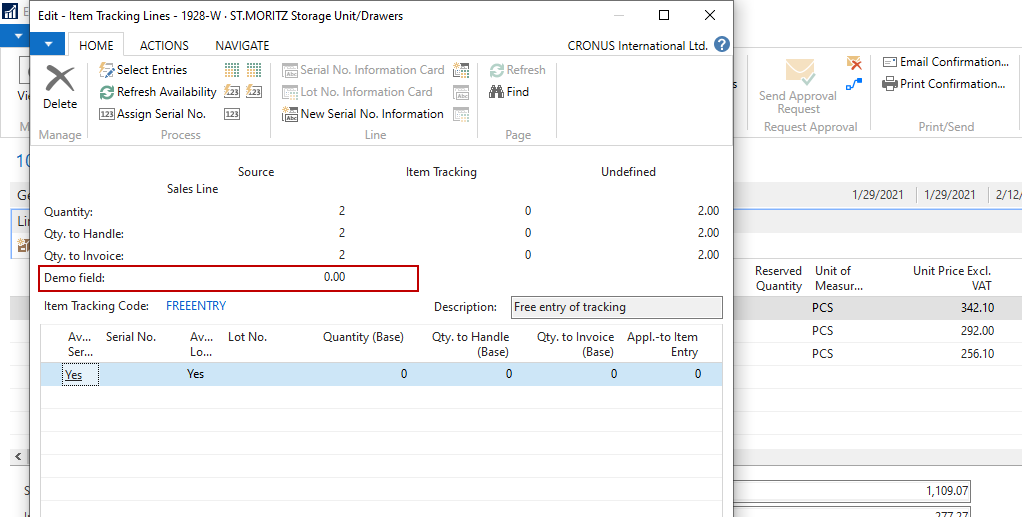
    I have checked in my environment and i am able to add and its visible on the page also. I didn't faced any issue. Check below screenshot for same
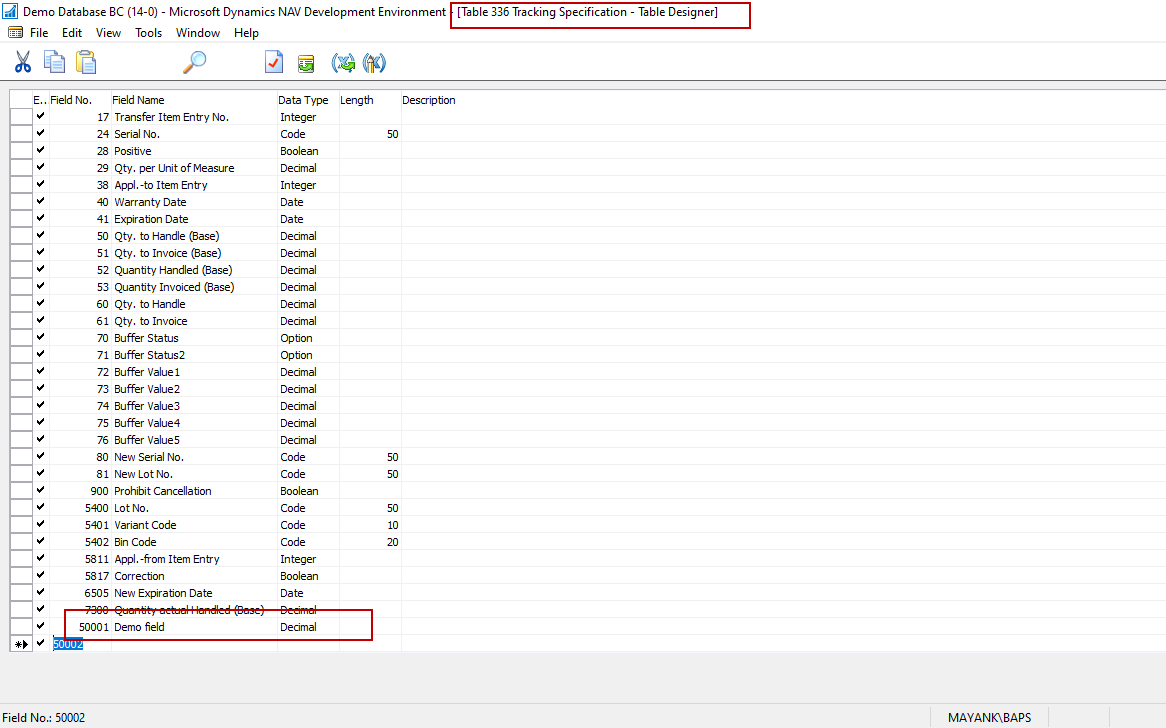
    pastedimage1661516983260v1.png

    pastedimage1661516996941v2.png

  • Suggested answer
    Amit Baru Profile Picture
    3,043 on at

    Hi,

    Pls Make extension of 336 table and same display in Page by makes Page extension.

    Now lets discuss your concern. When you open the page, system fill the entry on temporary basis. that why you custom field value disappear while closing the page. You should call events for saving the custom value in 336 table.

    Regards

    Amit Sharma

    www.erpconsultors.com

    www.linkedin.com/.../

    Pls press Yes if info is useful.

  • ALICE THOMAS Profile Picture
    65 on at

    Once we close the page the value disappears  there is a reservation table and an entry is created there instead of 336 , i think that is a buffer table once we close the value disappears from this table

  • Suggested answer
    Nitin Verma Profile Picture
    21,812 Moderator on at

    Hi,

    Are you looking how to create a AL app extension in business central? If yes please follow the below link which will help you to understand the AL coding

    docs.microsoft.com/.../devenv-get-started

Under review

Thank you for your reply! To ensure a great experience for everyone, your content is awaiting approval by our Community Managers. Please check back later.

Helpful resources

Quick Links

Season of Sharing Community Challenge Winners!

Congratulations to our community stars!

Women in Power Builds Momentum

Expanding mentorship, skilling, and AI innovation

Congratulations to the August Top 10 Community Leaders

These are the community rock stars!

Leaderboard > Small and medium business | Business Central, NAV, RMS

#1
OussamaSabbouh Profile Picture

OussamaSabbouh 710 Super User 2026 Season 2

#2
YUN ZHU Profile Picture

YUN ZHU 387 Super User 2026 Season 2

#3
AndrewThomas81 Profile Picture

AndrewThomas81 385 Super User 2026 Season 2

Last 30 days Overall leaderboard

Featured topics

Microsoft Training Manuals

Product updates

Dynamics 365 release plans


